
The Tool Desk
Outbyte Driver Updater FREEScan for outdated or missing drivers - takes under a minuteDriver Scan →Outbyte PC Repair FREEClear out junk files and repair common Windows errorsFree Scan →Verdict: The 2025 Razer Blade 18 with an RTX 5090 Laptop GPU is one of the fastest large gaming laptops available, and its standout achievement is delivering that performance with comparatively restrained fan noise. Balanced mode is especially impressive at about 43.1 dB(A) while gaming. But this is a $4,899 review configuration weighing roughly 7 lb before its 2.4 lb power adapter, and its clever 4K/240 Hz-to-440 Hz display does not eliminate the compromises of a high-end desktop replacement.
It is an excellent choice for affluent enthusiasts who want premium construction, extreme performance, a large screen, and better-than-expected acoustics. It is not the obvious choice for value seekers, frequent travelers, 2024 Blade 18 owners, or buyers who would prefer mini-LED contrast over display flexibility.
As an Amazon Associate I earn from qualifying purchases.
Razer Blade 18 (2025) RTX 5090: the short version
The Blade 18 combines Intel’s Core Ultra 9 275HX with an RTX 5090 Laptop GPU configured for up to 175 W. In the tested configuration, it handled demanding games at high frame rates while remaining quieter than many similarly powerful 18-inch systems. Notebookcheck measured about 48.2 dB(A) in Performance and Turbo while gaming, and 43.1 dB(A) in Balanced mode. Those numbers do not make it silent, but they make the Blade unusually easy to live with for its performance class.
The catch is that Razer charges heavily for the combination. The tested model cost $4,899 at review time, and the review’s own assessment questioned whether its generational gains over the 2024 Blade 18 were large enough to justify the premium. Current prices and stock can differ substantially by region and promotion, so that figure is a historical reference rather than a guaranteed live price. See the official Razer Blade 18 page before buying.
#1 Best Overall

- 18” QHD+ 240 Hz Display: Get the workspace you need to truly create with a high resolution QHD+ (2560x1600) display featuring 100% DCI-P3 color space, and play on another level with ultra-fast refresh rates for silky-smooth gameplay
- NVIDIA GeForce RTX 40 Series Graphics: Powers the world’s fastest laptops for gamers and creators to bring a quantum leap in performance with DLSS 3, full ray tracing, and the Max-Q suite of technologies that optimizes system performance for peak efficiency — every Blade 18 is pushing the TGP to its full potential with up to 175 W on the NVIDIA GeForce RTX 4090
- 13th Gen Intel Core i9 13950HX Processor: From full-blown AAA gaming to full-on content creation, run resource-intensive tasks flawlessly with the most powerful mobile processor leveraging desktop-grade silicon
- Ultra-fast 5200 MHz RAM and Up to 8 TB Storage: Experience insanely quick load times for seamless gaming and content creation—easily add more memory and storage for up to 64GB of RAM and m.2 slots compatible with dual-sided NVMe drives
- Desktop Features, Laptop Convenience: Look great for any video call, be immersed in cinematic audio, and enjoy the full functionality of a home setup anywhere thanks to an array of ports and connectivity options for devices
Test configuration
The reviewed machine was a high-end configuration, not a specification shared by every Blade 18 model:
- CPU: Intel Core Ultra 9 275HX
- GPU: NVIDIA GeForce RTX 5090 Laptop GPU, up to 175 W TGP
- Memory: 64 GB RAM
- Storage: 4 TB total, using two 2 TB PCIe 4.0 SSDs
- Display: 18-inch, 16:10 dual-mode IPS panel
- Battery: approximately 99 Wh
- Weight: approximately 3.17 kg (7 lb), excluding the charger
- Power adapter: approximately 1.09 kg (2.4 lb), rated at 400 W
Razer offers other CPU, GPU, memory, and storage combinations. Its product page lists support for up to 128 GB of DDR5-6400 memory, but configuration availability varies by market.
Design and build: premium, but no longer understated
The Blade 18 retains a rigid black aluminum construction and the substantial desk footprint expected of an 18-inch desktop replacement. It feels expensive and solid, with enough room for powerful cooling hardware and a large keyboard deck. The redesign adds a dedicated number pad, a larger battery, Thunderbolt 5, and Wi-Fi 7.
Recommended Free Tools
There is a visual cost. The new cooling system creates a large bulge at the rear, making the chassis less uniform than earlier Blade designs. That shape is functional rather than decorative, but buyers who liked the previous Blade’s clean, relatively restrained silhouette may not consider it an improvement.
Port selection is strong: Thunderbolt 5, HDMI 2.1, 2.5Gb Ethernet, USB-A, and a UHS-II SD-card reader are all useful on a system intended to replace a desktop. The 5 MP webcam is a welcome upgrade, and its mechanical privacy shutter provides a simple physical safeguard.
Keyboard and touchpad
The per-key RGB keyboard offers the expected gaming customization, while the number pad will appeal to users who work with spreadsheets, development tools, or numeric input. However, the extra keys change the layout and can make the main keyboard area feel cramped. Key travel is short, which is acceptable for gaming but less satisfying for extensive typing. The large touchpad is suitable for desktop work, though this is fundamentally a machine designed to spend most of its time on a desk with external peripherals.
Display: two useful modes, not two miracles
The dual-mode IPS panel is one of the Blade 18’s most unusual features. It switches between:
- 3840×2400 at 240 Hz for high-resolution gaming, creative work, and general desktop use.
- 1920×1200 at 440 Hz for competitive games and other workloads where very high refresh rates matter.
Razer advertises up to 600 nits of brightness, up to 100% DCI-P3 coverage, a 3 ms response time, and G-SYNC support. Notebookcheck measured approximately 545 nits maximum brightness, 509.7 nits on average, 100% sRGB coverage, 97% Display P3, 89% AdobeRGB, and roughly 1329:1 contrast. Those independent measurements make it a bright, wide-gamut panel, though not a replacement for the deeper blacks and stronger HDR impact of a good mini-LED display.
Rank #2
- 18” QHD+ 240 Hz Display: Get the workspace you need to truly create with a high resolution QHD+ (2560x1600) display featuring 100% DCI-P3 color space, and play on another level with ultra-fast refresh rates for silky-smooth gameplay
- NVIDIA GeForce RTX 40 Series Graphics: Powers the world’s fastest laptops for gamers and creators to bring a quantum leap in performance with DLSS 3, full ray tracing, and the Max-Q suite of technologies that optimizes system performance for peak efficiency — every Blade 18 is pushing the TGP to its full potential with up to 140 W on the NVIDIA GeForce RTX 4060
- 13th Gen Intel Core i9 13950HX Processor: From full-blown AAA gaming to full-on content creation, run resource-intensive tasks flawlessly with the most powerful mobile processor leveraging desktop-grade silicon
- Ultra-fast 5200 MHz RAM and Up to 8 TB Storage: Experience insanely quick load times for seamless gaming and content creation—easily add more memory and storage for up to 64GB of RAM and m.2 slots compatible with dual-sided NVMe drives
- Desktop Features, Laptop Convenience: Look great for any video call, be immersed in cinematic audio, and enjoy the full functionality of a home setup anywhere thanks to an array of ports and connectivity options for devices
The 440 Hz mode is useful, but it is not a free performance upgrade. The laptop does not deliver 4K and 440 Hz simultaneously; it switches to the lower 1920×1200 resolution. The lower pixel density and reduced image refinement are visible, and most demanding games will not approach 440 frames per second at high-quality settings anyway.
For esports players running optimized titles, the mode can make sense. For most owners, the 4K/240 Hz setting will be the default, particularly for cinematic games and productivity. Buyers who care more about contrast and HDR than extreme refresh rates should compare the Blade against 18-inch mini-LED alternatives such as the ASUS ROG Strix Scar 18, Aorus Master 18, or MSI Titan 18 HX AI.
Gaming performance
The RTX 5090 Laptop GPU is powerful enough for high-refresh 1440p gaming in many titles. Notebookcheck’s results show why 2560×1440 is a more useful target than assuming that every modern game will run effortlessly at the panel’s full 3840×2400 resolution:
Quick wins for a faster PC:
Repair Windows errors before they cause bigger problemsFix Now →Scan for outdated or missing drivers - takes under a minuteDriver Scan →| Game | Settings | Result |
|---|---|---|
| Cyberpunk 2077 | 2560×1440, Ultra, FSR off | 118.9 fps |
| Baldur’s Gate 3 | 2560×1440, Ultra | 161.5 fps |
| F1 25 | 2560×1440, Ultra Max | 37.5 fps |
| Alan Wake 2 | 2560×1440, High | 91.4 fps |
| Cyberpunk 2077 | 1920×1080, Ultra, FSR off | 163.4 fps |
| Baldur’s Gate 3 | 1920×1080, Ultra | 213 fps |
| Final Fantasy XV | 1920×1080, High | 215 fps |
These results put the Blade among the fastest laptop configurations tested, but they also show that game engine, ray tracing, and settings matter. F1 25 at maximum settings is far from a 240 fps experience, while lighter or better-optimized games can take advantage of high-refresh modes.
Native 4K-class gaming is not automatically effortless in the heaviest ray-traced games. DLSS Super Resolution, frame generation, and NVIDIA Reflex remain important tools at 3840×2400. They should be described separately: frame-generated frames can raise the displayed frame rate, but they are not equivalent to the same number of natively rendered frames and should not be treated as a direct substitute for latency analysis.
Razer advertises up to 24 GB of VRAM and a 175 W GPU configuration. That extra memory is attractive for high-resolution textures, demanding future games, and some AI workloads, but an RTX 5090 Laptop GPU is not the same product as a desktop RTX 5090. Laptop performance also depends on power limits, cooling, firmware, and the selected Synapse profile.
Thermals and noise: the Blade’s strongest argument
The Blade 18 is not quiet in the literal sense. At full performance it is clearly audible in a quiet room. Its advantage is that it produces unusually strong results without constantly requiring the loudest fan profile.
| Profile | Gaming noise | Stress-test noise | Reported GPU power |
|---|---|---|---|
| Silent | 38.6 dB(A) | 35.6 dB(A) | 125 W |
| Balanced | 43.1 dB(A) | 44.1 dB(A) | 150 W |
| Performance | 48.2 dB(A) | 48.2 dB(A) | 175 W |
| Turbo | 48.2 dB(A) | 53.5 dB(A) | 175 W |
| Battery/Balanced | 31 dB(A) | 31 dB(A) | 60 W |
The important result is Balanced mode: about 43.1 dB(A) while gaming while retaining strong performance. Performance and Turbo reached approximately 48.2 dB(A), with Turbo climbing to 53.5 dB(A) in the heavier stress test. Whether those numbers feel acceptable depends on your room and tolerance, and measurements vary with microphone distance, ambient temperature, firmware, and test method.
Rank #3
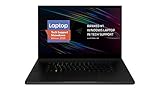
- New 10th Gen Intel Core i7-10875H Processor: Turbo Boost of 5.1 GHz and up to 64GB RAM for powerful gaming and work performance
- Experience phenomenal performance with the latest NVIDIA GeForce RTX 20 Series SUPER Graphics, featuring ray tracing technology that delivers a cinematic-quality rendering
- Be immersed in lifelike realism with a vibrant 120Hz UHD Display with Thin Bezels that delivers ultra-smooth performance and maximized screen size
- Custom Vapor Chamber Cooling System: Dual heat exchangers and custom fans to maximize heat dissipation and airflow
- Advanced Connectivity: Featuring USB 3.2 Gen 2, 2.5 Gb Ethernet, UHS-III SD Card Reader, Wi-Fi 6 (802.11ax), Windows Hello, and Thunderbolt 3
Razer attributes the cooling system to a vapor chamber, triple-fan design, high-density fins, thermal-interface materials, and a thermal hood structure. Those features explain how the system manages its heat, but independent measurements are more meaningful than the marketing description. The Blade’s acoustic achievement is best summarized as comparatively quiet for its performance class, not silent.
Battery life and the charger problem
Notebookcheck measured approximately 7 hours 45 minutes in its Wi-Fi test at 150 cd/m2 and 60 Hz. At maximum brightness, runtime fell to about 4 hours 10 minutes. That is good for a large, high-power gaming laptop, but nowhere near ultrabook territory.
Gaming on battery substantially reduces power and performance. Full-speed gaming effectively requires the 400 W adapter, which weighs approximately 1.09 kg by itself. The practical travel load is therefore close to 9.4 lb before accessories. The Blade is portable in the sense that it can be moved, not in the sense that it is pleasant to carry daily.
What’s actually slowing this PC down?
Pick the symptom - the matching free tool is one click away.
Upgradeability and connectivity
The laptop has two M.2 2280 storage slots, and the reviewed unit used two PCIe 4.0 SSDs. Notebookcheck reported no PCIe 5.0 storage support. That limitation is unlikely to change gaming frame rates today, but it is a legitimate disadvantage for buyers expecting the newest storage interface from an ultra-premium 2025 laptop.
Memory and storage are serviceable upgrade areas, subject to the configuration and the limits of the installed modules. Thunderbolt 5, Wi-Fi 7, HDMI 2.1, 2.5Gb Ethernet, USB-A, and the UHS-II SD reader give the Blade a more complete desktop-replacement feature set than many thinner gaming machines.
Independent reader supportYour contribution helps us test, update, and keep practical guides available for everyone.Value: elite performance at an elite price
The tested RTX 5090 model with 64 GB of memory and 4 TB of storage was listed at $4,899. Notebookcheck reported the RTX 5070 Ti range starting at $3,499. The difference is large enough that “faster” is not the same as “better value.”
The RTX 5090 configuration makes the most sense when you are paying for a specific combination:
Free tools Windows power users keep installed
One-click scans. No signup required.
- Very high absolute gaming performance.
- 24 GB of GPU memory in the supported configuration.
- A bright, flexible 4K/240 Hz and 440 Hz display.
- Premium metal construction and extensive connectivity.
- Unusually controlled noise in Balanced mode.
Performance per dollar is less compelling than the headline specifications. An RTX 5080 laptop may be sufficient for a 1440p-focused buyer, while a competing RTX 5090 system may offer a mini-LED screen or a lower street price. The Blade’s premium is buying a combination of traits rather than a clear win in every category.
Rank #4

- SMART COOLING — From idle to full load, keep the laptop running smoothly with our first laptop cooling pad that changes fan speeds automatically to manage system temperatures based on the settings
- AIRTIGHT PRESSURE CHAMBER — Included foam seals ensure no cool air leakage and works in tandem with a long lifespan 140 mm brushless fan that spins up to 3000 RPM to significantly reduce CPU, GPU, and surface temperatures
- WORKS WITH MOST LAPTOPS — Whether you've got an ultra-portable 14″ laptop or an 18″ powerhouse, choose between three magnetic frames that maximize cool air pressure and circulation
- PRESET & CUSTOM FAN CURVES — Keep the system cool in any scenario with our recommended presets or calibrate the fan to adjust for noise level or desired internal temperature via Razer Synapse
- 3-PORT USB TYPE A HUB — From webcams to controllers to drawing tablets, plug in more devices to the laptop without solely relying on its native USB ports
How it compares with other 18-inch gaming laptops
Notebookcheck’s comparison set includes the Alienware 18 Area-51, ASUS ROG Strix Scar 18, MSI Titan 18 HX AI, Aorus Master 18, and an RTX 5080 Medion Erazer Beast 18 X1. Review-time prices and regional listings are not current purchasing quotes, but the design differences are useful:
| Alternative | Why consider it | Why choose the Blade instead |
|---|---|---|
| Alienware 18 Area-51 | Large chassis, strong RTX 5090 performance, potentially lower pricing | The Blade is lighter in the cited comparison and independently measured as quieter |
| ASUS ROG Strix Scar 18 | Mini-LED display option and performance-first design | The Blade offers 4K/240 Hz plus 440 Hz and a more restrained overall presentation |
| MSI Titan 18 HX AI | High-resolution mini-LED display and extreme hardware options | The Blade is lighter and was listed below the Titan in the cited comparison |
| Aorus Master 18 | RTX 5090 performance with a mini-LED option | The Blade is somewhat easier to carry and has the dual-mode panel |
| RTX 5080 18-inch laptops | Better value and sufficient performance for many 1440p players | The Blade RTX 5090 offers more VRAM and greater performance headroom |
The Alienware comparison model was listed at approximately 4.2 kg, compared with roughly 3.2 kg for the Blade. The ASUS and Aorus alternatives can offer mini-LED contrast, while the MSI Titan emphasizes maximum specifications. None is universally better: the right choice depends on whether you value acoustics, HDR, mass, price, or refresh-rate flexibility.
Should 2024 Blade 18 owners upgrade?
The 2025 model replaces the previous generation’s Core i9-14900HX and RTX 4090 options with the Core Ultra 9 275HX and RTX 5090 Laptop GPU. It also adds the dual-mode display, number pad, 99 Wh battery, Thunderbolt 5, Wi-Fi 7, and a redesigned three-fan cooling system.
The upgrade case is strongest for owners of RTX 3080 or RTX 4080 systems who specifically want more GPU memory, the new screen modes, newer connectivity, or a quieter high-end machine. It is weaker for 2024 RTX 4090 owners. The newer laptop is faster and more feature-rich, but the display and chassis redesign are not unambiguously better, and the price premium can be difficult to justify if your existing system already delivers the performance you need.
Who should buy it?
Buy the Blade 18 RTX 5090 if you:
- Want one of the fastest gaming laptops of its generation.
- Value strong performance without immediately using the loudest fan setting.
- Want a premium 18-inch desktop replacement.
- Will genuinely use both the 4K/240 Hz and 1920×1200/440 Hz modes.
- Need a large screen for gaming, editing, development, or multitasking.
- Value Thunderbolt 5, Wi-Fi 7, a 5 MP webcam, and broad connectivity.
- Are comfortable paying a substantial premium for acoustics and design.
Reconsider it if you:
- Want the best frames per dollar.
- Mostly play at 1440p and do not need 24 GB of VRAM.
- Prefer OLED or mini-LED contrast and HDR.
- Type extensively and dislike short-travel keyboards.
- Travel frequently with your laptop.
- Already own a 2024 RTX 4090 Blade 18.
- Expect 440 Hz to transform modern AAA gaming.
- Require PCIe 5.0 storage or genuinely quiet gaming.
Final verdict
The Razer Blade 18 (2025) RTX 5090 is an excellent high-end gaming laptop. Its performance is elite, its build and connectivity are strong, and its ability to maintain impressive gaming performance around 43 dB(A) in Balanced mode is genuinely valuable. The dual-mode display is clever and useful for the right audience, especially competitive players who also want a high-resolution desktop and gaming experience.
But the $4,899 review configuration is not a value leader. The laptop is heavy, the charger is heavier than many ultraportables, the keyboard is short-travel, the panel lacks mini-LED contrast, and PCIe 5.0 storage is absent. The 440 Hz mode is a specialist feature rather than a reason for everyone to upgrade.
The Blade 18’s premium is buying a combination of performance, construction, display flexibility, and acoustic restraint—not an across-the-board generational revolution. For buyers who want that combination and can afford it, it is one of the most compelling desktop-replacement gaming laptops available. For everyone else, a cheaper RTX 5080 system or a mini-LED-equipped competitor may be the smarter purchase.
Do these 3 things before closing this tab:
1Fix the driver behind crashes, sound loss and screen glitches2Clear out junk files and repair common Windows errors3Scan for outdated or missing drivers - takes under a minuteQuick Recap
Product prices and availability are accurate as of the date/time indicated and are subject to change. Any price and availability information displayed on Amazon at the time of purchase will apply.

