Razer’s Blade 18 RTX 5090 preorder was real, but it is not a new August 2026 event. Razer opened preorders for the 2025 Blade 18 on February 25, 2025, through Razer.com, RazerStores, and select retailers. The flagship laptop paired an RTX 5090 Laptop GPU with a dual-mode 18-inch display, Intel’s Core Ultra 9 275HX, and Razer’s claimed 280-watt total package-power design.
Razer now sells a newer 2026 Blade 18, so buyers should check the model year before ordering. The current version upgrades the processor and memory options, but independent testing found only a modest performance difference from the 2025 RTX 5090 model.
As an Amazon Associate I earn from qualifying purchases.
The preorder announcement was genuine—but historical
Razer announced the 2025 Blade 18 on February 25, 2025, and said preorders were immediately available through Razer.com, RazerStores, and select retailers. “Up for preorder” described that launch period; it should not be read as evidence that the 2025 laptop is newly entering preorder in 2026.
Recommended Free Tools
The current product family is the 2026 Razer Blade 18. Availability, pricing, delivery dates, and configurations vary by country and retailer, so a live product listing should be checked before placing an order.
#1 Best Overall

- 18” QHD+ 240 Hz Display: Get the workspace you need to truly create with a high resolution QHD+ (2560x1600) display featuring 100% DCI-P3 color space, and play on another level with ultra-fast refresh rates for silky-smooth gameplay
- NVIDIA GeForce RTX 40 Series Graphics: Powers the world’s fastest laptops for gamers and creators to bring a quantum leap in performance with DLSS 3, full ray tracing, and the Max-Q suite of technologies that optimizes system performance for peak efficiency — every Blade 18 is pushing the TGP to its full potential with up to 175 W on the NVIDIA GeForce RTX 4090
- 13th Gen Intel Core i9 13950HX Processor: From full-blown AAA gaming to full-on content creation, run resource-intensive tasks flawlessly with the most powerful mobile processor leveraging desktop-grade silicon
- Ultra-fast 5200 MHz RAM and Up to 8 TB Storage: Experience insanely quick load times for seamless gaming and content creation—easily add more memory and storage for up to 64GB of RAM and m.2 slots compatible with dual-sided NVMe drives
- Desktop Features, Laptop Convenience: Look great for any video call, be immersed in cinematic audio, and enjoy the full functionality of a home setup anywhere thanks to an array of ports and connectivity options for devices
What made the 2025 Blade 18 unusual?
The headline specification was an NVIDIA GeForce RTX 5090 Laptop GPU, not the desktop RTX 5090 graphics card. Razer also built the machine around a rare dual-mode display and an unusually high power target for a slim 18-inch notebook.
| Feature | 2025 Blade 18 |
|---|---|
| GPU | Up to RTX 5090 Laptop GPU, up to 175W TGP |
| CPU | Intel Core Ultra 200HX series; launch material identified Core Ultra 9 275HX |
| Display | 18-inch UHD+ 3840×2400 at 240Hz or FHD+ 1920×1200 at 440Hz |
| Power claim | Razer claimed up to 280W total package power |
| Chassis | Aluminum design measuring approximately 21.99mm at its thinnest point |
| Other features | Six-speaker audio with THX Spatial Audio, Thunderbolt connectivity, per-key RGB, and a number pad |
Razer described the panel as the world’s first 18-inch dual-mode display, a manufacturer claim rather than an independently established industry designation. The launch announcement also listed a 3ms response time, 100% DCI-P3 coverage, factory calibration, and Calman verification.
The dual-mode display is the Blade 18’s strongest differentiator
At 3840×2400 and 240Hz, the panel is aimed at high-detail gaming, creative work, photo and video production, and media consumption. Switching to 1920×1200 and 440Hz lowers the rendering burden and creates a mode for competitive games where very high frame rates and low latency matter more than image detail.
Quick wins for a faster PC:
Scan for outdated or missing drivers - takes under a minuteDriver Scan →Clear out junk files and repair common Windows errorsFree Scan →Fix the driver behind crashes, sound loss and screen glitchesFind Drivers →The display does not physically become smaller in FHD+ mode; the active resolution changes. The 440Hz setting is also not automatically useful for every player. It matters most when a game can consistently produce extremely high frame rates and the player can perceive and exploit the resulting responsiveness. For demanding ray-traced games at UHD+, even this class of GPU may need DLSS or frame generation.
Rank #2
- 18” QHD+ 240 Hz Display: Get the workspace you need to truly create with a high resolution QHD+ (2560x1600) display featuring 100% DCI-P3 color space, and play on another level with ultra-fast refresh rates for silky-smooth gameplay
- NVIDIA GeForce RTX 40 Series Graphics: Powers the world’s fastest laptops for gamers and creators to bring a quantum leap in performance with DLSS 3, full ray tracing, and the Max-Q suite of technologies that optimizes system performance for peak efficiency — every Blade 18 is pushing the TGP to its full potential with up to 140 W on the NVIDIA GeForce RTX 4060
- 13th Gen Intel Core i9 13950HX Processor: From full-blown AAA gaming to full-on content creation, run resource-intensive tasks flawlessly with the most powerful mobile processor leveraging desktop-grade silicon
- Ultra-fast 5200 MHz RAM and Up to 8 TB Storage: Experience insanely quick load times for seamless gaming and content creation—easily add more memory and storage for up to 64GB of RAM and m.2 slots compatible with dual-sided NVMe drives
- Desktop Features, Laptop Convenience: Look great for any video call, be immersed in cinematic audio, and enjoy the full functionality of a home setup anywhere thanks to an array of ports and connectivity options for devices
RTX 5090 Laptop GPU versus the desktop RTX 5090
“RTX 5090” in the Blade 18 means the mobile RTX 5090 Laptop GPU. Razer’s current Blade 18 materials list up to 24GB of VRAM, a maximum 175W TGP, NVIDIA’s Blackwell architecture, and features including DLSS 4.5 Multi Frame Generation and Reflex 2.
A laptop GPU cannot be judged by its name alone. Performance depends on the power limit, cooling system, processor, chassis, game settings, resolution, and selected performance mode. The 175W mobile implementation is therefore not equivalent to a desktop RTX 5090. At UHD+, native rendering is also much more demanding than FHD+, and generated frames should not be counted as equivalent to traditionally rendered frames when discussing competitive latency.
Power, thermals, and performance expectations
Razer’s 280W figure is a total package-power claim, not a promise that every game will sustain 280W indefinitely. Tom’s Guide reported Razer’s stated allocation of up to 105W for the CPU and 175W for the GPU, while noting that thermal limits remain important because this is still a laptop. Sustained performance, fan noise, and surface temperatures will vary with ambient conditions, power settings, cooling, and workload.
What’s actually slowing this PC down?
Pick the symptom - the matching free tool is one click away.
Razer also promotes “up to” performance improvements and AI gains. Those figures are tied to selected internal comparisons and workloads rather than universal gaming benchmarks. Its current marketing describes an AI comparison using a particular Qwen model, context length, precision, and LM Studio setup; such results should not be generalized to every local-model workload.
Rank #3
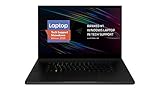
- New 10th Gen Intel Core i7-10875H Processor: Turbo Boost of 5.1 GHz and up to 64GB RAM for powerful gaming and work performance
- Experience phenomenal performance with the latest NVIDIA GeForce RTX 20 Series SUPER Graphics, featuring ray tracing technology that delivers a cinematic-quality rendering
- Be immersed in lifelike realism with a vibrant 120Hz UHD Display with Thin Bezels that delivers ultra-smooth performance and maximized screen size
- Custom Vapor Chamber Cooling System: Dual heat exchangers and custom fans to maximize heat dissipation and airflow
- Advanced Connectivity: Featuring USB 3.2 Gen 2, 2.5 Gb Ethernet, UHS-III SD Card Reader, Wi-Fi 6 (802.11ax), Windows Hello, and Thunderbolt 3
Independent testing provides useful context. In its review of the newer 2026 Blade 18, Tom’s Hardware found no meaningful performance increase over the 2025 RTX 5090 model in many tests. Its tested 2026 unit averaged 146.03 frames per second in a Metro Exodus 15-loop stress test, but that result applies only to that configuration and methodology.
Price and value
The original announcement does not provide a reliable, universal 2025 preorder price in the available material. Do not assume that a price attached to a 2026 listing was also the 2025 launch price.
For context, GamesRadar reported approximately $5,399 for an RTX 5090 Blade 18 in 2026 coverage, compared with roughly $4,899 for the comparable previous model. That is a dated editorial price signal, not a guaranteed current checkout price. Exact RAM, SSD, market, retailer, warranty, and promotions can change the final cost.
The Tool Desk
Outbyte PC Repair FREEClear out junk files and repair common Windows errorsFree Scan →Outbyte Driver Updater FREEFix the driver behind crashes, sound loss and screen glitchesFind Drivers →At this price, the Blade 18 is not a performance-per-dollar champion. Some buyers could obtain more performance and upgradeability from a desktop RTX 5090-class system paired with a less expensive 16-inch laptop. That setup, however, gives up the Blade’s all-in-one design, large dual-mode screen, and ability to function as a single portable workstation.
Rank #4

- SMART COOLING — From idle to full load, keep the laptop running smoothly with our first laptop cooling pad that changes fan speeds automatically to manage system temperatures based on the settings
- AIRTIGHT PRESSURE CHAMBER — Included foam seals ensure no cool air leakage and works in tandem with a long lifespan 140 mm brushless fan that spins up to 3000 RPM to significantly reduce CPU, GPU, and surface temperatures
- WORKS WITH MOST LAPTOPS — Whether you've got an ultra-portable 14″ laptop or an 18″ powerhouse, choose between three magnetic frames that maximize cool air pressure and circulation
- PRESET & CUSTOM FAN CURVES — Keep the system cool in any scenario with our recommended presets or calibrate the fan to adjust for noise level or desired internal temperature via Razer Synapse
- 3-PORT USB TYPE A HUB — From webcams to controllers to drawing tablets, plug in more devices to the laptop without solely relying on its native USB ports
2025 Blade 18 versus 2026 Blade 18
| Specification | 2025 model | 2026 model |
|---|---|---|
| Processor | Core Ultra 9 275HX configuration | Core Ultra 9 290HX Plus |
| GPU choices | Up to RTX 5090 Laptop GPU | RTX 5070 Ti, RTX 5080, or RTX 5090 Laptop GPU |
| Maximum listed system memory | Up to 32GB DDR5-5600 | Up to 128GB DDR5-6400 |
| RTX 5090 power and memory | Up to 175W TGP | Up to 175W TGP and up to 24GB VRAM |
| Display | UHD+ 240Hz / FHD+ 440Hz; Razer listed 500 nits | UHD+ 240Hz / FHD+ 440Hz; Razer lists 600 nits |
| Connectivity and expansion | Varies by configuration | Thunderbolt 5, Thunderbolt 4, HDMI 2.1, 2.5Gbps Ethernet, Wi-Fi 7, dual M.2 slots, and up to 100W USB-C Power Delivery |
The 2026 support documentation lists 32GB, 64GB, and 128GB memory configurations, along with RTX 5070 Ti, RTX 5080, and RTX 5090 options. The current model’s improved memory ceiling and brighter listed panel may matter more to creators and developers than to gamers who already have enough RAM. The generational gaming improvement, based on independent testing, appears limited.
Who should consider the Blade 18?
- Desktop-replacement buyers: You want a single premium computer with a very large screen and serious GPU power.
- Competitive players: You play titles capable of reaching very high frame rates and can make practical use of the 440Hz mode.
- Creators: The large calibrated wide-gamut display and GPU acceleration are useful for production work.
- AI and technical users: Up to 24GB of GPU VRAM and, on the 2026 model, up to 128GB of system memory can help with local-model experimentation and demanding development tools.
- Design-focused buyers: You value Razer’s understated aluminum chassis and connectivity enough to pay a premium.
Who should skip it?
- Value-focused buyers seeking the best performance per dollar.
- Travelers who prioritize weight, battery life, and a smaller power brick.
- Desktop owners who do not need an integrated high-end display.
- Gamers who mainly play at 1080p or 1440p and have no use for a 240Hz UHD+ panel.
- Anyone assuming the RTX 5090 Laptop GPU performs like the desktop RTX 5090.
Alternatives worth checking
The MSI Raider A18 HX is the performance-first alternative. GamesRadar found it and the Blade 18 broadly competitive in RTX 5090 testing, with MSI winning two of three cited 3DMark tests while the Razer remained competitive in game testing. The Raider’s larger, more overtly gaming-focused chassis may offer a different balance of cooling, sustained performance, design, and price.
Alienware Area-51 laptops are another high-end option for buyers willing to accept a larger or less minimalist design. Tom’s Guide reported a slight Area-51 advantage over the 2025 Blade 18 in some lower-resolution gaming tests.
Do these 3 things before closing this tab:
1Scan for outdated or missing drivers - takes under a minute2Clear out junk files and repair common Windows errors3Fix the driver behind crashes, sound loss and screen glitchesFor many people, a powerful desktop plus a cheaper 16-inch laptop remains the more rational purchase. It is less convenient than the Blade 18, but typically offers greater upgradeability and a stronger value case.
Quick Recap
What to verify before buying
- Confirm whether the listing is for the 2025 or 2026 Blade 18.
- Check the exact CPU, GPU, VRAM, system RAM, SSD capacity, and display brightness.
- Verify the retailer, region, delivery date, return policy, and live price.
- Check warranty terms. Razer’s standard warranty does not cover accidental damage; optional RazerCare plans may cover drops, spills, and similar incidents.
- Do not buy solely on Razer’s “up to” benchmark claims. Look for results from the exact configuration and workload you care about.




