Outdated Drivers Are Slowing You Down
One free scan finds every outdated or missing driver and matches the right update for your exact hardware.Free scan · exact hardware matchPC Slower Than It Used to Be?
A free scan shows the junk files, broken settings and background clutter dragging Windows down - then fixes them in one click.Free scan · Windows 10 & 11rbass.dll is a Waves Audio component belonging to the Renaissance Bass plug-in, not a Windows system file. If Windows or your DAW says rbass.dll is missing, was not found, or could not be loaded, repair Renaissance Bass through Waves’ official installation system instead of downloading a loose DLL.
The correct fix depends on whether you have a current Waves installation, an older Waves project, a missing license, an incorrect plug-in scan path, or a file removed by security software.
As an Amazon Associate I earn from qualifying purchases.
Before changing anything
Write down the exact error and identify the program showing it. A message from a DAW while opening an old project points to a different problem than a message from Waves Central or Windows during installation.
Check these details:
- The DAW or host that reports the error
- Whether the error appears only with one project
- Your Waves generation, such as V9, V11, V12, V13, V14, V15, V16, or V17
- Whether Windows is 32-bit or 64-bit
- Whether Renaissance Bass is licensed and activated
- Whether the problem began after an update, migration, uninstall, disk cleanup, or antivirus alert
- Whether the message mentions
rbass.dll, a WaveShell, or another missing module
Do not assume that every Renaissance Bass installation contains a file literally named rbass.dll. Older Waves generations used different packaging from current installations.
#1 Best Overall
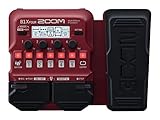
- SEVENTY-PLUS EFFECTS AND NINE AMP MODELS FOR BASS – Explore a wide range of sounds from clean compression to fuzz, synth, and modulation, plus 9 classic amp models for stage-ready tones.
- LOOPS, DRUMS, AND LAYERS WITHOUT EXTRA GEAR – 68 rhythm patterns and a built-in looper let you develop ideas, practice timing, and build layered bass parts without extra gear.
- EXPRESSION PEDAL FOR REAL-TIME SOUND SHAPING – Shape your sound on the fly by controlling volume, wah, delay, pitch, and more for dynamic performances.
- FIVE EFFECTS SIMULTANEOUSLY IN ANY ORDER – Use up to five effects simultaneously and arrange them in any order to create your own signature sound.
- CHROMATIC TUNER WHEREVER YOU PLAY – Built-in chromatic tuner makes it easy to keep your bass sounding its best wherever you play.
Fix 1: Reinstall Renaissance Bass through Waves Central
Time needed: 10–20 minutes
This is the safest and most likely solution for a damaged, incomplete, or removed Waves installation.
- Save your work and close the DAW.
- Open the Windows Start menu.
- Select All apps.
- Open Waves Central.
- Sign in with the Waves account that owns Renaissance Bass.
- Open Install Products.
- Select My Products or the product list for your account.
- Find Renaissance Bass.
- Select the Waves version compatible with your existing projects and DAW.
- If prompted, select the target computer or connected license device.
- Choose Install or Install & Activate.
- Wait for the installation to finish.
- Reopen the DAW.
- Run its plug-in scan, rescan, verify, or repair function.
Waves Central supports online installation for current Waves generations, while older licenses may require a matching legacy installer. Do not automatically install the newest available generation if the failing project was created with an older Waves version.
How to tell whether it worked
The repair worked if:
- Renaissance Bass appears in the DAW’s plug-in browser
- The old project opens without the missing-file message
- The DAW completes its plug-in scan
- Waves Central shows the product as installed and activated
If the plug-in is installed but does not appear, continue to the scanning and licensing fixes below. If Waves Central cannot complete the installation, use its official offline-installer process rather than copying a DLL from another computer.
Recommended Free Tools
Fix 2: Install the correct legacy Waves generation
Time needed: 15–30 minutes
An older project may depend on a V5- or V9-era Waves component even though a newer Waves generation is installed. A current installation does not necessarily provide the exact files or integration expected by an old project.
- Close the DAW.
- Open Waves Central and check which Renaissance Bass versions your account supports.
- Determine which Waves generation the project used.
- Use the official Waves legacy downloads area to obtain the matching installer.
- Check the installer’s Windows and host requirements before running it.
- Install the legacy Waves version.
- Activate the product through Waves Central or the licensing method required by that generation.
- Reopen the DAW.
- Scan the plug-in format and folder used by that Waves generation.
- Open the project again.
Waves documents separate compatibility requirements for older 32-bit Windows systems. V9.3 is required for 32-bit Windows, while V9.6 and later require a 64-bit operating system. Do not copy a 32-bit DLL into a 64-bit Windows directory, or attempt to make a modern 64-bit host load an incompatible legacy component.
Older Waves installations may also have coexistence limits when installed beside newer generations. If you need multiple generations for old projects, follow Waves’ documented compatibility guidance rather than mixing files manually.
How to tell whether it worked
The old project should load the plug-in using the same Waves generation for which it was saved. If the DAW reports that the plug-in is unavailable even after installation, record whether it is a 32-bit or 64-bit host and whether the project expects VST2, VST3, AAX, AudioSuite, or another format.
Do these 3 things before closing this tab:
1Scan for outdated or missing drivers - takes under a minute2Clear out junk files and repair common Windows errors3Fix the driver behind crashes, sound loss and screen glitchesRank #2

- 80 preset patches and 80 user patches, enough for creating your sound library. You can save any preferred tones by simply pressing down the SAVE button.
- 8 effect modules, including 66 effect types, providing you with the most unique Mooer sound library. Simply rotate the knob above the screen and everyth
- 6 assignable expression pedal parameters which greatly improve the convenience and diversity of controlling the tone. Unique adjustable output mode setting allows you to use line out mode to still get a good tone when playing without an amp.
- By using 180 seconds looper and a drum machine which contains a variety of rhythm patterns, you can create your own music without using a computer.
- GE100 has scale and chord learning function. Just click the LESSION button to enter the scale and chord knowledge reserve interface.
Fix 3: Correct the DAW’s plug-in scan folders
Time needed: 5–15 minutes
The plug-in may be installed correctly but invisible because the DAW is scanning the wrong folder. Current Waves installations use versioned Waves plug-in directories and WaveShell files rather than asking you to place an individual DLL in a Windows system folder.
Common Waves locations include:
C:Program Files (x86)WavesPlug-Ins V17
The version number may differ for V16 through V9. WaveShell files may also be placed in locations such as:
C:Program FilesVSTPlugins
C:Program FilesCommon FilesVST3
Use these steps:
- Close the DAW.
- Open the DAW’s plug-in or settings preferences.
- Find Plug-in Locations, Plug-in Manager, VST Paths, or a similarly named section.
- Confirm that the appropriate Waves folder or WaveShell location is included.
- Remove duplicate or unrelated paths only if you know they are causing a conflict.
- Save the settings.
- Start a full rescan, verify, or repair scan.
- Restart the DAW.
Waves states that VST2 is not supported from V15 onward. If an old project expects a VST2 plug-in, you may need the older Waves generation that supplied it, or you may need to migrate the project to the supported VST3 format.
Do not move rbass.dll, WaveShell files, or other Waves files into System32, SysWOW64, an unrelated VST folder, or the DAW’s executable directory. Waves-managed installation and host integration can break when files are moved.
What’s actually slowing this PC down?
Pick the symptom - the matching free tool is one click away.
Reset Waves preferences if scanning still fails
If the plug-in is installed but repeatedly cannot be located:
- Quit the DAW.
- Press Windows key + R.
- Enter:
%appdata%
- Press Enter.
- Locate the Waves Audio folder.
- Move it to the desktop as a backup. Do not permanently delete it yet.
- Reopen the DAW.
- Point the host to the correct Waves plug-in location.
- Run another plug-in scan.
If this restores discovery, the old preferences were likely damaged or pointed at an obsolete Waves location.
Fix 4: Check activation and licensing
Time needed: 5–15 minutes
A plug-in can be present on disk but unavailable to the host when its license is missing, inactive, or assigned to a disconnected device.
Rank #3

- 🎸🎸【9 AMP Modes & 8 IR CAB】LEKATO Multi-functional Bass Effects Pedal with Booster+3-band EQ,Comp,Chorus,Phaser,Delay,Rever effects, including 9 Amp preamps and 8 classic IR cabinets body model, Support IR Loading or Deleting.
- 🎸🎸【Supports Third Party IR Files】Cube Baby bass Multi Effects support 8 third-party IR files, so if you want to cover the original IR file, use the USB cable that comes with the product to import the third-party IR box simulation file. Please download the software "Cube-Suite" from LEKATO official website
- 🎸🎸【PRESET/EDIT/LIVE MODE】The multi effect pedal allows the player to edit the effects chain and then save the presets, after that you can also partially edit the previous preset effect and then save it agin. At Preset mode, which allows the player to switch between three presets.It comes with 3 preset modes (Lead, Rhythm, Clean) but you can easily replace them with your own presets created in Live Mode.
- 🎸🎸【Built-in Battery】This Mini bass effects pedal has a built-in battery and supports charging by a power bank or mobile phone adapter. It takes 2 Hours to fully charge one time, and can work 6-8 Hours. It supports Charging and Working at the same time
- 🎸🎸【3.5mm Headphone Output】The multi effects equiped with a 3.5mm Headphone Jack Output for more clear listening and monitoring, convenient for daily practice without disturbing family members and neighbors.
- Open Waves Central.
- Sign in.
- Open Licenses.
- Check whether Renaissance Bass is licensed.
- Confirm that the license is assigned to the computer or USB device you are using.
- If it is stored on a USB device, reconnect that device.
- If the product is licensed to another computer, follow Waves’ license-transfer process.
- Reopen the DAW and rescan the plug-in.
A licensing problem can look like a missing plug-in, but copying rbass.dll cannot restore activation, WaveShell integration, or the Waves license service.
The Tool Desk
Outbyte Driver Updater FREEScan for outdated or missing drivers - takes under a minuteDriver Scan →Outbyte PC Repair FREEClear out junk files and repair common Windows errorsFree Scan →Fix 5: Check antivirus quarantine
Time needed: 5–15 minutes
Security software can remove or quarantine an old plug-in component, especially after a scan or a migration from another computer.
- Open Windows Security.
- Select Virus & threat protection.
- Select Protection history.
- Look for an event involving Waves, Renaissance Bass,
rbass.dll, or a related WaveShell. - Check the file’s original location and detection details.
- Do not restore it automatically.
- Confirm that the file came from an authentic Waves installation.
- If it is a false positive, follow the security software’s approved restore or allow procedure.
- If its origin is uncertain, remove it and reinstall Renaissance Bass through Waves Central.
- Run another scan after reinstalling.
Do not treat an old file as malware solely because it is outside a Windows folder. Verify its provenance and scan it. Conversely, do not allow a quarantined file merely because its name matches the error.
If Waves Central itself fails during installation, check its network, proxy, firewall, and offline-installer procedures. Reinstalling from the official Waves installer is safer than restoring an isolated DLL.
Fix 6: Repair Windows components only when Windows itself is damaged
Time needed: 15–45 minutes
rbass.dll is not a Microsoft runtime or protected Windows component, so DISM and System File Checker are not the primary repair. Use them when you also see damaged Windows features, failed updates, unexplained system errors, or multiple unrelated applications failing.
Run DISM
- Open Start.
- Type Command Prompt.
- Right-click Command Prompt.
- Select Run as administrator.
- Enter:
DISM /Online /Cleanup-Image /RestoreHealth
- Press Enter.
- Wait for the operation to finish.
- Restart Windows if requested.
Run System File Checker
Open an elevated Command Prompt again and run:
sfc /scannow
Wait until verification reaches 100 percent, then restart Windows and test the DAW.
If DISM reports that it cannot repair the image, or SFC repeatedly finds errors, repair Windows using Microsoft’s documented recovery guidance before troubleshooting the Waves plug-in again.
Rank #4

- BLEND CONTROL — RETAIN LOW-END PUNCH WHILE ADDING GRIT: The DOUBLE THRUSTER features a dedicated Blend knob that mixes your clean bass signal with the overdriven signal. Dial it back to retain full low-end clarity with just a touch of edge, or crank it for aggressive, saturated distortion. Unlike many bass overdrives that sacrifice low-end for gain, the Blend control keeps your foundation solid while adding harmonic richness on top. Players describe the tone as clean bass distortion and praise the blend for preserving the original bass sound.
- DUAL BOOST SWITCHES — MID BOOST & GAIN BOOST: Two independent toggle switches give you instant access to additional tonal flexibility. MID BOOST enhances mid-range presence—perfect for cutting through dense band mixes and adding definition to intricate playing. GAIN BOOST provides a noticeable low-end saturation boost, adding depth and body to your tone, especially effective at lower gain settings. Both switches work independently or together, giving you four distinct voicing combinations from a single pedal.
- 4-KNOB CONTROL — TONE, BLEND, VOLUME & GAIN: Sculpt your signature overdriven bass tone with four intuitive controls. TONE adjusts the overall tonal character of the distortion—from dark, warm saturation to bright, cutting presence. BLEND mixes your clean and distorted signals. VOLUME sets overall output level. GAIN controls the amount of overdrive—from subtle, edge-of-breakup warmth to full-on, roaring fuzz. Players describe the pedal as capable of being used effectively as a light overdrive, to almost a fuzz sounding effect.
- ROAD-READY R SERIES DESIGN WITH AMBIENT LED LIGHTING: Encased in a rugged all-metal aluminum alloy chassis, the DOUBLE THRUSTER features the iconic R Series ambient LED lighting with 3 modes (Sync, Always On, or Off) via a recessed switch on the underside. Bypass switching ensures straightforward signal management when disengaged.
- JOYO QUALITY & AFTER-SALES CONFIDENCE: Backed by JOYO's decade-plus reputation for crafting innovative, budget-friendly gear. The DOUBLE THRUSTER is part of the R Series, built with upgraded precision components. Important: Powered by 9V DC adapter only (center negative, not included). Rated current: 80mA. Battery operation is not supported. For the quietest performance—especially with high-gain overdrive circuits—use a regulated, isolated 9V power supply and avoid daisy-chaining with other pedals. Should any issues arise, please contact us through your Amazon order page.
Manually comparing system files and repeatedly rerunning repair commands can be difficult when Windows has several independent problems. Outbyte PC Repair can scan for system issues and show what needs attention; its repair actions are handled by the full version, but reinstalling Renaissance Bass through Waves remains the definitive fix for this application-specific DLL.
Fix 7: Check host, audio, and device drivers
Time needed: 10–30 minutes
A driver usually does not provide rbass.dll, but a DAW can fail during plug-in loading when its audio interface, graphics subsystem, or host components are unstable.
Free tools Windows power users keep installed
One-click scans. No signup required.
- Right-click the Start button.
- Select Device Manager.
- Expand Sound, video and game controllers.
- Check for warning icons.
- Right-click the audio interface or sound device.
- Select Update driver.
- Choose Search automatically for drivers, or install the driver supplied by the hardware manufacturer.
- Also check Display adapters if the DAW crashes during its plug-in scan.
- Restart Windows.
- Reopen the DAW and rescan.
Do not replace a Waves file with a driver update. Use this step only when Device Manager, the DAW, or the audio interface shows a separate hardware or driver problem.
Finding the correct driver version manually can involve checking hardware IDs, Windows compatibility, and several vendor packages. Outbyte Driver Updater can scan for outdated drivers and identify the available installation; the driver installation is handled by the full version, and it is not a substitute for repairing Renaissance Bass in Waves Central.
Independent reader supportYour contribution helps us test, update, and keep practical guides available for everyone.Fix 8: Use System Restore only for a clearly recent change
Time needed: 20–45 minutes
System Restore is appropriate when Renaissance Bass worked until a recent driver installation, Windows update, Waves installation, or configuration change.
- Press Windows key + R.
- Enter:
rstrui.exe
- Press Enter.
- Select Choose a different restore point if available.
- Select a restore point from before the failure.
- Review the affected programs.
- Start the restore.
- Sign back into Windows.
- Test Waves Central and the DAW.
System Restore does not replace a proper Waves installation and may not affect personal files. If the failure was caused by a missing license, wrong plug-in path, or incompatible Waves generation, reinstalling or reconfiguring Waves is still required.
Quick wins for a faster PC:
Fix the driver behind crashes, sound loss and screen glitchesFind Drivers →Repair Windows errors before they cause bigger problemsFix Now →Why System32, SysWOW64, and regsvr32 are wrong fixes
rbass.dll is not part of Windows. It is associated with Waves Renaissance Bass, an audio plug-in component.
Do not download a copy and place it in:
C:WindowsSystem32
C:WindowsSysWOW64
That approach can fail because the file may have the wrong version, architecture, dependencies, or Waves integration. A modified DLL can also introduce a security risk.
regsvr32 is intended for self-registering COM and ActiveX libraries. It is not the normal installation method for a Waves-managed audio plug-in. Registering rbass.dll may produce an entry-point or module error and cannot install Waves licensing, WaveShell integration, or DAW metadata.
Best Value

- SEVENTY-PLUS EFFECTS FOR BASS PLAYERS – Features over 70 built-in effects and 9 amp simulations with the ability to chain up to 5 effects simultaneously in any order, giving bass players endless tonal possibilities.
- GUITAR LAB KEEPS YOUR SOUNDS EXPANDING – Connect to Zoom's free Guitar Lab software to download additional effects, manage patches, and keep your firmware up to date for an ever-expanding library of sounds.
- BUILT-IN LOOPER AND SIXTY-EIGHT DRUM PATTERNS – Record up to 30 seconds of looped audio and play along with 68 built-in rhythm patterns across a variety of styles and tempos for solo practice and performance.
- EIGHTEEN HOURS ON FOUR AA BATTERIES – Runs up to 18 hours on 4 AA batteries, making it the perfect practice and performance companion for bass players who need reliable, long-lasting power for rehearsals and live performances.
- SIMPLE ENOUGH FOR BEGINNERS, DEEP ENOUGH FOR PROS – Lightweight and straightforward, the B1 Four is designed for bass players of all levels who want professional-grade effects in a simple, affordable, and portable package.
The same applies to downloading a DLL from an index or “missing DLL” site. The file may be mislabeled, altered, incompatible with your Waves generation, or unable to fix the actual problem.
Likely causes and their fixes
| Likely cause | What usually resolves it |
|---|---|
| Incomplete or damaged Waves installation | Reinstall Renaissance Bass through Waves Central |
| Old project using a legacy Waves generation | Install the matching official legacy version |
| DAW scanning the wrong location | Add the correct Waves or WaveShell path and rescan |
| VST2/VST3 mismatch | Use the format and Waves generation supported by the host |
| Missing activation | Check Waves Central licenses and the target device |
| Antivirus quarantine | Verify provenance, then reinstall from Waves if needed |
| 32-bit and 64-bit mismatch | Match the legacy host, plug-in generation, and Windows architecture |
| General Windows corruption | Run DISM and SFC when broader symptoms exist |
| Audio or host driver instability | Check Device Manager and update the relevant driver |
FAQ
Is rbass.dll part of Windows?
No. It belongs to Waves Renaissance Bass and should not normally be installed in a Windows system directory.
What software owns rbass.dll?
It is associated with Renaissance Bass, a Waves Audio bass-enhancement plug-in derived from MaxxBass technology.
Does every current Waves installation contain rbass.dll?
Not necessarily. Waves has changed its packaging across product generations. Current installations use versioned plug-in folders and WaveShell-based host integration, so do not assume that a literal file with this name must be present.
Should I download rbass.dll separately?
No. Use Waves Central or the official Waves legacy installer that matches your license and project. A loose DLL may be unsafe or incompatible and will not restore licensing.
Can I fix this with regsvr32 rbass.dll?
Usually no. regsvr32 is for self-registering COM or ActiveX DLLs, not normal Waves plug-in installation.
Why does the message say “specified module could not be found” when the file exists?
That wording can mean the named file is missing, or that a dependency required by it cannot be loaded. Check the Waves generation, host format, installation, licensing, and antivirus history rather than assuming the visible filename is the only problem.
Could Visual C++, DirectX, or .NET be the cause?
Do not reinstall those components automatically. First identify the exact error and repair Waves. Install or repair a runtime only when the error specifically identifies that runtime or the official host documentation requires it.
What if the error appears only when opening an old project?
That strongly suggests a legacy Waves generation, plug-in format, license, or architecture mismatch. Identify the project’s original Waves version and host format, then install the compatible official version instead of replacing files manually.
When should I contact Waves support?
Contact Waves when your license is present but Renaissance Bass will not install, when Waves Central reports an activation or installation error, or when the same project fails after you have confirmed the correct generation, architecture, format, and scan path. Include the exact error text, DAW, Windows version, Waves generation, and whether the problem affects one project or every project.
Quick Recap
Product prices and availability are accurate as of the date/time indicated and are subject to change. Any price and availability information displayed on Amazon at the time of purchase will apply.




