Free tools Windows power users keep installed
One-click scans. No signup required.
“This application failed to start because regstr.dll was not found.” The regstr.dll error usually points to a damaged or incomplete Readiris, Cardiris, IRISPen, or scanner-bundled installation rather than a missing Windows system file.
regstr.dll is described as the Registration Wizard for Readiris, associated with older software from I.R.I.S. SA. The safest repair is to restore the exact IRIS application that needs it, not to copy a downloaded DLL into a Windows folder.
As an Amazon Associate I earn from qualifying purchases.
Which fix applies to you
Use this list to choose the shortest safe path:
- The error started after uninstalling, updating, or reinstalling Readiris, Cardiris, or IRISPen: repair or reinstall that exact application first.
- Windows Security shows
regstr.dllin Protection history: do not restore an unknown copy. Reinstall the parent IRIS program from its official installer or support channel. - You have an older scanner bundle: identify the software supplied with that scanner. A current Readiris installer may not contain the same registration component.
- The installer fails with Error 1722 or mentions .NET Framework 3.5: enable the Windows feature, then run the IRIS installer again.
- The DLL exists, but Windows says “The specified module could not be found”: another dependency may be missing. Reinstall the application instead of copying more DLLs.
- Several unrelated Windows programs are failing: check Windows Update, then run DISM and SFC.
- The problem began immediately after a driver or application change: use the correct vendor driver or System Restore.
- The original installer, license, or activation code is unavailable: contact IRIS support or consider moving to a supported IRIS release.
What regstr.dll is
regstr.dll is not established as a Windows component. There is no reliable evidence that it normally belongs in C:WindowsSystem32 or C:WindowsSysWOW64.
The Tool Desk
Outbyte PC Repair FREERepair Windows errors before they cause bigger problemsFix Now →Outbyte Driver Updater FREEScan for outdated or missing drivers - takes under a minuteDriver Scan →Its strongest known association is with the registration wizard used by older IRIS products, including:
#1 Best Overall
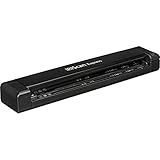
- Fastest single sheetfed mobile scanner on the market - Up to 8 pages per minute
- Powered by the provided USB cable, no wall outlet required
- Compact and lightweight (less than 1 lb.)
- High-precision scanning resolutions (300/600/1200 dpi)
- Simplex scanning in color or black & white
- Readiris
- Cardiris
- IRISPen
- Older scanner-bundled editions of IRIS software
The filename alone cannot identify the exact product version that installed your copy. Readiris editions, Cardiris releases, IRISPen software, and scanner bundles are not interchangeable.
Public file inventories report a 32-bit file and commonly list version and size details, but those values are not an official IRIS binary specification. Treat them as identification clues only, not as proof that a replacement file is genuine.
Because many of these applications are older 32-bit programs, a 32-bit application may need its own 32-bit dependency even when it runs on 64-bit Windows. Installing a random 64-bit DLL does not solve that compatibility problem.
Fix 1: Repair or reinstall the exact IRIS application
This is the most likely solution because regstr.dll belongs to the application installation.
Identify the parent program
- Read the complete error message.
- Note which program was starting when the error appeared.
- Open Start and search for:
- Readiris
- Cardiris
- IRISPen
- The scanner manufacturer’s software
- Right-click the program and select Open file location if that option is available.
- Check Settings > Apps > Installed apps on Windows 11, or Settings > Apps > Apps & features on Windows 10.
- Search for IRIS software and record its exact product name and version if shown.
Also check the desktop, Start menu, and scanner documentation. Some scanners installed a bundled Readiris or Cardiris edition under a different product name.
Preserve activation details
Before removing anything, locate any available:
- License key
- Activation code
- Product serial number
- Original installer
- Download account information
- Scanner bundle disc or recovery media
Older applications may require their original activation route. Reinstalling without the license information can leave the program unusable even after the missing file is restored.
Use the application’s repair option
- Open Settings.
- Select Apps.
- Open Installed apps on Windows 11, or Apps & features on Windows 10.
- Select the IRIS application.
- Choose Advanced options if available.
- Select Repair.
- Restart Windows.
- Launch the program again.
Not every older desktop application exposes a Windows Repair button. If no repair option appears, use the original installer.
Windows Errors? Fix Them Before They Spread
Repair common Windows errors and clear accumulated junk for a smoother, more stable PC - no reinstall needed.Free scan · no reinstallCrashes, No Sound, or Screen Glitches?
Random freezes, missing sound and display glitches usually trace back to one bad driver. Find and replace yours safely.Free scan · under a minuteReinstall from an official IRIS source
Use the official IRIS Download Center or IRIS Helpcenter to locate the product package. Match the download to the exact product, scanner bundle, license, and Windows architecture.
Then:
- Close Readiris, Cardiris, IRISPen, and any scanner utility.
- Open Settings > Apps > Installed apps.
- Select the affected IRIS program.
- Choose Uninstall.
- Restart Windows.
- Run the correct IRIS installer.
- Right-click the installer and select Run as administrator.
- Complete the installation.
- Restart Windows again.
- Open the application and test registration, scanning, and document opening.
For Readiris 17, IRIS documents an update check under Help > Check for Update. If updating does not correct the problem, reinstall the full package rather than replacing regstr.dll manually.
How to tell whether this worked
The repair succeeded if:
- The program starts without the
regstr.dllmessage. - The registration or activation window opens normally.
- The application can access the scanner or open an existing document.
- Windows Security does not immediately quarantine the restored installation file.
If the same error returns immediately after reinstalling, continue with the antivirus and prerequisite checks below. The wrong product package may have been installed.
Fix 2: Check antivirus quarantine
Security software can remove or quarantine an application file after an update, disk scan, or false detection.
What’s actually slowing this PC down?
Pick the symptom - the matching free tool is one click away.
Check Windows Security
- Open Start and search for Windows Security.
- Select Virus & threat protection.
- Select Protection history.
- Review recent detections.
- Look for an item associated with Readiris, Cardiris, IRISPen, or the folder where the application is installed.
- Select the detection to view its details.
Do not restore the file merely because its name is regstr.dll. A filename is not proof of authenticity.
Rank #2

- IRIScan Desk : High speed book scanner, document scanner & document camera. Design & Speed: Work with Windows and macOS. Designed for A4 (not A3) (297 x 210 mm (A4) or 10.98 x 8.5 inch (letter size)) document, any objects smaller than A3 size can be scanned with Ultra-fast scanning speed, less than 1 second per page. Perfect device to scan FLAT papers. Built-in LED Lights 4 pcs. 8MP-12MP Extrapolated camera: Equipped with a high-resolution 12MP camera, ensuring exceptional image quality and capturing fine details with remarkable clarity. Compatible with both Windows and Mac operating systems, offering broad compatibility.
- Document camera : Flattening Curved Book Page Technology: IRIScan Desk applies IRIScan latest technology to flatten the curved surface after pixel transformation to complete flattening of the book page. AI Auto fingers hiding. Scan & Text to Speech, digitize your documents & read them loud. AI flattening, AI auto scan, AI finger hiding: Innovative AI features that automatically correct distortions, adjust scanning settings, and hide fingers for professional and clean scans
- USB Document Camera & Scanner: Work as both a document camera for remote teaching & learning compatible with ZOOM, Goole Meet, Skype and a document scanner to scan papers and convert/OCR files. Able to scan 138+ languages and convert to JPG, PDF, Searchable PDF, Word and Excel powered by IRIS OCR technology
- IRIScan visualizr : High Resolution & AI Tech: CMOS 12MP extrapolated (3264 x 2448 pixels DPI) camera. Smart Paging and Auto Cropping, Combine Sides, Stamp Mode, and Multiple Color Modes. Library scanner and book scanner: Ideal for digitizing books, architectural plans, and other large documents, providing exceptional scanning results.
- Camera, Audio visualizer, and office desk accesories : 90 degree foldable and lightweight 2lbs1-year warranty is included
If the file was quarantined, the safer route is:
- Leave the questionable copy quarantined.
- Confirm that the IRIS installer came from an official IRIS source or original product media.
- Run a full scan if the file repeatedly reappears in quarantine.
- Reinstall the parent application from the verified installer.
- Contact the security vendor if the official installer is repeatedly detected as suspicious.
Microsoft explains that Protection History can show quarantined items and available actions. Use caution before allowing a quarantined file.
Check whether the file is still present
If you know the application folder:
- Open File Explorer.
- Browse to the Readiris, Cardiris, IRISPen, or scanner software folder.
- Search that folder for
regstr.dll. - If it exists, right-click it and select Properties.
- Review the Digital Signatures tab if present, along with the file location and product information.
A present file can still be corrupted, incompatible, or dependent on another missing module. Do not assume that presence means the installation is healthy.
Fix 3: Repair the prerequisite instead of the DLL
A DLL error can be a symptom of a missing prerequisite. Readiris 16 and Readiris 17 installation problems can involve .NET Framework 3.5, including installer errors such as Error 1722.
Enable .NET Framework 3.5
- Press Windows + R.
- Type
optionalfeatures. - Press Enter.
- Find .NET Framework 3.5 (includes .NET 2.0 and 3.0).
- Select the checkbox.
- Select OK.
- Allow Windows to download or install the required components.
- Restart Windows.
- Run the IRIS installer again as administrator.
If Windows cannot enable the feature, install pending Windows updates and retry. If the installation still fails, use the exact error code when contacting IRIS support.
Do not automatically install Visual C++ redistributables, DirectX, or unrelated runtime packages just because the message mentions a DLL. There is no confirmed evidence that a particular Microsoft runtime is the normal direct fix for regstr.dll.
Fix 4: Check Windows architecture and application compatibility
Older IRIS applications may be 32-bit. That is normal on 64-bit Windows, but the application must still receive the correct files from its own installer.
Check your Windows architecture
- Open Settings.
- Select System.
- Select About.
- Find System type.
You may see 64-bit Windows, 32-bit Windows, or an ARM-based description. The Windows architecture does not tell you which version of Readiris or Cardiris is installed.
Check the application package
Look at the installer name, product documentation, or application properties. Do not mix:
- A newer Readiris package with an older scanner bundle
- Cardiris files with Readiris files
- IRISPen components with unrelated scanner software
- A 64-bit replacement file with a 32-bit application
If the application is very old, its installer may not support the current Windows release. In that situation, compatibility settings may help the installer start, but they cannot create a missing file that was never included in the package.
To try compatibility mode:
- Right-click the original installer.
- Select Properties.
- Open the Compatibility tab.
- Select Run this program in compatibility mode for.
- Choose the Windows version specified by the product documentation, if known.
- Select Run this program as an administrator.
- Select Apply, then OK.
- Run the installer again.
If activation fails or the product is no longer supported, repairing the old DLL may not be a practical long-term solution.
Fix 5: Repair Windows components with DISM and SFC
Use these commands when other Windows applications are also malfunctioning, Windows reports damaged system components, or the problem followed an interrupted Windows update.
These tools repair protected Windows components. They normally will not recreate a third-party application DLL installed by Readiris or Cardiris.
Rank #3

- IRIScan document camera : The Innovative Document Camera with Asymmetrical Lighting Technology. Powerfull & Professional 24MP 4K 600Dpi 60PPM document camera,& document scanners
- IRIScan The brand-new IRIScan Desk 7 Business 24MP is an innovative document camera with asymmetric lighting technology, plus an unique short-arm design. Streamlined to include only essential functionality, it features an ultra-high-resolution camera with 24MP output and a high-brightness LED. Unlike other document cameras, the IRIScan Desk 7 Business features desktop cropping technology that enables the pick-up of content materials up to A3 landscape size without an additional black scan mat
- IRIScan Portable scanner : Pictures & Scan Per Second 1sec Document Scanning Format JPG/PDF/PDF searchable/PDF-A/Office High-Resolution Scanning: IRIScan Desk 24MP offers exceptional image quality with its high-resolution scanning capabilities, ensuring that every detail is captured clearly, whether scanning books, documents, or images. Ease of Use: Designed with a user-friendly interface, IRIScan Desk 24MP simplifies the scanning process, making it accessible even for non-technical users. The intuitive software and ergonomic design ensure a smooth, hassle-free experience.
- IRIScan Visualizer Real-Time Document Projection: With its advanced document camera functionality, the IRIScan Desk 24MP can project documents in real-time, making it an excellent tool for teaching, presentations, and collaborative work.
- IRIScan powered by IRIS OCR : OCR and Text-to-Speech Capabilities: Integrated Optical Character Recognition (OCR) technology allows for the conversion of scanned documents into editable text, while the text-to-speech feature supports accessibility, especially for users with visual impairments or reading difficulties. Scan To Cloud FTP Server, Dropbox, OneDrive, eMail
Run DISM
- Open Start.
- Type Command Prompt.
- Right-click Command Prompt.
- Select Run as administrator.
- Select Yes at the User Account Control prompt.
- Run:
DISM.exe /Online /Cleanup-Image /RestoreHealth
- Wait for the operation to finish.
- Restart Windows.
Run System File Checker
Open an elevated Command Prompt again and run:
sfc /scannow
Wait until verification reaches 100 percent, then restart Windows and test the IRIS application.
If SFC reports that it found and repaired corrupted files, test the application. If it reports that no integrity violations were found, the missing file is more likely an application-installation issue. Reinstall Readiris, Cardiris, or IRISPen rather than repeating SFC indefinitely.
Repeating DISM and SFC without knowing whether Windows components are damaged can waste time while leaving the IRIS installation untouched. Outbyte PC Repair can provide a scan showing what needs attention, while its repair features require the full version; it is optional, and reinstalling the IRIS application remains the definitive fix for this application-owned DLL.
Quick wins for a faster PC:
Scan for outdated or missing drivers - takes under a minuteDriver Scan →Repair Windows errors before they cause bigger problemsFix Now →Fix 6: Install Windows updates and check the scanner driver
A scanner driver is not the established direct cause of a missing regstr.dll, but a recent driver or application change can affect how the parent program starts.
Install Windows updates
- Open Settings.
- Select Windows Update.
- Select Check for updates.
- Install available updates.
- Restart when prompted.
- Test the IRIS application.
Check the scanner in Device Manager
- Right-click Start.
- Select Device Manager.
- Expand Imaging devices, Cameras, or Printers, depending on the hardware.
- Right-click the scanner.
- Select Properties.
- Open the Driver tab.
- Review the provider, date, and version.
- If the scanner stopped working after an update, select Roll Back Driver if available.
- Otherwise, obtain the correct driver from the scanner manufacturer.
- Restart Windows and test Readiris again.
Do not use a scanner driver package from a different model merely because the names look similar. Outbyte Driver Updater can scan for outdated drivers, while the full version performs the driver installation; it is optional, and the scanner manufacturer’s matching driver remains the safest choice.
Fix 7: Use System Restore after a recent change
System Restore is appropriate when the error began immediately after a software installation, driver update, or Windows change and a restore point is available.
- Press Windows + R.
- Type:
rstrui.exe
- Press Enter.
- Select Next.
- Choose a restore point from before the problem began.
- Select Scan for affected programs if available.
- Review the programs and drivers that may be removed or reverted.
- Select Next, then Finish.
- Allow Windows to restart.
You can also open Control Panel > Recovery > Open System Restore.
System Restore normally does not remove personal files, but it can remove programs, drivers, and updates installed after the selected restore point. If no suitable restore point exists, return to the application reinstall method.
Independent reader supportYour contribution helps us test, update, and keep practical guides available for everyone.Why you should not copy regstr.dll into System32
Copying a DLL into System32 or SysWOW64 is not a general repair method.
It can fail because:
- The application expects the file in its own installation directory.
- The replacement may be the wrong architecture.
- The file may have different exports or dependencies.
- Windows may continue loading another missing module.
- A manually copied file can create version conflicts.
- The source may contain malware or an altered binary.
Do not download regstr.dll from random DLL websites. The file may be malicious, incompatible, incomplete, or unrelated to the exact IRIS product you use. It also does not repair the installer, registration data, activation state, or missing prerequisites.
Use the official IRIS Download Center, the original scanner bundle, or the IRIS Helpcenter instead.
Recommended Free Tools
Why regsvr32 regstr.dll is not the answer
The .dll extension does not mean that a file should be registered with regsvr32.
Microsoft’s regsvr32 utility is intended for DLLs that expose the required registration entry point, such as DllRegisterServer. There is no verified IRIS instruction establishing that regstr.dll should be self-registered, and its required exports have not been independently confirmed.
Therefore, do not run:
regsvr32 regstr.dll
If the file is present but the application reports “Error loading regstr.dll” or “The specified module could not be found,” another dependency may be missing. Reinstall the parent application and inspect its installer or application logs.
Rank #4

- IRIScan document camera : The Innovative Document Camera with Asymmetrical Lighting Technology. Powerfull & Professional 18MP 4K 600Dpi document camera,& document scanners
- IRIScan The brand-new IRIScan Desk 7 Pro 18MP is an innovative document camera with asymmetric lighting technology, plus an unique short-arm design. Streamlined to include only essential functionality, it features an ultra-high-resolution camera with 18MP output and a high-brightness LED. Unlike other document cameras, the IRIScan Desk 7Pro features desktop cropping technology that enables the pick-up of content materials up to A3 landscape size without an additional black scan mat
- IRIScan Portable scanner : Pictures & Scan Per Second 1sec Document Scanning Format JPG/PDF/PDF searchable/PDF-A/Office High-Resolution Scanning: IRIScan Desk 18MP offers exceptional image quality with its high-resolution scanning capabilities, ensuring that every detail is captured clearly, whether scanning books, documents, or images. Ease of Use: Designed with a user-friendly interface, IRIScan Desk 18MP simplifies the scanning process, making it accessible even for non-technical users. The intuitive software and ergonomic design ensure a smooth, hassle-free experience.
- IRIScan Visualizer Real-Time Document Projection: With its advanced document camera functionality, the IRIScan Desk 18MP can project documents in real-time, making it an excellent tool for teaching, presentations, and collaborative work.
- IRIScan powered by IRIS OCR : OCR and Text-to-Speech Capabilities: Integrated Optical Character Recognition (OCR) technology allows for the conversion of scanned documents into editable text, while the text-to-speech feature supports accessibility, especially for users with visual impairments or reading difficulties. Scan To Cloud FTP Server, Dropbox, OneDrive, eMail
When only one Windows account has the problem
A per-user configuration problem can sometimes make an application fail for one account but work for another.
Do these 3 things before closing this tab:
1Clear out junk files and repair common Windows errors2Scan for outdated or missing drivers - takes under a minute3Repair Windows errors before they cause bigger problemsTo test this:
- Open Settings.
- Select Accounts.
- Select Other users.
- Select Add account.
- Create a temporary local account.
- Sign out of the current account.
- Sign in to the temporary account.
- Launch the IRIS application.
If the program works there, the installation may be valid and the original profile may contain damaged settings or permissions. Do not delete the original profile before backing up documents and confirming that the new account solves the problem.
If the original product is unavailable
If you no longer have the installer, license, activation code, or bundled scanner, contact IRIS support with:
- The exact error text
- The product name shown in Installed apps
- The scanner model, if applicable
- The Windows version and architecture
- The steps that preceded the failure
- Whether antivirus quarantine was involved
An unsupported product may not be recoverable through one DLL. If activation no longer works or the original package cannot be obtained, migrating documents to a supported IRIS release may be more practical than reconstructing the old registration wizard.
FAQ
Is regstr.dll part of Windows?
Usually no. It is associated with the Registration Wizard for Readiris and older Readiris, Cardiris, IRISPen, and scanner-bundled software. Do not assume it belongs in System32 or SysWOW64.
What’s actually slowing this PC down?
Pick the symptom - the matching free tool is one click away.
Where should regstr.dll normally be?
Usually in the affected application’s installation directory or an installer-managed subdirectory. The exact location depends on the product and release.
Is regstr.dll a 32-bit file?
Public file inventories report it as a 32-bit DLL, but those listings are not an official IRIS binary manifest. The correct replacement must come from the matching application installer.
Can I download just the DLL?
Do not use an unverified DLL download. Reinstall the exact IRIS application from its official source so that the DLL, dependencies, registration data, and product files match.
Should I run regsvr32?
No, not as a routine fix. There is no verified evidence that regstr.dll requires COM self-registration or exposes the registration entry point required by regsvr32.
Recommended Free Tools
Why does Windows say the specified module could not be found when the file exists?
Windows may be unable to load a dependency required by regstr.dll or the parent application. Reinstall the IRIS product and check its prerequisites rather than copying additional DLLs.
Does .NET Framework 3.5 fix every regstr.dll error?
No. It matters when the Readiris installer or application specifically reports a .NET Framework 3.5 problem, including certain Readiris 16 or 17 installation failures. It is not a universal DLL repair.
What is the safest first step?
Identify whether Readiris, Cardiris, IRISPen, or scanner-bundled software produced the error, preserve your activation information, and repair or reinstall that exact product from IRIS.
Quick Recap
Product prices and availability are accurate as of the date/time indicated and are subject to change. Any price and availability information displayed on Amazon at the time of purchase will apply.




