Start with this diagnostic checklist
Before replacing anything, establish what is actually requesting star9res.dll.
- Which program or printer triggers the message? Does it appear during printing, printer setup, spooler startup, an old installer, or when launching a game or application?
- When did it begin? Common triggers include removing a printer, upgrading Windows, running disk cleanup, restoring an old Windows image, or antivirus quarantine.
- What does the full message say? “The specified module could not be found” can mean that
star9res.dllexists but one of its dependencies is missing. - Is Windows 32-bit or 64-bit? Press Windows + I, open System > About, and check System type.
- Is the error tied to a legacy printer package? Historical Windows inventories identify
star9res.dllas the STAR9E driver, part of an old Microsoft Windows printer-driver resource set.
The safest repair is not downloading a loose DLL. Identify the printer or program first, then reinstall its complete driver or application package.
As an Amazon Associate I earn from qualifying purchases.
What is star9res.dll?
star9res.dll is a real DLL name associated with the historical STAR9E printer driver. Older Windows file inventories place it alongside related Star printer resource files, including str9eres.dll, st24eres.dll, and stjtres.dll.
Outdated Drivers Are Slowing You Down
One free scan finds every outdated or missing driver and matches the right update for your exact hardware.Free scan · exact hardware matchPC Slower Than It Used to Be?
A free scan shows the junk files, broken settings and background clutter dragging Windows down - then fixes them in one click.Free scan · Windows 10 & 11That makes it a printer-resource component rather than a general-purpose runtime. It is not known as a Visual C++ runtime, DirectX component, .NET file, or modern game dependency.
#1 Best Overall

- Superior Quality - BIGGER compatible Replacement for utilize ultrasonic welding machine to splice the ribbon, smooth nylon base and fine ink particles are capable of printing clearly, resisting to fade and decreasing the abrasion of the needle.
- Various Occasions - BIGGER compatible Replacement for ribbon ink can be used for office, family, or other business situations. It is perfect for printing items such as invoice, waybill, receipt and so on.
- Premium Features - 1.6m long ribbon offers durable printing. High quality ink enables the paper to be resistant to light, heat and water.
- Highly Compatible - Perfectly compatible with 120 5320 5330 8320 8330...
- TIPS - Please confirm the model of your printer and ribbons.
The file is commonly cataloged as part of the Microsoft Windows operating system, with Microsoft Corporation listed as the publisher. However, the available evidence is historical. There is no current Microsoft download page for a standalone star9res.dll package, and current Windows 10 or Windows 11 installations do not normally require this file as a universal system component.
The practical distinction is important:
- If an old printer driver needs the file, reinstall the complete printer package.
- If an old installer requests it, repair or replace that installer or install the compatible printer software.
- If Windows itself has damaged protected files, repair the Windows image and system files.
- If an unrelated modern application asks for it, identify that application before assuming the DLL belongs in a Windows system directory.
Fix 1: Reinstall the printer or driver that requests the file
This is the most likely fix when the error appears during printer setup, printing, spooler startup, or use of an old printer utility.
Remove the affected printer
On Windows 10 or Windows 11:
- Press Windows + I to open Settings.
- Select Bluetooth & devices.
- Open Printers & scanners.
- Select the affected printer.
- Click Remove.
- Confirm the removal.
- Restart Windows.
If several printers use the same old driver, remove the affected entries rather than deleting unrelated modern printers.
Free tools Windows power users keep installed
One-click scans. No signup required.
Reinstall through Windows
After restarting:
- Open Settings > Bluetooth & devices > Printers & scanners.
- Select Add device.
- Wait while Windows searches for the printer.
- Select the printer when it appears.
- Allow Windows Update to install the driver.
- Print a Windows test page.
Microsoft recommends Windows Update or the printer manufacturer’s official driver package for printer installation. If Windows cannot find a suitable driver, obtain the exact model package from the printer manufacturer or use the original installation media.
Do not install a package solely because its name contains “Star,” “printer,” or star9res.dll. Match the printer model, operating system, and architecture.
Reinstall through Device Manager
Use Device Manager if the printer is listed with a warning icon or Windows continues loading a damaged driver.
- Right-click Start.
- Select Device Manager.
- Expand Printers, Print queues, or Universal Serial Bus controllers, depending on how the printer appears.
- Right-click the affected device.
- Select Uninstall device.
- If Windows offers a checkbox to remove the driver package, select it only when you are removing the obsolete driver you intend to reinstall.
- Click Uninstall.
- Restart Windows.
- Reconnect the printer and reinstall its official driver.
A successful repair usually means the printer installs without the DLL message and can print a test page. If the error returns immediately, the printer package may be too old for the current Windows build, or the missing DLL may actually be requested by a separate setup utility.
What’s actually slowing this PC down?
Pick the symptom - the matching free tool is one click away.
Microsoft’s documented Device Manager procedure is available in its driver-update guidance.
Optional driver-assistance recommendation
Manually checking old printer, chipset, USB, and system drivers can involve hunting through several model pages and guessing which package is still relevant. Outbyte Driver Updater can scan for outdated drivers and show what needs attention; its full-version repair and installation features are optional, and the exact printer package remains the definitive fix for an obsolete device.
Fix 2: Find the program that is calling the DLL
A filename alone does not prove that Windows is the component failing. An old installer, printer utility, or application may be searching for star9res.dll from its own folder.
Rank #2

- OKI Micro line 100 Series 320 320T 321 321T Black Fabric Ribbon (3M Characters)
- OKI Micro line 100 Series 320 320T 321 321T Black Fabric Ribbon (3M Characters)
- OEM Ribbon Black 3000000 Characters
- Replacement ribbon for Okidata 320/321 dot-matrix printers
- Also compatible with Microline 100 series
Check the timing
Note exactly when the message appears:
- During Windows startup: inspect recently installed printer utilities and startup entries.
- When opening a printer control panel: reinstall that printer’s complete package.
- During printing: check the print queue, spooler, and printer driver.
- During an old application install: use the original application media or a compatible installer.
- When launching a game or unrelated application: do not assume the game should contain this printer DLL.
Check Event Viewer
- Press Windows + X.
- Select Event Viewer.
- Expand Windows Logs.
- Open Application and System.
- Look for an error at the same time as the DLL message.
- Record the application name, executable path, faulting module, and any referenced printer or driver.
The executable path is often more useful than the DLL name. If it points to a printer utility, repair that package. If it points to an old installer directory, the installer is likely carrying a legacy dependency that modern Windows does not provide.
Do these 3 things before closing this tab:
1Fix the driver behind crashes, sound loss and screen glitches2Clear out junk files and repair common Windows errors3Scan for outdated or missing drivers - takes under a minuteFor difficult cases, Process Monitor can capture the exact path searched by the application. Filter for Path ending with star9res.dll, reproduce the error, and inspect the process name and requested folder. Use this to identify the caller, not to copy a DLL into every folder that appears.
Fix 3: Repair Windows components with DISM and SFC
Use Windows servicing tools when the problem began after an interrupted update, disk failure, aggressive cleanup, system-image restoration, or broader Windows corruption.
Microsoft documents DISM for repairing the Windows component store and SFC for repairing protected system files. Run DISM first because SFC may need files from the repaired component store.
Run DISM
- Open Start.
- Type Command Prompt.
- Right-click Command Prompt.
- Select Run as administrator.
- Approve the User Account Control prompt.
- Run:
DISM.exe /Online /Cleanup-Image /RestoreHealth
- Wait for the operation to complete.
- Keep the window open even if progress appears paused.
DISM may use Windows Update as its repair source. If it reports that source files cannot be found, do not download star9res.dll from a random site. Use matching Windows installation media or an approved repair source and follow Microsoft’s documented /Source and /LimitAccess procedure.
Quick wins for a faster PC:
Scan for outdated or missing drivers - takes under a minuteDriver Scan →Repair Windows errors before they cause bigger problemsFix Now →Fix the driver behind crashes, sound loss and screen glitchesFind Drivers →Run System File Checker
After DISM completes, run:
sfc /scannow
Wait until verification reaches 100 percent. Then restart Windows.
Possible outcomes include:
- Windows Resource Protection did not find any integrity violations: protected Windows files appear intact.
- Windows Resource Protection found corrupt files and successfully repaired them: restart and test the printer or application.
- Windows Resource Protection found corrupt files but was unable to fix some: review the CBS log, rerun DISM if necessary, and consider System Restore or Windows repair.
If the file was never part of the current Windows installation, SFC will not manufacture a compatible legacy printer package. In that case, reinstall the printer driver or old application instead.
Optional automatic-repair recommendation
Running DISM and SFC repeatedly without knowing what changed can make troubleshooting slow and unclear. Outbyte PC Repair can scan for system issues and show what it identifies; its full-version repair is optional, and reinstalling the specific printer or application remains the definitive fix when that software owns the missing component.
Fix 4: Check antivirus quarantine
Security software can remove or quarantine a legacy DLL, particularly when the file is old, unsigned, bundled with obsolete software, or stored in an unusual directory.
Do not disable antivirus protection merely to install a downloaded copy of star9res.dll.
Rank #3
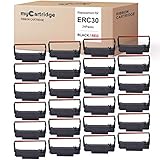
- mycartridge replacement of erc30 uses advanced ultrasonic welding and ink printing technology to reduce wear on the printer, extend the life of the printer, and make printing clear, smooth, and colorless.
- mycartridge ERC30 ribbon length 5m has a longer print life, which save you money
- mycartridge erc30 ribbon uses advanced ink and printing technology (black and red), excellent print quality, clear and uniform printing, and long-term fading, each ribbon is packaged independently, the ribbon will not spread, and can be quickly installed.
- Highly Compatiable with :mycartridge erc30 ribbon highly compatiable with epson erc30/34/38,epson mi88b,epson tmu220,bixolon grc-220br,m188B etc.the details in the picture.
- wildly application:Suitable for kitchen , restaurant,bank,taxi,office cash register pos printer etc.
Instead:
- Open Windows Security.
- Select Virus & threat protection.
- Open Protection history.
- Look for an event involving
star9res.dll, the printer installer, or the affected utility. - Record the original file path and detection name.
- Confirm that the file belonged to the expected printer package.
- If the original package was official and the file was verified as Microsoft-signed, follow your security product’s restore procedure.
- Reinstall the complete printer driver from the official source.
- Run a full scan.
Restoring a quarantined file is not the same as proving that a random replacement is safe. If the antivirus record points to an unknown download folder or an unrelated application, leave the file quarantined and remove that software.
Fix 5: Match the driver architecture
Historical records associate star9res.dll with 32-bit-era Windows files. That does not establish a universal current 32-bit or 64-bit version, and it does not mean that copying a 32-bit DLL into a 64-bit Windows folder will work.
Check your system type:
- Open Settings.
- Select System > About.
- Read System type.
Then check the architecture required by the calling program and driver package.
A 32-bit printer utility can run on 64-bit Windows, but it still needs the correct 32-bit files from its complete compatible package. A 64-bit driver cannot be repaired by substituting a similarly named 32-bit DLL.
Never use C:WindowsSystem32 and C:WindowsSysWOW64 as general-purpose drop locations. Their names are confusing, and manually placing a DLL there does not install its registry entries, dependencies, driver files, security metadata, or printer configuration.
Fix 6: Repair an old installer or printer utility
Sometimes the missing-file prompt comes from an old setup program rather than the installed printer driver.
This is common after restoring an old Windows image, moving an application to a new computer, or attempting to install legacy hardware with only part of its software package.
Try the following:
- Locate the original printer installation media or complete vendor package.
- Copy the installer to a local folder.
- Right-click the installer and select Properties.
- Open the Compatibility tab.
- Select an appropriate older Windows compatibility mode if the package requires it.
- Right-click the installer again.
- Select Run as administrator.
- Install the complete driver, utilities, and resource files.
- Restart Windows.
- Test printing and the utility that previously failed.
If the installer still requests star9res.dll, it may depend on a legacy Windows component that is not included in modern Windows. Do not satisfy the prompt with a DLL downloaded from an unknown source. Use the manufacturer’s complete package, a known-good original installation source, or replace the obsolete utility with a supported printing method.
Fix 7: Check Windows Features only when the application needs one
Windows Features do not normally restore a legacy printer resource DLL. Enabling random features will not register a missing driver component and can make the diagnosis less clear.
Rank #4

- Superior Quality - Bigger ink ribbon replacement for fx890 utilize ultrasonic welding machine to splice the ribbon, smooth nylon base and fine ink particles are capable of printing clearly, resisting to fade and decreasing the abrasion of the needle.
- Various Occasions - Bigger compatible fx890 ribbon ink can be used for office, family, or other business situations. It is perfect for printing items such as invoice, waybill, receipt and so on.
- Premium Features - 17m long ribbon offers durable printing. High quality ink enables the paper to be resistant to light, heat and water. The shell of ABS is non-toxic and recyclable.
- Highly Compatible - Perfectly compatible with EPSON FX890 LQ590 LQ590K.
- TIPS - Please confirm the model of your printer and ribbons.
Check features only if the application’s documentation specifically requires one:
- Press Windows + R.
- Type:
optionalfeatures
- Press Enter.
- Review the feature named by the application’s documentation.
- Enable it if required.
- Select OK.
- Restart Windows if prompted.
Do not enable legacy components simply because star9res.dll is missing. The correct repair is usually the printer package or the old application that is requesting it.
Recommended Free Tools
Should you run regsvr32?
Usually, no.
regsvr32 is intended for DLLs that expose the registration functions required by COM or ActiveX components. A printer resource DLL is not automatically a self-registering component merely because its filename ends in .dll.
Running this command blindly:
regsvr32 star9res.dll
can produce another error without repairing the driver. It can also register the wrong file if you downloaded a replacement from an untrusted source.
Use regsvr32 only when the software vendor’s documentation specifically says that the particular DLL is a self-registering component and gives the correct path and architecture. For a STAR9E printer resource, reinstall the complete driver package instead.
Do not download a standalone star9res.dll
Random DLL download sites create several problems:
- The file may contain malware or unwanted software.
- It may be the wrong historical version.
- It may have the wrong architecture.
- It may be renamed from an unrelated DLL.
- It may lack dependencies installed by the original driver.
- It may not match the executable requesting it.
- It may hide the real problem, such as a damaged printer installation or obsolete installer.
Microsoft does not provide a verified current standalone download for star9res.dll. Safe sources are Windows Update, the exact printer manufacturer package, original installation media, or a complete known-good application backup.
When to use System Restore or Windows repair
Use System Restore when the file worked recently and the change followed a driver installation, cleanup operation, update, or software removal.
- Open Start.
- Search for Create a restore point.
- Open it.
- Select System Restore.
- Choose a restore point from before the problem began.
- Review affected programs.
- Start the restore and restart Windows.
System Restore does not replace a missing printer package if the package was never installed on the restored system.
On Windows 11, if Windows itself is damaged and DISM and SFC do not resolve the issue, use Microsoft’s repair reinstall:
Best Value

- Superior Quality - Bigger replacement ERC30/34/38 ribbon cartridge has been designed to give you the consistent, crisp character output.
- Reliable Performance - Precise specifications reduce downtime, to allow for seamless installation into your printer.
- More Convenient – The ribbon length is 5m, yielding up 500000 draft (for Black or Red). The compatible ERC30 ribbon offers a longer print life and a more uniform print quality.
- Compatible Models - Work for ERC-30, ERC-34, ERC-38; TM-U200, TM-U200A, TM-U200B, TM-U200D, TM-U210B, TM-U210D, TM-U220, TM-U220A, TM-U220B, TM-U220D, TM-U230, TM-U300, TM-U300D, TM-U325, TM-U370, TM-U375; TM-200-UB, TM-267 II, TM-270, TM-270 II, TM-300A, TM-300B, TM-300C, TM-300D, TM-300PD; M17-JB, M52-JB, M63-UA, M115A, M119, M119B, M119D, M133A, M188B, M270, PM-300.
- Tips - please confirm the model of your printer and cartridges.
- Open Settings.
- Go to System > Recovery.
- Find Fix problems using Windows Update.
- Select Reinstall now.
- Follow the prompts.
This reinstalls the current Windows version while preserving apps, files, and settings. Back up important files first, and understand that it will not make an incompatible old printer driver current.
The Tool Desk
Outbyte Driver Updater FREEScan for outdated or missing drivers - takes under a minuteDriver Scan →Outbyte PC Repair FREEClear out junk files and repair common Windows errorsFree Scan →What success looks like
The repair is complete when:
- The affected printer installs without the DLL error.
- The print queue starts normally.
- A Windows test page prints.
- The old printer utility opens without requesting
star9res.dll. - The application that triggered the error launches normally.
- Event Viewer no longer records the same loader failure.
If the message persists, identify the exact executable and path requesting the file. The remaining problem may be str9eres.dll or another dependency, an obsolete application, a mismatched driver architecture, or a printer package that modern Windows cannot support.
FAQ
Is star9res.dll malware?
The filename itself is not evidence of malware. Historical Windows inventories identify it as the STAR9E driver, a legacy printer resource. A file with that name in an unexpected download folder, with a suspicious signature, or unrelated to any printer should still be scanned and treated cautiously.
Is star9res.dll required by Windows 10 or Windows 11?
There is no authoritative evidence that current Windows 10 or Windows 11 installations normally require this file. It is associated with legacy printer software, so the requesting device or application matters more than the operating system label.
Is it part of a Star printer?
The historical STAR9E identification and related Star printer resource filenames point to a legacy printer-driver context. Do not assume every Star-branded printer uses this exact file. Match the model and reinstall its complete driver.
Recommended Free Tools
Can I copy it into System32?
No. Manual copying does not install the driver, dependencies, configuration, or correct architecture. It can also place an untrusted file in a protected directory.
Why does Windows say “the specified module could not be found” when the DLL exists?
The named DLL may depend on another missing library, or the application may be searching the wrong directory. Identify the calling executable and reinstall its complete package rather than copying files individually.
Does regsvr32 fix this error?
Not normally. A printer resource DLL is not automatically a COM or ActiveX component. Use the printer installer unless documentation specifically requires registration.
What if the error appears when launching an old game?
Treat the game as the caller until proven otherwise. Check its installation logs and executable path. Do not add a printer DLL to the game directory unless the original, trusted installer explicitly includes it. Reinstall or replace the obsolete application if it incorrectly expects a legacy Windows file.
Windows Errors? Fix Them Before They Spread
Repair common Windows errors and clear accumulated junk for a smoother, more stable PC - no reinstall needed.Free scan · no reinstallCrashes, No Sound, or Screen Glitches?
Random freezes, missing sound and display glitches usually trace back to one bad driver. Find and replace yours safely.Free scan · under a minuteWhat is the safest first step?
Remove and reinstall the affected printer through Settings > Bluetooth & devices > Printers & scanners. If no printer is involved, identify the application requesting the file, then repair that application or its complete legacy driver package.
Quick Recap
Product prices and availability are accurate as of the date/time indicated and are subject to change. Any price and availability information displayed on Amazon at the time of purchase will apply.




