Quick wins for a faster PC:
Scan for outdated or missing drivers - takes under a minuteDriver Scan →Clear out junk files and repair common Windows errorsFree Scan →Fix the driver behind crashes, sound loss and screen glitchesFind Drivers →If Windows says “The program can’t start because scumliblec_retail.dll is missing from your computer,” the file belongs to Star Wars: The Force Unleashed, not to Windows. If you see “scumliblec_retail.dll was not found,” “The specified module could not be found,” or “The code execution cannot proceed,” repair the game installation before trying system-level fixes.
The 60-second answer
For a Steam copy:
- Open Steam and select Library.
- Right-click STAR WARS™ – The Force Unleashed™ Ultimate Sith Edition.
- Choose Properties.
- Select Installed Files.
- Click Verify integrity of game files.
- Start the game again after Steam finishes.
Verification replaces missing or damaged files, including the game’s copy of scumliblec_retail.dll.
As an Amazon Associate I earn from qualifying purchases.
For a disc or non-Steam copy, run the original installer and choose Repair or Change if offered. If no repair option exists, reinstall the game from its legitimate installer or store. Do not download the DLL separately or place it in C:WindowsSystem32.
The Tool Desk
Outbyte Driver Updater FREEFix the driver behind crashes, sound loss and screen glitchesFind Drivers →Outbyte PC Repair FREERepair Windows errors before they cause bigger problemsFix Now →What scumliblec_retail.dll is
scumliblec_retail.dll is a 32-bit game DLL associated with the Windows PC version of Star Wars: The Force Unleashed, including the Ultimate Sith Edition distribution. Public file indexes associate it with Aspyr Media, but an official publisher file manifest for this exact DLL is not available.
#1 Best Overall
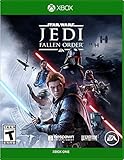
- Cinematic, immersive combat Jedi: Fallen order delivers the fantasy of becoming a Jedi through its innovative lightsaber combat system striking, parrying, dodging partnered with a suite of powerful force abilities you’ll need to leverage to overcome obstacles that stand in your way
- A new Jedi story begins: As a former Padawan on the run from the Empire, you must complete your training before Imperial Inquisitors discover your plan to revive the Jedi order
- The Galaxy Awaits: Ancient forests, windswept rock faces, and haunted jungles are all unique biomes you’ll explore in Jedi: Fallen order, with the freedom to decide when and where you go next
The file should normally sit in the game’s installation folder beside files such as SWTFU.exe and SWTFU Launcher.exe. It is not a Windows component, Microsoft Visual C++ runtime, or standard system DLL.
Public indexes report the internal filename as ScumLibLEC_Retail.dll and list reference version, size, and hash information. Treat those details only as identification clues, not as proof that a separately downloaded file is authentic.
What the error messages mean
The wording helps identify the stage of the failure:
- “The program can’t start because scumliblec_retail.dll is missing” usually means the file is absent from the game folder.
- “The code execution cannot proceed because scumliblec_retail.dll was not found” generally indicates the same missing-file condition.
- “The specified module could not be found” can mean either that this DLL is missing or that a dependency used by it cannot load.
- “The file is either not designed to run on Windows or it contains an error” can indicate corruption, a mismatched version, or the wrong architecture.
- “There was a problem starting scumliblec_retail.dll” is a general loader failure and does not identify the root cause by itself.
The most likely causes are a damaged or incomplete game installation, antivirus quarantine, a failed update, a mod conflict, or a missing secondary dependency.
Fix 1: Verify the Steam installation
This is the correct first step for a Steam installation.
- Open Steam.
- Select Library.
- Right-click the game and choose Properties.
- Open Installed Files.
- Select Verify integrity of game files.
- Wait for the process to complete.
- Launch the game from Steam.
If verification restores the file and the game starts, the problem was a missing or corrupted game file.
If Steam reports that files were replaced but the same error returns, restart Windows and verify again. Repeated replacement can point to antivirus interference, disk errors, insufficient free space, or a damaged Steam library. Temporarily remove mods and disable nonessential overlays or injectors before testing again.
Fix 2: Repair or reinstall a non-Steam copy
For a disc, retail, or other legitimate installation:
- Close the game and its launcher.
- Open Settings with Windows key + I.
- Select Apps, then Installed apps.
- Find The Force Unleashed.
- Select the three-dot menu and look for Advanced options or Repair.
- Run Repair if Windows provides it.
- Start the game and test.
If Windows does not offer repair:
- Open Control Panel.
- Select Programs, then Programs and Features.
- Select the game.
- Choose Repair, Change, or the equivalent installer option if available.
If repair is unavailable or fails, uninstall and reinstall using the original installer or legitimate store. Back up saved games first if they are stored outside the installation directory.
Avoid copying a DLL from another edition, another computer, or an unofficial archive. A file with the same name can be the wrong version or architecture and may produce an entry-point or compatibility error.
Rank #2

- Play through all nine Star Wars saga films in a brand-new LEGO videogame unlike any other.
- Experience fun-filled adventures, whimsical humour, and the freedom to fully immerse yourself in the LEGO Star Wars universe like never before.
- Players have the freedom to seamlessly travel to any planet, in any order, at any time.
- Features hundreds of playable characters from throughout the galaxy. Choose from a legion of heroes like Luke Skywalker, Qui-Gonn Jinn, Chewbacca, Leia Organa, and Poe Dameron or turn to the dark side as Darth Vader, Kylo Ren, Darth Maul, Emperor Palpatine, and more.
- Whether on land or in space, hundreds of vehicles from across the galaxy are yours to command. Jump to light speed in the Millennium Falcon, fly the T-47 airspeeder as you take down AT-AT walkers on Hoth, and battle First Order TIE fighters in Resistance X-wings.
Fix 3: Check Microsoft Defender quarantine
Windows Security may remove a game file after detecting it as suspicious.
What’s actually slowing this PC down?
Pick the symptom - the matching free tool is one click away.
- Open Windows Security from the Start menu.
- Select Virus & threat protection.
- Choose Protection history.
- Review recent detections.
- Expand any event related to the game folder.
- Check the detection name and file path before taking action.
Microsoft explains Protection History and quarantine actions in its Windows Security Protection History guidance.
Do not broadly disable antivirus protection. If the file was removed, the safer recovery is to verify or reinstall the game so the file comes from its legitimate distribution channel. Restore a quarantined file only when you have confirmed its location, origin, and detection details. If Defender repeatedly removes a legitimate installation, submit the detection to Microsoft for analysis rather than repeatedly downloading replacement DLLs.
Fix 4: Check the game folder and architecture
Open the game’s installation directory and look for:
scumliblec_retail.dllSWTFU.exeSWTFU Launcher.exe
The DLL should be in the same game directory or an appropriate subfolder used by that installation. It should not normally be placed in:
C:WindowsSystem32C:WindowsSysWOW64
The reported DLL is 32-bit, and the relevant game executable is also a 32-bit Windows application. A 64-bit version is not a suitable replacement simply because Windows itself is 64-bit.
If the file exists but Windows still reports it as missing, do not assume the file is healthy. The message may indicate that one of its dependencies cannot load. Verification or a clean reinstall is safer than manually replacing the file.
Fix 5: Install a runtime only when evidence points to one
scumliblec_retail.dll is not itself a Visual C++ or DirectX runtime. There is no confirmed evidence that one specific Visual C++ package is required for every installation.
Install a runtime only when the game installer, Windows event, or a dependency check identifies it.
Do these 3 things before closing this tab:
1Fix the driver behind crashes, sound loss and screen glitches2Clear out junk files and repair common Windows errors3Scan for outdated or missing drivers - takes under a minuteVisual C++ runtime
If the error identifies a Visual C++ component:
- Use Microsoft’s latest supported Visual C++ Redistributable downloads.
- Select the x86 package for this 32-bit game.
- Download and run the installer.
- Choose Repair if it is already installed, or complete the installation.
- Restart Windows and test the game.
Installing only the x64 package does not necessarily satisfy a 32-bit application. Multiple Visual C++ generations can coexist.
Rank #3

- The galaxy is yours with Lego Star Wars: The Skywalker Saga; Play all nine saga films and experience fun filled adventure in a galaxy far, far away
- Play through all 9 films in a new, fun filled adventure
- The Skywalker saga
Legacy DirectX components
The game targets the DirectX 9-era Windows environment, but that does not prove DirectX is causing this particular DLL error. If the installer specifically requests an older DirectX component, use Microsoft’s official DirectX package rather than a DLL download site.
Do not replace individual DirectX DLLs manually.
Legacy Windows features
Only enable a legacy feature when the game or installer specifically requires it:
- Press Windows key + R.
- Type
optionalfeatures. - Press Enter.
- Expand Legacy Components.
- Enable DirectPlay if requested.
- Select OK and restart Windows if prompted.
Enabling unrelated Windows features will not restore a missing game DLL.
Windows Errors? Fix Them Before They Spread
Repair common Windows errors and clear accumulated junk for a smoother, more stable PC - no reinstall needed.Free scan · no reinstallCrashes, No Sound, or Screen Glitches?
Random freezes, missing sound and display glitches usually trace back to one bad driver. Find and replace yours safely.Free scan · under a minuteFix 6: Repair Windows components only for broader corruption
SFC and DISM repair protected Windows components. They do not normally recreate a third-party game DLL, so they should not be the first response to a game-only error.
Use them when other applications also report corrupted system files, Windows Update is failing, or the problem began after wider Windows damage.
- Open Start.
- Type
Command Prompt. - Right-click Command Prompt.
- Select Run as administrator.
- Run:
DISM.exe /Online /Cleanup-Image /RestoreHealth
- Wait for it to finish.
- Then run:
sfc /scannow
- Restart Windows.
- Verify or repair the game again.
Microsoft documents System File Checker and DISM repair procedures.
If you are repeatedly hunting through Windows repairs and cannot tell which component changed, Outbyte PC Repair can scan for reported system issues; its free scan shows findings, while repair is handled by the full version. Reinstalling The Force Unleashed remains the definitive fix when the game file itself is missing.
Fix 7: Update drivers only after the game file is repaired
A graphics driver normally does not create or replace scumliblec_retail.dll, but a recent driver or system change can cause a game to stop launching after the file has been verified.
To check manually:
- Right-click Start.
- Select Device Manager.
- Expand Display adapters.
- Right-click the graphics adapter.
- Select Update driver.
- Choose Search automatically for drivers.
- Restart Windows if a driver is installed.
You can also obtain the current driver directly from the GPU manufacturer. Do not use Device Manager as a substitute for repairing the game installation.
If you are tired of checking hardware vendors and guessing which of several drivers is stale, Outbyte Driver Updater can scan for driver issues; its free scan identifies findings, while driver installation is handled by the full version. A driver update will not replace a missing scumliblec_retail.dll, so repair or reinstall the game first.
Why regsvr32 is usually wrong
Do not run:
regsvr32 scumliblec_retail.dll
regsvr32 is for DLLs that expose registration entry points such as DllRegisterServer. A game runtime DLL normally loads directly from the game folder and does not need Windows registration.
Free tools Windows power users keep installed
One-click scans. No signup required.
Running the command can produce another error without fixing the original problem. It also encourages placing a game file in a Windows system directory, which is not appropriate here.
Rank #4

- No longer a Padawan, Cal has come into his own and grown into a powerful Jedi Knight; Carrying the memories and expectations of the Jedi Order with him, his crusade against the Empire has only become more perilous
- The cinematic combat system returns with additional Force abilities and new lightsaber fighting styles; Creatively leverage all these abilities and weapons to strategically take on an expanded host of enemies, sizing up strengths and weaknesses
- Discover new planets and familiar frontiers in the Star Wars galaxy, each with unique biomes, challenges, and enemies; Master new skills, equipment, and abilities that will augment the ways you explore, fight, and roam
- With larger areas to explore and more to discover off the beaten path, players who adventure beyond the horizon will find hidden rewards
Why random DLL downloads are unsafe
A standalone DLL download can be:
- The wrong version for your game edition
- The wrong 32-bit or 64-bit architecture
- Modified or bundled with unwanted software
- Missing dependencies
- A replacement that hides the real installation problem
It may also cause a new “entry point not found” or “not designed to run on Windows” error. Use Steam verification, the original installer, or a legitimate store reinstall instead. Microsoft runtimes should come from Microsoft, and game files should come from the game’s distribution channel.
If the error continues
Collect these details before contacting store or publisher support:
- The exact error text
- The game edition and store or installer source
- The full installation path
- Whether
scumliblec_retail.dllis present - Any Defender or antivirus detection name
- Your Windows version
- Whether Steam verification or reinstall restored the file
- Whether the problem began after a mod, update, driver change, or disk cleanup
If verification repeatedly redownloads the same file, check available disk space, Steam download cache, folder permissions, antivirus logs, and disk health. Reinstalling to a new library location can isolate a damaged installation path.
FAQ
Is scumliblec_retail.dll a Windows system file?
No. It is associated with Star Wars: The Force Unleashed and should normally remain in the game’s installation folder.
Should I copy it to System32?
No. Copying a game DLL to System32 or SysWOW64 does not properly repair the game and can create version conflicts.
Is this a 32-bit or 64-bit DLL?
Public metadata identifies it as a 32-bit DLL. Use the matching 32-bit game file and do not substitute a 64-bit copy.
Do I need Visual C++?
Not automatically. Install or repair the x86 Visual C++ runtime only when the game or diagnostic evidence identifies it as a missing dependency.
Recommended Free Tools
Why does “specified module could not be found” appear when the file is present?
The named file may be present while one of its dependencies is missing or cannot load. Verify the game and investigate dependencies instead of copying the DLL elsewhere.
Can I register the DLL with regsvr32?
Normally, no. Game runtime DLLs are generally loaded by the game and are not registered with Windows.
What is the safest fix?
Verify the Steam files, or repair and reinstall the game from its original legitimate installer. This restores the correct file and its surrounding dependencies together.
Quick Recap
Product prices and availability are accurate as of the date/time indicated and are subject to change. Any price and availability information displayed on Amazon at the time of purchase will apply.
Do these 3 things before closing this tab:
1Clear out junk files and repair common Windows errors2Scan for outdated or missing drivers - takes under a minute3Repair Windows errors before they cause bigger problems



