
Yes—100% GPU utilization is usually normal during a demanding game or application. It generally means the graphics processor is fully occupied, not that it is overheating or being damaged. Check temperature, hotspot or junction temperature, memory temperature, power draw, clocks, cooling, and stability before deciding whether to intervene.
What 100% GPU utilization means
GPU utilization is a software-reported activity metric. It indicates that a particular graphics or compute engine is busy, but it is not a direct measurement of temperature, voltage, electrical stress, total board power, fan wear, memory usage, or remaining service life.
As an Amazon Associate I earn from qualifying purchases.
Monitoring software may report several different readings, including 3D utilization, compute utilization, video encode or decode activity, memory-controller utilization, VRAM allocation, board power, and core or hotspot temperature. One percentage cannot describe the complete health of a graphics card.
Is 100% utilization good for gaming?
Usually, yes. When a game keeps the GPU near 100% while frame rates are stable, temperatures remain within the exact card’s documented range, and there are no crashes or artifacts, the GPU is probably the performance bottleneck and is being used efficiently.
#1 Best Overall

- Excellent thermal conductivity: Made of thermal silica gel with heat conductivity of 6.0 W/mK
- Reliable & Durable: High temperature performance in -40 ℃ - 200 ℃ will not melt, non-toxic, odorless, anti-corrosion, wear resistant, anti-static, fire retardant, compression, good insulation, contact with any electrical traces wouldn’t result in damage of any sort.
- Application: Thermal Pad used in the control board of electronic and electrical products;Pads and foot pads inside and outside the motor; Appliances, automotive machinery, computer hosts, notebook computers, DVDs, VCDs, and any materials that require filling and cooling modules.
- Convenient & Affordable - Dimension 100x100mm, the thermal pads can be cut freely according to your needs. 0.5mm,1mm,1.5mm,2mm/set can meet different needs.
- Package include: 0.5mm,1mm,1.5mm,2mm thickness each 1pcs, total 4pcs.
A GPU-bound game is limited primarily by graphics work. Lowering resolution, ray tracing, shadows, volumetric effects, reflections, or other GPU-heavy settings will usually increase frame rate. That is a performance characteristic, not a hardware fault.
Lower utilization can mean the game is CPU-bound, frame-rate capped, limited by V-Sync or the display refresh rate, waiting on storage or another subsystem, or poorly optimized. It does not automatically mean the GPU is healthier.
The readings that matter more than utilization
| Reading | What it tells you | What it does not tell you |
|---|---|---|
| GPU utilization | How busy a reported GPU engine is | Temperature, lifespan, or total power |
| Core temperature | Reported GPU temperature | The hottest point on the die |
| Hotspot/junction | The hottest reported die location, where supported | Whether the value is abnormal for every GPU |
| Memory temperature | Memory thermal condition, where exposed | Core temperature |
| Board power | Electrical power consumed by the board | Whether the workload is stable |
| Clock speed | Current operating frequency | Whether the card is performing efficiently |
| Fan speed | Cooling effort | Whether heatsink contact is good |
| Limit indicators | Whether power or temperature may constrain performance | Whether the card is defective |
Modern GPUs dynamically adjust voltage, clocks, power, and temperature. NVIDIA documents these controls and thermal-limit behavior in its nvidia-smi documentation. A card may reduce clocks when it reaches a thermal or power limit, and extreme temperatures can trigger protective shutdown behavior.
Outdated Drivers Are Slowing You Down
One free scan finds every outdated or missing driver and matches the right update for your exact hardware.Free scan · exact hardware matchPC Slower Than It Used to Be?
A free scan shows the junk files, broken settings and background clutter dragging Windows down - then fixes them in one click.Free scan · Windows 10 & 11Does 100% utilization damage a GPU?
Not inherently. GPUs are designed to handle demanding, sustained workloads within their specified electrical, thermal, and firmware limits. Full-load gaming, rendering, and compute are normal operating scenarios.
Rank #2
![A ADWITS [ 12-Pack ] Thermal Conductive Silicone Pads, Soft Safe Simple to Apply for SSD CPU GPU LED IC Chipset Cooling -Blue](https://m.media-amazon.com/images/I/31v5mQ3yvfL._SL160_.jpg)
- Excellent thermal conductivity: Made of thermal silica gel with heat conductivity of 6.0 W/Mk
- Great safety and stability: electrical insulation, in -40 ℃ - 200 ℃ will not melt. Wear Resistant, anti static, fire retardant, buffering, no toxic, odorless, no corrosion, no stimulation, no damage to metal materials
- Fits for Control board, motor, electronics, auto mechanics, computer host, laptop, DVD, VCD, LID, Set-top box, LED IC SMD DIP and any cooling modules
- Packed with 12 thermal pads, three sizes, each with 4 pieces: 20x67x0.5mm, 20x67x1.0mm, 20x67x1.5mm
- Easy to install, you can select most suitable thickness and cut the required sizes. Great replacement for traditional heat sink compound grease paste
Utilization alone is not enough to establish that a card’s lifespan is being reduced, and there is no defensible formula such as “100% utilization removes a certain number of years.” More relevant risks include sustained excessive temperature, excessive voltage, unusually high power, poor airflow, dust, failing fans, degraded cooling hardware, repeated thermal cycling, and aggressive overclocking or overvolting.
NVIDIA’s data-center documentation includes controlled sustained-power and targeted-stress diagnostics, illustrating that high GPU load is a normal validation scenario. However, synthetic tests do not necessarily represent gaming. NVIDIA specifically warns that FurMark and similar stress tests can draw more power than typical applications and may trigger protective mechanisms.
Temperature and lifespan
There is no universal safe temperature number for every GPU. Limits vary by GPU model, board design, cooler, firmware, sensor, case, laptop chassis, and room temperature. NVIDIA’s model comparison pages demonstrate that maximum temperatures differ between products.
- A high-60s or 70s core temperature is not automatically dangerous.
- An 80s reading may be normal for one card and excessive for another.
- Hotspot or junction temperature must be interpreted using the exact GPU’s documentation and the gap from core temperature.
- Repeated operation at or beyond the documented limit warrants cooling investigation or manufacturer support.
AMD separately documents GPU junction temperature and notes that hotspot reporting is available only on certain Radeon generations and products. See AMD’s metrics guidance and tuning guidance.
Rank #3

- Excellent thermal conductivity: Made of thermal grease with heat conductivity of 12.8 W/mK, better a lot than normal thermal pads
- Reliable & Durable: thermal pad is rated voltage up to 9.8KV and has a thermal conductivity of 12.8 W/mk. High temperature performance , non-toxic, odorless, anti-corrosion, wear resistant, anti-static, fire retardant, compression, good insulation, contact with any electrical traces wouldn’t result in damage of any sort.
- Application: Thermal Pad used in the control board of electronic and electrical products;Pads and foot pads inside and outside the motor; Appliances, automotive machinery, computer hosts, notebook computers, DVDs, VCDs, and any materials that require filling and cooling modules.
- Convenient & Affordable - Dimension 100x100mm, the thermal pads can be cut freely according to your needs. 0.5mm,1mm,1.5mm/set can meet different needs.
- Package include: 0.5mm,1mm,1.5mm thickness each 1pcs, total 3pcs.
Higher temperatures can increase stress on semiconductor components, power-delivery components, solder joints, capacitors, thermal interface materials, and fans. Thermal cycling can also contribute to mechanical stress over long periods, but ordinary gaming cycles do not provide a basis for predicting a particular failure date.
How to check whether your GPU is healthy
- Monitor utilization, core temperature, hotspot or junction temperature, memory temperature where available, board power, clocks, and fan speed.
- Observe them for at least 10–15 minutes during the real game or workload.
- Check for stable frame rates and unexpected clock drops.
- Look for thermal-limit or power-limit indicators.
- Watch for artifacts, flickering, black screens, driver timeouts, crashes, fan surges, or shutdowns.
- Repeat the test with all overclocks and custom voltage settings removed.
NVIDIA
Open a terminal or command prompt and run:
nvidia-smi
nvidia-smi -q -d TEMPERATURE
Depending on the GPU, driver, and operating system, the output may include current temperature, target temperature, thermal-limit information, memory temperature, power draw, power limits, and performance-state data. Not every product exposes every sensor.
AMD Radeon
In AMD Software: Adrenalin Edition, open Performance, then Metrics or the applicable monitoring controls. Enable usage, temperature, junction, clock, power, and fan readings, and enable logging when a longer test is needed. Labels and available controls vary by Radeon generation and installation. AMD documents these features in its performance metrics instructions.
Do these 3 things before closing this tab:
1Scan for outdated or missing drivers - takes under a minute2Clear out junk files and repair common Windows errors3Fix the driver behind crashes, sound loss and screen glitchesThird-party monitoring
MSI Afterburner can provide overlays, logging, fan controls, and power or tuning controls across many Windows systems. Download it only from MSI or Guru3D; MSI warns that counterfeit installers are used for phishing and malware distribution.
Rank #4
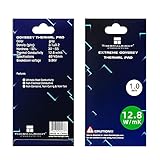
- 📢【EXCELLENT THERMAL CONDUCTIVITY】:Upgraded thermal silica gel material with 12.8 W/mK thermal conductivity, Density (G/cc): 3.1±0.2 Hardness (Sc): 30~55; Breakdowm voltage: 9.8KV; Conductivity: None,our thermal pad greatly improve the heat transfer between the electronic elements and effectively cool the temperature down in seconds.
- ⚡【SUPER RELIABLE & DURABLE 】:High temperature performance in -40 ℃ - 200 ℃ will not melt, non-toxic, odorless, anti-corrosion, wear resistant, anti-static, fire retardant, compression, good insulation, contact with any electrical traces wouldn’t result in damage of any sort.
- 💪【EASY & CONVENIENT TO USE 】:Dimension 85x45x1mm, the thermal pads can be cut freely according to your needs, perfect to filled contact surfaces gap, a great assistant for both beginners and professionals.
- ✅【WIDELY APPLICATION】:Perfectly replaces traditional heatsink compound grease paste, great for PC,Control board, motor, electronics, CPU, GPU, Heat Sink, Power LED,PS4, auto mechanics, computer host, laptop,solid-state drives,Gaming equipment, DVD, VCD, LID, Set-top box, LED IC SMD DIP and any cooling modules.
- 💗【NO RISK PURCHASE 】:We committed to provide superior thermal pads, easy to install, feel free to contact us if there is any issue with our thermal pads.
When should you reduce GPU load?
1. Cap the frame rate
A frame-rate cap is usually the least invasive solution when a game renders more frames than your monitor can display or more than you need. Use the game’s graphics settings, a driver per-game profile, or a display-sync/frame-pacing utility. A suitable cap can reduce utilization, power draw, temperature, and fan noise without reducing image quality. An overly low cap may increase perceived latency or reduce responsiveness in competitive games.
2. Reduce demanding settings
Resolution, ray tracing, shadows, volumetric effects, reflections, draw distance, and reconstruction or upscaling settings can significantly change GPU load. Reduce settings that affect frame time rather than lowering options indiscriminately.
3. Set a power limit
A lower power limit constrains available board power and can reduce heat and noise, usually with some performance cost. AMD documents power tuning and related controls in Adrenalin.
4. Consider an undervolt
Undervolting can improve performance per watt, but it is not guaranteed to work identically on every card. An aggressive setting can cause crashes, driver resets, artifacts, application errors, or corrupted workloads.
Best Value
![A ADWITS [ 6-Pack ] Thermal Conductive Silicone Pads, Soft Safe Simple to Apply for SSD CPU GPU LED IC Chipset Cooling -Blue](https://m.media-amazon.com/images/I/31OzO1Rgp6L._SL160_.jpg)
- Excellent thermal conductivity: Made of thermal silica gel with heat conductivity of 6.0 W/Mk
- Great safety and stability: electrical insulation, in -40 ℃ - 200 ℃ will not melt. Wear Resistant, anti static, fire retardant, buffering, no toxic, odorless, no corrosion, no stimulation, no damage to metal materials
- Fits for Control board, motor, electronics, auto mechanics, computer host, laptop, DVD, VCD, LID, Set-top box, LED IC SMD DIP and any cooling modules
- Packed with 6 thermal pads, three sizes, each with 2 pieces: 20x67x0.5mm, 20x67x1.0mm, 20x67x1.5mm
- Easy to install, you can select most suitable thickness and cut the required sizes. Great replacement for traditional heat sink compound grease paste
- Save the default profile.
- Change one control at a time.
- Make a small voltage or power reduction.
- Test the games and applications you actually use.
- Run a repeatable benchmark or stability test.
- Keep the last known-stable profile and restore defaults if problems appear.
5. Improve cooling
Inspect intake and exhaust fans, dust filters, GPU fans and heatsink, case clearance, fan curves, room temperature, and—on laptops—ventilation and surface placement. A sudden temperature increase may indicate a failed fan, obstructed heatsink, poor heatsink contact, degraded thermal interface, or liquid-cooler pump problem rather than excessive utilization.
Different workloads, different expectations
- Gaming: Near-100% utilization is expected when the game is GPU-bound. Cap frames if you want less heat, noise, or power use.
- Rendering and video production: Long full-load periods can be normal. Prioritize sustained temperatures, ventilation, reliable power, and application stability.
- AI and compute: These workloads may hold a GPU near full utilization for many hours. Monitor power, memory temperature, thermals, and errors; consumer cards and enclosed systems may have different cooling and warranty conditions from data-center hardware.
- Cryptocurrency mining: Mining does not automatically destroy a GPU, but continuous operation exposes cooling, fan, memory, and power-delivery weaknesses. Warranty restrictions vary by manufacturer and region; check the exact product’s terms.
- Menus and lightweight games: Uncapped frame rates can produce unnecessarily high utilization. A frame cap often reduces power use with little visible downside.
- Laptops: Tight cooling and power limits mean the same utilization percentage can produce very different temperatures and clock behavior from a desktop card.
When 100% utilization may indicate a problem
| Symptoms | Likely interpretation |
|---|---|
| High utilization with stable, in-range temperatures | Usually normal |
| High utilization with thermal throttling | Investigate airflow, cooling, power, and ambient temperature |
| High utilization with artifacts or driver crashes | Check drivers, remove tuning, and investigate hardware |
| High utilization while idle | Identify the process and check overlays or unwanted software |
| Low utilization with poor FPS | Likely CPU limitation, frame cap, synchronization, I/O, or application bottleneck |
| Sudden temperature increase | Inspect dust, fans, pump operation, heatsink contact, and airflow |
For unexplained idle activity, check Task Manager or the operating system’s process list, disable unnecessary overlays, scan for unwanted software, and compare behavior after a clean startup.
Practical decision guide
- Leave it alone: The GPU is near 100% during a demanding workload, temperatures are stable and model-appropriate, performance is expected, and there are no symptoms.
- Cap the frame rate: You want less heat, noise, or power use, or the game is rendering more frames than necessary.
- Lower power or undervolt: The card is stable but hotter or louder than desired, and you are willing to test and roll back settings.
- Improve hardware cooling: Temperatures have risen over time, airflow is blocked, fans are failing, or the card throttles under normal workloads.
- Contact the manufacturer or retailer: The card reaches limits immediately, artifacts at default settings, crashes with tuning removed, or has a defective fan, pump, sensor, or connector.
Do not buy a more powerful GPU merely because utilization reaches 100%. An upgrade is justified by inadequate frame rates, VRAM limits, required features, or workload demands—not by the percentage alone. Warranty terms also vary: NVIDIA’s stated warranty for NVIDIA-branded graphics cards is generally three years from purchase under its listed product, regional, and usage conditions, and this should not be generalized to every board partner.
Quick Recap
Product prices and availability are accurate as of the date/time indicated and are subject to change. Any price and availability information displayed on Amazon at the time of purchase will apply.

