The Tool Desk
Outbyte Driver Updater FREEFix the driver behind crashes, sound loss and screen glitchesFind Drivers →Outbyte PC Repair FREERepair Windows errors before they cause bigger problemsFix Now →sodppui2.dll is a legacy Sony DPP printer user-interface component, not a general Windows, game, Visual C++, DirectX, or .NET runtime file. When Windows says sodppui2.dll is missing, cannot be loaded, or is not designed to run on Windows, repair or reinstall the Sony DPP printer driver instead of downloading an isolated DLL.
The file belongs to the driver package for Sony DPP digital photo printers. Models in Sony’s legacy DPP range include the DPP-FP30, FP35, FP50, FP55, FP67, FP70, F800 and EX50, among others. The exact model matters because printer packages, architectures and legacy driver support differ.
| # | Preview | Product | Price | |
|---|---|---|---|---|
| 1 |
|
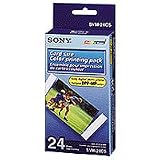
Sony SVM-24CS Cartridge and Paper (DPP-MP1 Printer) | $14.95 | Buy on Amazon |
| 2 |

|
Sony UPP-110HG Thermal Print Media Video Imaging Paper 1box (10 Rolls) | $149.00 | Buy on Amazon |
| 3 |

|
Sony UPP-110HD printer paper. | $24.99 | Buy on Amazon |
| 4 |

|
CanonInk Glossy Photo Paper 8.5" x 11" 100 Sheets (1433C004) | $17.99 | Buy on Amazon |
As an Amazon Associate I earn from qualifying purchases.
Fix sodppui2.dll errors in order
Work through these fixes from top to bottom. The first successful printer test usually confirms that the driver package, including its user-interface files, is working again.
Outdated Drivers Are Slowing You Down
One free scan finds every outdated or missing driver and matches the right update for your exact hardware.Free scan · exact hardware matchWindows Errors? Fix Them Before They Spread
Repair common Windows errors and clear accumulated junk for a smoother, more stable PC - no reinstall needed.Free scan · no reinstall1. Identify the Sony printer and remove its broken installation
Time needed: 5–10 minutes
Do not begin by searching for the DLL. First identify the printer model shown on the device label, its original documentation or the Windows printer list.
#1 Best Overall
- Paper refill for Sony printer DPP-MP1
- Includes 24 sheets and a printer ribbon
- Sheets measure 2 by 3.25 inches
- Snap-off edges
- 90-day warranty
In Windows 11:
- Open Settings.
- Select Bluetooth & devices.
- Select Printers & scanners.
- Select the Sony DPP printer.
- Choose Remove and confirm.
- Restart Windows.
In Windows 10:
- Open Settings.
- Select Devices.
- Select Printers & scanners.
- Select the Sony printer.
- Choose Remove device.
- Restart Windows.
If the printer does not appear in Settings, remove it through the older printer interface:
- Press Windows key + R.
- Enter
control printers. - Press Enter.
- Right-click the Sony printer and select Remove device.
- Restart the computer.
Removing the visible printer does not always remove every old driver package. If the same error returns during reinstallation, continue to the Device Manager cleanup step below.
2. Reinstall the correct Sony DPP driver
Time needed: 10–20 minutes
Use the model-specific driver supplied by Sony or a compatible package offered through Windows Update. Sony’s current digital photo printer support area contains information for legacy DPP models, but an old installer may not support every current Windows release.
After restarting:
- Open Settings > Bluetooth & devices > Printers & scanners in Windows 11, or Settings > Devices > Printers & scanners in Windows 10.
- Select Add device.
- Wait for Windows to search.
- If the Sony printer appears, select Add device.
- If it does not appear, select Add manually.
- Choose the connection method that matches the printer, such as USB or a manually selected local printer.
- Select Windows Update in the driver selection screen if that option is available.
- Choose the Sony DPP model or its compatible driver.
- Finish the installation.
- Select the printer and choose Print a test page.
Microsoft’s printer-driver installation guidance recommends using Windows Update or the printer manufacturer rather than an unofficial driver repository.
Outbyte Driver Updater can reduce the manual work of hunting through old driver packages and guessing which driver is stale; its free scan shows what it finds, while driver installation and repair require the full version. Reinstalling the exact Sony DPP model driver remains the definitive fix for this file.
If the Sony installer fails, right-click it, choose Properties > Compatibility, and use the compatibility options only if Sony’s instructions specify them. Do not mix files from different printer models or copy a DLL from a different Windows installation.
3. Remove an orphaned driver package with Device Manager
Time needed: 5–15 minutes
Use this when Windows keeps loading an incomplete driver after the printer has been removed.
Recommended Free Tools
- Right-click Start.
- Select Device Manager.
- Expand Printers, Print queues or Other devices.
- Locate the Sony DPP printer or an entry with a warning icon.
- Right-click it and select Uninstall device.
- If Windows displays Attempt to remove the driver for this device, select it.
- Choose Uninstall.
- Restart Windows.
- Reinstall the correct driver.
You can also inspect installed driver packages from the print server properties:
- Press Windows key + R.
- Enter
printui /s /t2. - Press Enter.
- Open the Drivers tab.
- Select the Sony DPP driver.
- Choose Remove.
- Select the option to remove both the driver and driver package when Windows offers it.
- Restart and reinstall.
The exact labels can differ between Windows versions. If Windows refuses to remove the package because it is in use, stop the Print Spooler service temporarily:
Rank #2
- High-Quality Prints: Sony UPP-110HG delivers premium, high-gloss prints, making it ideal for ultrasound imaging and other medical documentation that requires clear and precise output.
- Wide Compatibility: This thermal paper is compatible with a range of Sony black and white video printers including UP-850MD, UP-870MD, UP-895MD series, UP-897MD series, and UP-898 series.
- Cost-Efficient: Each box contains 10 rolls, with each roll capable of producing up to 240 prints, offering significant cost efficiency for medical facilities.
- Enhanced Durability: The paper is designed to provide prints that are both high in gloss and resistant to water, ensuring that documents remain sharp and durable over time.
- Optimized for Medical Use: Specifically designed for medical use, this paper ensures excellent grayscale reproduction, minimal curling, and enhanced detail clarity which is crucial for diagnostic purposes.
- Press Windows key + R.
- Enter
services.msc. - Press Enter.
- Find Print Spooler.
- Right-click it and select Stop.
- Remove the driver package.
- Return to Print Spooler and select Start.
- Restart Windows before reinstalling.
Success means the Sony driver installs without the sodppui2.dll message and the printer can print a test page.
4. Check whether antivirus software quarantined the driver file
Time needed: 5–10 minutes
A security product may remove or quarantine a legacy printer component. Do not restore a file merely because its name matches.
For Microsoft Defender:
- Open Windows Security.
- Select Virus & threat protection.
- Select Protection history.
- Look for an event involving the Sony printer driver.
- Expand the event and inspect its original path, detection details and publisher information.
Restore the item only if you can confirm that it came from the genuine Sony printer-driver package, has a valid signature where expected and matches the printer model and Windows architecture. Microsoft explains these decisions in its guidance for Protection History.
If there is any doubt, leave the item quarantined and reinstall the driver from Sony or Windows Update. Run a full Microsoft Defender scan if the file appeared in an unexpected folder.
5. Repair Windows components with DISM and SFC
Time needed: 15–30 minutes
Use these commands when the error began after system corruption, an interrupted update, restoring an old Windows image or damage to the DriverStore. They are not substitutes for reinstalling a missing Sony driver.
- Open Start.
- Type
Command Prompt. - Select Run as administrator.
- Run:
DISM.exe /Online /Cleanup-Image /RestoreHealth
- Wait for DISM to finish.
- In the same administrator window, run:
sfc /scannow
- Wait until verification reaches 100 percent.
- Restart Windows.
Microsoft documents this sequence in its Windows repair command guidance and its System File Checker documentation.
Free tools Windows power users keep installed
One-click scans. No signup required.
If SFC reports that it found and repaired corrupt files, test the printer again. If it reports that no integrity violations were found, the Sony driver is more likely missing or incompatible. SFC restores a file only when Windows recognizes it as a protected system resource, so it is not guaranteed to restore every legacy printer component.
Outbyte PC Repair can make the manual process of checking system problems and repeating DISM or SFC less tedious; its free scan shows what it identifies, while repair requires the full version. It is optional, and reinstalling the Sony DPP driver remains necessary when that driver package is the real cause.
6. Check Windows architecture and legacy compatibility
Time needed: 5–20 minutes
A 32-bit printer component and a 64-bit driver package are not interchangeable. Mixing them can produce a bad-image message, a “not designed to run on Windows” error or another missing-module error.
Rank #3
- Single sheet paper.
- Shiny.
- Dye sublimation.
- Paper.
- Roll paper.
To check Windows architecture:
- Open Settings.
- Select System > About.
- Find System type.
- Note whether Windows is 64-bit or 32-bit.
Choose the Sony driver that matches the printer and Windows architecture. Do not copy a 32-bit DLL into a 64-bit driver package, or combine files from Windows 7, Windows Server or another computer.
Do these 3 things before closing this tab:
1Repair Windows errors before they cause bigger problems2Fix the driver behind crashes, sound loss and screen glitches3Clear out junk files and repair common Windows errorsVery old installers may not work correctly on Windows 10 or Windows 11, particularly on ARM devices or with legacy printer-driver models. If Sony does not provide a compatible package, practical alternatives include:
- using a compatible older Windows installation;
- trying a generic printer driver where its features are sufficient;
- printing through another supported computer or workflow;
- replacing the obsolete printer.
Windows Features generally will not repair this file. Enabling .NET Framework, DirectX components or Visual C++ redistributables is not the normal solution because sodppui2.dll is a Sony printer-driver interface component.
Why copying sodppui2.dll is usually the wrong repair
Random DLL download sites are unsafe sources for this file. A downloaded copy may contain malware, belong to a different driver version, use the wrong architecture or fail because another dependency is missing. It may also be ignored because the printer driver expects the file inside its DriverStore package rather than in C:WindowsSystem32.
Historical records associate the file with a Sony DPP printer package and an INF-based DriverStore location similar to:
Quick wins for a faster PC:
Repair Windows errors before they cause bigger problemsFix Now →Fix the driver behind crashes, sound loss and screen glitchesFind Drivers →C:WindowsSystem32DriverStoreFileRepository
prnso002.inf_amd64_neutral_...Amd64SODPPUI2.DLL
That is historical package context, not a guarantee that every Windows installation should contain the file. The correct repair is to restore the complete, model-matched driver package.
Independent reader supportYour contribution helps us test, update, and keep practical guides available for everyone.Why regsvr32 normally does not help
Do not treat this like a COM or ActiveX DLL. regsvr32 sodppui2.dll is normally not a standard repair for a printer UI component.
regsvr32 applies to DLLs that provide registration functions such as DllRegisterServer. Microsoft describes that requirement in its documentation for DLL self-registration and the regsvr32 command. Printer interface DLLs are normally installed and referenced through the printer INF and driver system.
Rank #4
- This vibrant, glossy photo paper gives you crisp, clear photos that are High quality without the High cost - an Economical choice for great prints
- An Economical choice for great prints
- This vibrant, glossy photo paper gives you crisp, clear photos
- This vibrant, glossy photo paper gives you crisp, clear photos that are high quality without the high cost, an economical choice for great prints
If you already ran regsvr32 and received an entry-point or module error, that does not prove the printer driver is unrecoverable. Remove the incomplete driver and reinstall it instead.
What the error message actually means
These messages can have slightly different causes:
- “The program can’t start because SODPPUI2.DLL is missing from your computer.” The printer-related program cannot find the named component.
- “Error loading SODPPUI2.DLL. The specified module could not be found.” The named DLL may be missing, but Windows may also be unable to find one of its dependencies.
- “Failed to load SODPPUI2.DLL.” The file may be present but incompatible, damaged or inaccessible.
- “SODPPUI2.DLL is either not designed to run on Windows or it contains an error.” The architecture, binary or dependency may not match the process loading it.
If reinstalling the driver restores the file but the message remains, the remaining problem may be a dependent DLL, an incompatible legacy driver or a damaged print subsystem.
Common causes of sodppui2.dll errors
| Cause | Typical response |
|---|---|
| Incomplete Sony printer installation | Remove and reinstall the model-specific driver |
| Failed Windows or driver update | Install pending updates, then reinstall or roll back the printer driver |
| Damaged DriverStore or system files | Run DISM, then SFC |
| Antivirus quarantine | Verify provenance and signature before restoring, or reinstall |
| Wrong 32-bit or 64-bit package | Install the architecture-matched driver |
| Restored old Windows image | Reinstall the printer after system restoration |
| Legacy installer on newer Windows | Use compatibility options, an older supported Windows system or another workflow |
| Malware or an altered replacement DLL | Scan the system and reinstall from an official source |
FAQ
Is sodppui2.dll a Windows system file?
It is best described as a legacy Sony DPP printer UI component distributed through older Windows or printer-driver packages. It is not proven to be present on every Windows 10 or Windows 11 installation, and its absence is not automatically a Windows problem.
Which applications need sodppui2.dll?
The relevant software is the Sony DPP digital photo printer driver and its configuration interface. It is not normally required by games, DirectX, Visual C++, .NET or unrelated applications.
Should I download sodppui2.dll from the internet?
No. Use Windows Update or the official Sony support channel for the exact printer model. Reinstalling the complete driver also restores dependencies and the correct INF and DriverStore registration.
Can SFC restore this file?
Only if Windows recognizes the component as a protected system resource. SFC may repair system corruption, but it is not guaranteed to restore a legacy Sony driver file.
What if the printer was never installed?
A program or shortcut may be referring to an old printer installation. If you no longer use the Sony DPP printer, remove the obsolete printer software and startup reference rather than adding the DLL manually.
What if the printer works but the error still appears?
Look for an old Sony utility, print-monitor process or startup entry that remains after the printer was removed. Uninstall the old Sony software, restart Windows and reinstall only the driver required for the current printer.
Quick Recap
Product prices and availability are accurate as of the date/time indicated and are subject to change. Any price and availability information displayed on Amazon at the time of purchase will apply.
What’s actually slowing this PC down?
Pick the symptom - the matching free tool is one click away.




