Do these 3 things before closing this tab:
1Scan for outdated or missing drivers - takes under a minute2Repair Windows errors before they cause bigger problems3Fix the driver behind crashes, sound loss and screen glitchestipskins.dll is a genuine Microsoft Windows component used by the Touch Keyboard, handwriting input, and Tablet PC Input Panel. If Windows says it is missing or cannot load it, repair Windows and its component store rather than downloading an isolated DLL.
What this file actually does
tipskins.dll belongs to the Windows input-panel interface. It works alongside components such as TabTip.exe, Tipband.dll, Tipres.dll, and Tiptsf.dll. TabTip.exe is the executable associated with the Touch Keyboard and Tablet PC Input Panel, so an error naming tipskins.dll may appear when that process starts or crashes.
As an Amazon Associate I earn from qualifying purchases.
Common wording includes:
- “tipskins.dll is missing”
- “tipskins.dll was not found”
- “Cannot find tipskins.dll”
- “tipskins.dll could not be loaded”
- “The procedure entry point could not be located”
- A
TabTip.execrash namingtipskins.dllas the faulting module
These messages do not prove that a game or third-party application owns the file. Microsoft update manifests document tipskins.dll as part of Windows Vista, Windows 7, Windows 8.1, and Windows 10. Microsoft has also documented Tablet PC Input Panel problems associated with Windows servicing changes.
On some installations, the visible files are under:
#1 Best Overall

- FHD Monitor : The CUNPU 24-inch FHD monitor Features 178° full viewing angle, 75 Hz refresh rate, 1000:1 contrast, 220 cd/m² brightness, 100% sRGB, and 16.7M colors. This provides accurate and vibrant colors that are ideal for work and video viewing. The monitor's blue light reduction and flicker-free technology ensures a comfortable visual experience and reduces eye strain.
- Responsive Touchscreen Monitor: The 24" touchscreen monitor feature 10-point capacitive touch provides seamless productivity at your fingertips. The touchscreen is designed for smooth navigation and interaction with content, as well as control of the display.
- HDR Technology & Tilt Adjustment: HDR10 mode provides deeper and more realistic colors, offering a superior visual experience. The 100*100 mm VESA and tilt-adjustable integrated design makes the touchscreen HDMI monitor an optimal travel companion for laptops and workstations, serving as a second screen to enhance work productivity.
- Versatility and Connectivity: The 24-inch touchscreen monitor is equipped with a standard HDMI port, VGA and USB port (for connecting a mouse or keyboard). It can be connected to a range of devices, including PCs, mobile phones, laptops and workstations.
- 10 Points Touch Screen Monitor: use multiple fingers to zoom in & out of images and make notes and notes on images or documents no driver required and no need stylus.
C:Program FilesCommon FilesMicrosoft Sharedink
A 32-bit copy on 64-bit Windows may appear under:
C:Program Files (x86)Common FilesMicrosoft Sharedink
These are examples, not universal paths. Windows also services this component through the Windows component store and cumulative updates, so not seeing the file in the ink folder alone does not establish that it is damaged.
Causes and symptoms
| Symptom | Likely cause | Best first action |
|---|---|---|
| Touch Keyboard or handwriting panel will not open | Corrupted or missing Windows component | Install updates, then run DISM and SFC |
| Error appeared after Windows Update | Incomplete or problematic servicing | Restart, check updates, then repair Windows |
| Antivirus quarantined the file | False positive or altered file | Inspect Protection History and verify path and signature |
TabTip.exe crashes with an access violation |
Damaged or mismatched input-panel files | Run DISM followed by SFC |
| Error appears only in one Windows account | Damaged user profile or per-user configuration | Test a new Windows profile |
| A 32-bit program requests the file on 64-bit Windows | Architecture mismatch | Repair the related Windows component, not a copied DLL |
| A game launcher reports the error | The launcher may be misreporting a Windows dependency | Verify or repair the game, then repair Windows |
| The file is requested from an unrelated writable folder | Possible third-party file or malware | Check its full path, signature, and antivirus results |
Fix tipskins.dll missing errors
1. Install Windows updates and restart
Because tipskins.dll is serviced as part of Windows, start with Windows Update.
Windows 11
- Open Start and select Settings.
- Select Windows Update.
- Select Check for updates.
- Install every applicable update.
- Restart the computer, even if Windows does not immediately require it.
- Return to Settings > Windows Update and check again until no pending update remains.
Windows 10
- Open Start > Settings.
- Select Update & Security.
- Open Windows Update.
- Select Check for updates.
- Install the available updates and restart.
Try opening the Touch Keyboard again. You can test it by selecting the keyboard icon on the taskbar, using the taskbar touch-keyboard control, or opening the Tablet PC Input Panel if it is enabled on that installation.
If Windows Update fails, reports that files could not be downloaded, or repeatedly offers the same update, continue with DISM and SFC.
2. Repair Windows with DISM, then SFC
Microsoft recommends running Deployment Image Servicing and Management before System File Checker. DISM repairs the Windows component source; SFC then checks protected system files and replaces damaged copies.
- Open Start.
- Type Command Prompt.
- Right-click Command Prompt and select Run as administrator.
- Select Yes if User Account Control asks for permission.
- Run this command:
DISM.exe /Online /Cleanup-Image /RestoreHealth
- Wait for DISM to finish. Do not close the window if progress appears to pause.
- Run:
sfc /scannow
- Wait until verification reaches 100 percent.
- Restart Windows.
- Test the Touch Keyboard or handwriting panel again.
A successful repair may report that corruption was repaired or that no integrity violations were found. If SFC says it found corrupt files but could not repair some of them, do not copy tipskins.dll from another computer. Run DISM again, restart, and repeat SFC once.
If manually tracking component repairs and interpreting repeated DISM/SFC results is slowing you down, Outbyte PC Repair can scan for reported Windows issues and show what needs attention; its free scan identifies problems, while repair actions are performed by the full version. It is optional, and Windows repair commands remain the authoritative path.
What’s actually slowing this PC down?
Pick the symptom - the matching free tool is one click away.
3. Use a matching repair source if DISM cannot find files
DISM may need installation files when Windows Update cannot provide a repair source. Microsoft documents this form:
DISM.exe /Online /Cleanup-Image /RestoreHealth /Source:C:RepairSourceWindows /LimitAccess
Replace C:RepairSourceWindows with the path to a known-good Windows installation source.
Rank #2

- Make Your Devices Touch-enabled: This portable monitor features a 10-point capacitive touch. It is compatible with both Windows and macOS systems, allowing you to add touch functionality to your laptop/PC/Macbook by simply connecting it via the fully featured USB-C interface. MUST NOTE: For Type-C 3.1 DP ALT-MODE or Thunderbolt 3/4 ports, use a Type-C to Type-C cable for power, video, and touch. Use HDMI+power cable+USB-A to USB-C cable for devices without these ports. No extra drivers are required.
- FHD Portable Monitor: The portable monitor features a 15.6-inch touchscreen with a Full HD resolution of 1920x1080. Its advanced IPS display offers a wide viewing angle of 178°, delivering accurate and vibrant colors that are perfect for gaming and watching videos. Moreover, the monitor is equipped with blue light reduction and flicker-free technology, ensuring a comfortable viewing experience even during long periods of use and reducing eye strain.
- Lightweight and Portable Travel Monitor: Designed to be ultra-slim and easy to carry. Its compact size makes it a convenient option for people on the go who need a second screen. Whether you're a traveler, student, gamer, engineer, or anyone who needs a portable monitor, this device can easily fit into any suitcase or backpack. It's perfect for those who require a second screen while out and about.
- Full Size HDMI and USB-C Ports: The monitor has Standard HDMI and USB-C ports, providing versatile connectivity options. You can connect it to a variety of devices, including laptops, desktops, gaming consoles, and mobile phones.
- Built-in Kickstand and Speakers: The CAPERAVE Portable Monitor has a built-in kickstand that allows you to easily prop it up at different angles, making it comfortable to use while sitting or standing. Additionally, it features built-in speakers that deliver clear and immersive audio, enhancing your multimedia experience.
The source must match the installed Windows edition, language, architecture, and build. A mismatched source can fail or leave the component store inconsistent. After DISM completes, run:
sfc /scannow
Then restart Windows and test the input panel.
If you do not have a matching source, use official Windows installation media created for the same release rather than downloading tipskins.dll from a file repository.
The Tool Desk
Outbyte PC Repair FREEClear out junk files and repair common Windows errorsFree Scan →Outbyte Driver Updater FREEFix the driver behind crashes, sound loss and screen glitchesFind Drivers →4. Check Windows Security quarantine
Antivirus software can quarantine a genuine system file after a false positive, but a detection should not be ignored automatically.
- Open Start and select Settings.
- In Windows 11, select Privacy & security > Windows Security.
In Windows 10, select Update & Security > Windows Security. - Select Virus & threat protection.
- Select Protection history.
- Open the detection associated with
tipskins.dll. - Check the detected file’s full path and detection name.
- Run a Windows Security scan before restoring anything.
Restore and allow the file only when all of these are true:
- It is in an expected Windows or Microsoft Shared input-panel location.
- The file is digitally signed by Microsoft.
- The detection is confirmed as a false positive.
- Your security software is fully updated.
Microsoft warns that restoring a quarantined file puts it back on the device and may cause the detection to return. If the file is repeatedly quarantined, leave it isolated, run a full scan, and repair Windows with DISM and SFC instead.
A file named tipskins.dll in a user-writable folder, a temporary folder, or an unrelated application directory is not automatically genuine.
Quick wins for a faster PC:
Clear out junk files and repair common Windows errorsFree Scan →Scan for outdated or missing drivers - takes under a minuteDriver Scan →5. Check architecture and version consistency
Windows can contain separate 32-bit and 64-bit component files. For example, Microsoft manifests document different tipskins.dll builds and sizes for Windows 7 x86 and x64, as well as separate Windows 8.1 architectures.
Do not copy an x86 file over an x64 file because the filename matches. Do not replace tipskins.dll with a file from another PC unless the Windows edition, language, architecture, build, digital signature, and servicing state all match. Even then, manual copying can leave TabTip.exe, tipskins.dll, and neighboring input-panel files out of sync.
Rank #3
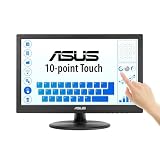
- Full HD Display with IPS Technology: 15.6" Full HD display features IPS technology providing wide viewing angles for everyday use
- 10-Point Multi-Touch Capability: 10-point touch capacity, suitable for any application that involves virtual keyboard or multi-touch functionality
- VESA Compatible Mounting: VESA compatible (75mm x 75mm) for monitor arm / mini PC / NUC PC mounting, making the desktop clutter-free and space saving
- Flexible Tilt Adjustment: -5 to 30 tilt angle, flexible enough for scenarios as an extended monitor or POS machine
- Eye Care Technology: ASUS Eye Care monitors feature TV Rheinland-certified Flicker-free and Low Blue Light technologies to ensure a comfortable viewing experience
DISM and SFC are safer because they use Windows servicing sources and protected-file rules.
6. Repair the touch device driver only when hardware symptoms are also present
A driver is not the normal source of a missing tipskins.dll message. However, update the touch or HID driver if the touchscreen, pen, or touch input stopped working at the same time.
- Right-click Start and select Device Manager.
- Expand Human Interface Devices.
- Look for HID-compliant touch screen, a pen device, or another touch-related entry.
- Right-click the relevant device and select Update driver.
- Choose Search automatically for drivers.
- Restart Windows.
If the problem began immediately after a driver update:
- Return to Device Manager.
- Right-click the affected device and select Properties.
- Open the Driver tab.
- Select Roll Back Driver if that button is available.
- Restart and test touch input.
If you are manually hunting through several hardware vendors and driver versions, Outbyte Driver Updater can scan for outdated drivers and identify the affected hardware; its free scan reports findings, while driver installation is handled by the full version. This is optional, and it will not replace the need to repair Windows if tipskins.dll itself is damaged.
7. Check optional Windows components
Do not install Visual C++, DirectX, or .NET merely because a message mentions a DLL. tipskins.dll is documented as a Windows input-panel component, not a standalone Microsoft runtime redistributable.
If Touch Keyboard or handwriting features were disabled, check Windows optional features:
- Open Start > Settings.
- Search for Optional features.
- Open Optional features.
- Review installed features related to handwriting, touch, or Tablet PC on your Windows release.
- Add a feature only if Windows identifies it as missing and provides it through its own component source.
- Restart Windows.
The exact feature names differ between Windows releases. Do not install an unrelated runtime as a substitute for the input-panel component.
What not to do
Do not download tipskins.dll from a random DLL site
Unofficial DLL repositories can provide malware, tampered files, the wrong architecture, or a file from a different Windows build. Even a clean-looking replacement can fail because the surrounding Windows input-panel files are from another servicing level.
There is no legitimate Microsoft tipskins.dll redistributable that should be installed separately. Use Windows Update, DISM, SFC, matching installation media, System Restore, or Windows repair installation.
Rank #4

- FHD Monitor : The CUNPU 27-inch FHD monitor Features 178° full viewing angle, 60 Hz refresh rate, 1000:1 contrast, 220 cd/m² brightness, 100% sRGB, and 16.7M colors. This provides accurate and vibrant colors that are ideal for work and video viewing. The monitor's blue light reduction and flicker-free technology ensures a comfortable visual experience and reduces eye strain.
- Responsive Touchscreen Monitor: The 27 Inch touchscreen monitor feature 10-point capacitive touch provides seamless productivity at your fingertips. The touchscreen is designed for smooth navigation and interaction with content, as well as control of the display.
- Versatility and Connectivity: The 27 Inch touchscreen monitor is equipped with a standard HDMI port, VGA and USB port (To turn on the touch function ). It can be connected to a range of devices, including PCs, mobile phones, laptops and workstations.
- HDR Technology & Tilt Adjustment: HDR10 mode provides deeper and more realistic colors, offering a superior visual experience. The 100*100 mm VESA and tilt-adjustable integrated design makes the touchscreen HDMI monitor an optimal travel companion for laptops and workstations, serving as a second screen to enhance work productivity.
- 10 Points Touch Screen Monitor: use multiple fingers to zoom in & out of images and make notes and notes on images or documents no driver required and no need stylus.
Do not use regsvr32 as a routine repair
regsvr32 is intended for DLLs that expose registration entry points such as DllRegisterServer. Microsoft describes it as a tool for registering suitable DLL command components.
Free tools Windows power users keep installed
One-click scans. No signup required.
There is no evidence that tipskins.dll should be manually registered. This command is not a standard fix:
regsvr32 tipskins.dll
It may produce an error because tipskins.dll is a Windows UI/component DLL rather than an independently registered COM control. Registering it will not restore a missing component.
If DISM and SFC still fail
Use this escalation order.
Try System Restore
If the error began immediately after an update, driver installation, or system change:
- Press Windows key + R.
- Type
rstrui.exe. - Press Enter.
- Select a restore point created before the problem.
- Review the affected programs and drivers.
- Start the restore and allow Windows to restart.
System Restore does not remove personal documents, but it can undo recent system changes.
Crashes, No Sound, or Screen Glitches?
Random freezes, missing sound and display glitches usually trace back to one bad driver. Find and replace yours safely.Free scan · under a minutePC Slower Than It Used to Be?
A free scan shows the junk files, broken settings and background clutter dragging Windows down - then fixes them in one click.Free scan · Windows 10 & 11Test a new Windows profile
If the error appears only for one account:
- Open Settings > Accounts > Other users.
- Select Add account.
- Create a local test account.
- Sign in to that account.
- Test the Touch Keyboard or handwriting panel.
If the problem disappears, the original profile may be damaged. Move personal data carefully rather than copying system DLLs between profiles.
Perform a Windows repair installation
If the component remains missing, SFC cannot repair it, and a matching DISM source is unavailable, use Windows installation media for the same edition, language, architecture, and build family. Start setup from within Windows and choose the option to keep personal files and apps when offered.
Back up important files first. A repair installation rebuilds Windows components while preserving the selected data and applications, but the available choices depend on the installation media and Windows state.
Best Value

- Native touch gestures for macOS and Windows: Unlock the full potential of your OS with this advanced touchscreen portable monitor. Unlike generic screens that restrict Mac users to single clicks, cocopar delivers universal compatibility. Navigate intuitively with single-finger slide, pinch-to-zoom, drag and drop on both Windows and macOS, transforming your device into a high-efficiency external touchscreen workstation.
- Durable tempered glass portable screen with silky touch: Upgrade from the poor feel of plastic-film screens to a premium experience. This travel monitor features a high-hardness tempered glass surface for exceptional scratch resistance. It ensures a silky-smooth touch response that is faster and easier to clean, providing a high-end tactile feel that stays pristine through years of daily use as a second screen.
- Effortless one-cable USB-C monitor and laptop extender: Streamline your desk with true plug-and-play simplicity. A single USB-C cable handles power, video, and touch signals, instantly acting as a portable monitor for laptop expansion. No drivers needed. (Note: Computer must support Thunderbolt 3/4/5 or USB-C DP Alt Mode for single-cable function).
- Vivid 15.6" FHD IPS computer monitor: See every detail on this A-grade IPS panel featuring 1920x1080 resolution and 90% sRGB wide color gamut. With 270 nits of brightness and 178° viewing angles, this external display delivers consistent, professional visuals. Equipped with dual USB-C and a standard HDMI port, it serves as a versatile gaming screen (non-touch) or office display.
- Metal build with kickstand and complete kit: Built for durability, this monitor portable solution is encased in a sturdy metal frame for heat dissipation. The integrated adjustable kickstand provides stable support at any angle. The package includes a protective sleeve, power adapter, and all necessary cables (HDMI & USB-C), making it the perfect dual monitor setup ready to use right out of the box.
For a severely damaged installation, use Reset this PC or a clean installation only after backing up data and confirming that less destructive repair options are unsuitable.
FAQ
Is tipskins.dll safe?
It is a legitimate Microsoft Windows component when it is in an expected Windows input-panel location and has a valid Microsoft digital signature. A file with the same name in an unrelated or user-writable folder requires investigation.
Is it part of Windows 10 and Windows 11?
Microsoft manifests document the component in older Windows releases through Windows 10. The exact packaging and visible path vary by release, and the available evidence does not establish one universal current Windows 11 file version.
Why is TabTip.exe mentioned?
TabTip.exe launches or hosts parts of the Touch Keyboard and Tablet PC Input Panel interface. If one of its supporting files is damaged or unavailable, Windows may report a TabTip.exe failure involving tipskins.dll.
Is Visual C++ required?
Not as a normal fix. This file is a Windows input-panel component, not a Visual C++ redistributable. Repair Windows first.
Recommended Free Tools
Should I enable Tablet PC Components in Windows Features?
Only if Windows presents a relevant optional feature for your release. Feature names and availability differ. Enabling unrelated features will not replace a damaged protected file.
What if a game reports the error?
First use the game launcher’s official Verify, Repair, or equivalent function. Then repair Windows with DISM and SFC. Do not assume the game owns tipskins.dll simply because it displayed the error.
Quick Recap
Product prices and availability are accurate as of the date/time indicated and are subject to change. Any price and availability information displayed on Amazon at the time of purchase will apply.




