
What’s actually slowing this PC down?
Pick the symptom - the matching free tool is one click away.
wdapi1100.dll is a Jungo WinDriver 11.00 API runtime used by hardware applications, not a Windows system file. If wdapi1100.dll is missing, the safest fix is to repair or reinstall the FPGA, PCIe, USB, programmer, diagnostic, or other hardware package that installed it.
Do not begin by downloading the DLL separately. A standalone copy may have the wrong architecture or version, while the parent application may also require windrvr6.sys, an INF or catalog file, and vendor-specific DLLs.
As an Amazon Associate I earn from qualifying purchases.
What wdapi1100.dll is
WinDriver is a driver-development toolkit and API used by software that communicates with hardware. Hardware vendors can redistribute its runtime files inside their own applications.
That means there is no single universal program associated with this DLL. It may be used by:
#1 Best Overall

- 【USB C Male to USB 3.0 Female Adapter】Convert the USB C port of the PC, laptop or other devices to a USB A port, and then connect the flash drive or other standard USB A device. It can also provide a maximum data transfer rate of 5Gbps.
- 【USB 3.0 Male to USB C Female Adapter】Convert the USB A port of the laptops, chargers, or other devices to a USB C port, so you can connect USB C peripherals to devices. It can also provide a maximum data transfer rate of 5Gbps.
- 【Micro USB Male to USB C Adapter】Allows you to use USB Type C cable to charge and transfer data for Micro USB mobile devices, which helps to reduce the number of cables you carry with you. Supports up to 2.4A of power and provides a maximum data transfer rate of 480Mbps.
- 【Compact and Easy to Use】The adapters are made of space gray aluminum alloy and black plastic, ultra thin size, ultra compact design, fine appearance details and strict quality inspection standards. And does not require additional drivers and software, plug and play.
- 【What you'll get】2 x micro USB male to USB C adapter, 2 x USB male to USB C adapter, 2 x USB C male to USB adapter. And they can be connected to each other for charging and data transfer.
- FPGA development or programming tools
- PCIe diagnostic utilities
- USB device software
- Hardware test and configuration applications
- Custom WinDriver applications
- Vendor launchers that communicate with a board or peripheral
Terasic documentation, for instance, describes wdapi1100.dll in a 64-bit PCIe software stack. This does not mean every copy of the file belongs to Terasic or that Terasic software is installed on every affected computer.
| Item | Identification |
|---|---|
| File | wdapi1100.dll |
| Runtime | Jungo WinDriver API |
| Associated release | WinDriver 11.00 |
| Windows component | No |
| Usual owner | The hardware application or device package that installed it |
| Common companion | windrvr6.sys, INF/catalog files, and vendor DLLs |
The exact file size, hash, exports, and architecture can vary by distribution. File metadata that reports Jungo and version 11.0.0.0 can help with identification, but it is not proof that a file is safe or correct for every application.
What the error message means
Windows may display one of these messages:
- “The program can’t start because wdapi1100.dll is missing from your computer.”
- “There was a problem starting wdapi1100.dll.”
- “Error loading wdapi1100.dll.”
- “The code execution cannot proceed because wdapi1100.dll was not found.”
- “wdapi1100.dll is either not designed to run on Windows or it contains an error.”
“Specified module could not be found” does not always mean the named DLL itself is absent. Windows may have found wdapi1100.dll but failed to load one of its dependencies.
Quick wins for a faster PC:
Fix the driver behind crashes, sound loss and screen glitchesFind Drivers →Repair Windows errors before they cause bigger problemsFix Now →The error can also appear as 0xc000007b. That often indicates an x86/x64 mismatch, although damaged dependencies can produce similar symptoms.
1. Identify the program requesting the DLL
Repairing the correct parent program is more important than locating a replacement file.
Use the error dialog
Look at the title bar and the text around the error. The application name may identify the FPGA tool, board utility, launcher, or device software that is failing.
If the dialog only names wdapi1100.dll, continue with the checks below.
Windows Errors? Fix Them Before They Spread
Repair common Windows errors and clear accumulated junk for a smoother, more stable PC - no reinstall needed.Free scan · no reinstallCrashes, No Sound, or Screen Glitches?
Random freezes, missing sound and display glitches usually trace back to one bad driver. Find and replace yours safely.Free scan · under a minuteCheck the shortcut
- Right-click the shortcut that normally starts the program.
- Select Properties.
- Open the Shortcut tab.
- Read the Target and Start in fields.
- Note the executable name and its folder.
The folder often reveals the vendor or product name. Do not replace the DLL yet. Use this information to locate the original installer.
Check Task Manager
If the program opens briefly before failing:
- Press Ctrl+Shift+Esc.
- Select Processes or Details.
- Start the hardware application again.
- Watch for the process that appears and disappears.
- Right-click it and choose Open file location, if available.
On Windows 11, you may need to expand the application entry before selecting the process. On Windows 10, use the Details tab when the program is not visible under Processes.
Check installed programs
- Press Windows+R.
- Type
appwiz.cpl. - Press Enter.
- Sort the list by Publisher or search for the hardware vendor.
- Look for FPGA, PCIe, USB, programmer, board, driver, or diagnostic software.
You can also open Settings → Apps → Installed apps on Windows 11 or Settings → Apps → Apps & features on Windows 10.
If you cannot identify the parent application, search the Start menu for recently used hardware software and inspect its shortcut location. A launcher log or the vendor’s support utility may also name the executable.
Rank #2
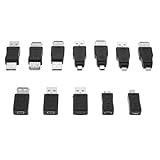
- Complete 12-Piece USB 2.0 Adapter Kit: This comprehensive set includes 12 versatile USB 2.0 male and female converters, providing the perfect solution for various connection scenarios—all in one convenient package.
- Universal Compatibility Across Devices:Seamlessly connect computers, tablets, phones, cameras, and peripherals with backward support for USB 1.1/1.0. This kit bridges compatibility gaps between new and legacy devices effortlessly.
- Host-Enabled OTG Functionality: The built-in OTG capability transforms your mobile devices into hosts, allowing direct connections with flash drives, keyboards, and other accessories for enhanced productivity on the go.
- Plug-and-Play Convenience: No drivers or software required—simply connect and begin transferring data or charging immediately. These adapters deliver instant connectivity without technical setup or delays.
- Streamlined Solution for Modern Tech Needs: Ideal for IT professionals, travelers, and home users who require reliable connections between various USB devices. Simplify your digital life with this all-in-one adapter collection.
2. Repair or reinstall the complete vendor package
This is the most likely fix.
- Close the failing application.
- Disconnect the affected USB device or power down the external hardware if the vendor’s instructions require it.
- Open Settings → Apps → Installed apps.
- Select the hardware application.
- Choose Advanced options, if available.
- Select Repair or Reset when the vendor provided those options.
- Restart Windows.
- Test the application again.
If there is no repair option:
- Download the installer from the hardware vendor’s official support or product page.
- Match the installer to the exact board, device, and Windows version.
- Uninstall the existing application only if the vendor’s instructions recommend it.
- Restart Windows if requested.
- Run the official installer by right-clicking it and selecting Run as administrator.
- Reconnect the device only when the installer asks you to do so.
- Restart Windows after installation.
- Test the original shortcut.
Use the vendor’s complete package rather than extracting one DLL. The installer may need to place the API runtime beside the application, install windrvr6.sys, add an INF and catalog, install a device driver, or add vendor wrapper files.
If the software was distributed directly with WinDriver 11.00, the historical Jungo packages used separate installers for 32-bit and 64-bit Windows. Do not substitute a current WinDriver development SDK for an older vendor application unless that vendor confirms compatibility. The current Jungo product is an SDK, not a universal ready-made driver for an unknown end-user device.
You should consider the repair successful when the application starts normally, detects the expected device, and no longer reports the DLL error. If the same error returns immediately, continue with the architecture and security checks rather than copying a DLL from another computer.
3. Check whether the application is 32-bit or 64-bit
The application and WinDriver runtime must use compatible architectures.
Jungo’s WinDriver documentation distinguishes these cases:
- A 32-bit application on 32-bit Windows uses
wdapi1100.dll. - A 64-bit application on 64-bit Windows uses the 64-bit
wdapi1100.dll. - A 32-bit application on 64-bit Windows uses the 32-bit API variant, commonly supplied as
wdapi1100_32.dlland renamed by the distributor according to its installation design.
Do not rename or replace files manually unless the hardware vendor’s own instructions explicitly tell you to do so.
To check whether Windows is 64-bit:
- Open Settings.
- Select System → About.
- Find System type.
- Confirm whether the system is 64-bit or 32-bit.
To check the application architecture, inspect the vendor documentation or installer requirements. You can also use a reputable PE inspection or dependency diagnostic utility to examine the executable. Do not rely on whether the program appears under Program Files or Program Files (x86) as the only proof.
A 32-bit application on 64-bit Windows may use files under C:Program Files (x86)..., while a 64-bit application commonly uses C:Program Files.... This is a useful clue, not a definitive test.
Free tools Windows power users keep installed
One-click scans. No signup required.
Signs of an architecture problem include:
0xc000007b- “Not designed to run on Windows”
- An entry-point error after replacing the DLL
- The application starts on another computer but not on this one
- A vendor package contains separate x86 and x64 installers
The correct fix is to reinstall the vendor package using the installer matching the application and operating system. Do not use a 64-bit DLL to satisfy a 32-bit executable.
4. Check antivirus quarantine
Security software may remove or quarantine the runtime after an update, cleanup action, or detection.
- Open Windows Security.
- Select Virus & threat protection.
- Choose Protection history.
- Expand recent detections.
- Check whether
wdapi1100.dllwas quarantined. - Record the detection name and original file path.
- Confirm that the path belongs to the trusted hardware vendor’s installation.
- Scan the complete installer and application folder before restoring anything.
Restore or allow the file only when you have verified its origin. Microsoft warns that allowing a malicious file creates a security risk. If the file came from an unofficial archive, do not restore it. Remove that copy and obtain the complete package from the hardware vendor.
Rank #3

- [Usb Canbus Adapter] USB TO CAN adapter provides users with basic CAN bus monitoring and processing for automotive signal processing, servo motor debugging and other scenarios.
- [Canable Project] Is derived from the Canable project in the Github platform. It provides high quality Canable hardware for automotive engineers, industrial robotics engineers, hobbyists and other CAN bus users. All technical information about this product is publicly available on Canable.IO and Github.
- [Can Bus Analyzer]RH-02 factory burns the default Candlelight firmware of Canable project, meanwhile, users can also get more featured firmware in Canable project in Github platform, and use RH-02 boot button with DfuSeDemo software to burn it.
- [High Compatibility]A variety of CAN bus software is available, and users can use the open source software to monitor and process CAN bus data. You can also burn other firmware to support BUSMASTER, PCAN, SLCAN and other CAN bus software.
- [Buyer Support]Jhoinrch backs this usb to canbus with lifetime technical support, a one-year product replacement and warranty, and a 100% customer satisfaction guarantee.
After a legitimate restoration, reinstall or repair the parent application so that all related files are present and properly registered with the device driver. If antivirus removes the file again, contact the hardware vendor and provide the detection name and original path.
The Tool Desk
Outbyte PC Repair FREERepair Windows errors before they cause bigger problemsFix Now →Outbyte Driver Updater FREEFix the driver behind crashes, sound loss and screen glitchesFind Drivers →5. Reinstall the device driver and its supporting files
A repaired application can still fail if the hardware driver installation is incomplete.
- Disconnect the USB device or shut down the hardware if appropriate.
- Right-click Start and select Device Manager.
- Expand categories such as Universal Serial Bus controllers, System devices, Ports, or the vendor’s named category.
- Look for the device with a warning icon or an Unknown device entry.
- Right-click the affected device and select Uninstall device.
- Select Attempt to remove the driver for this device only if the vendor’s reinstall instructions support a full removal.
- Select Uninstall.
- Restart Windows.
- Run the hardware vendor’s official driver or application installer as administrator.
- Reconnect the device when prompted.
- Return to Device Manager and confirm that the device appears without a warning icon.
Do not use Device Manager’s generic automatic search as a substitute for the vendor’s complete package when the application depends on WinDriver components. Windows may install a basic device driver while leaving the application runtime or vendor wrapper files absent.
If you routinely maintain several hardware devices, Outbyte Driver Updater can reduce the manual work of hunting versions and guessing which of dozens of drivers is stale; its free scan shows what it finds, while driver installation is handled by the full version. The official hardware vendor’s package remains the definitive fix for an application built around a specific WinDriver release.
6. Repair Windows components only when broader corruption exists
wdapi1100.dll is a third-party runtime, so SFC and DISM do not normally recreate it. They are useful when Windows has other damaged components, installation failures, or storage-related corruption.
- Open Start.
- Type
Command Prompt. - Right-click Command Prompt.
- Select Run as administrator.
- Enter this command and press Enter:
DISM.exe /Online /Cleanup-image /Restorehealth
- Wait for DISM to finish.
- Run:
sfc /scannow
- Wait until verification reaches 100 percent.
- Restart Windows.
- Test the hardware application again.
Run DISM before SFC. If SFC reports that it repaired files, restart and test. If it reports that it could not repair everything, repeat the vendor application repair and review the CBS repair result, or contact Microsoft support for broader Windows servicing help.
Repeating these commands will not restore a missing vendor DLL when the parent package is absent.
When repeatedly hunting versions or running SFC/DISM leaves you unsure what changed, Outbyte PC Repair can scan for issues and show what it finds; repairs are performed by the full version. It is optional, and reinstalling the hardware application remains the definitive fix for this file.
Independent reader supportYour contribution helps us test, update, and keep practical guides available for everyone.7. Consider a recent update or incomplete uninstall
If the error began immediately after an update, cleanup utility, antivirus action, or failed uninstall, undo the specific change where possible.
Recommended Free Tools
Check these locations:
- Settings → Windows Update → Update history
- Windows Security → Virus & threat protection → Protection history
- Settings → Apps → Installed apps
- The application’s own Repair, Verify, or Verify integrity of files option
- The Recycle Bin and the vendor’s uninstall log, if available
If a launcher offers Verify, use it before manual replacement. If an application update removed an older runtime, install the vendor’s current package for that device rather than copying files from an older computer.
System Restore is reasonable when the failure clearly follows a recent system change and no application installer is available:
- Press Windows+R.
- Type
rstrui.exe. - Press Enter.
- Choose a restore point created before the failure.
- Review affected programs.
- Back up personal data first.
- Confirm the restore and restart Windows.
System Restore is not a replacement for a clean vendor installation and may not restore application files reliably.
What not to do
Do not download a random DLL
Unofficial DLL repositories can provide malware, the wrong WinDriver build, or the wrong x86/x64 architecture. A copied file may trigger 0xc000007b, entry-point errors, or a new dependency failure. It also leaves missing driver files and vendor components unresolved.
Rank #4

- 【USB Male to Female】Connects a USB peripheral with USB type A port to a computer for speedy file transfer. Male A connector plugs into your computer and the Female A connects to the cable you need extended.
- 【5Gbps High-speed Transfer】With data transfer rate up to 5 Gbps, this USB 3.0 extension connector is 10x faster than USB 2.0 (480 Mbps), ensures fast charging&data syncing. It is also backward compatible with USB 2.0, 1.1, 1.0 standard devices.
- 【Plug and Play】Simply plug and works, no additional drivers/software needed.
- 【High Quality】The housing of this usb connector is made of zinc alloy for durability; the internal contact pins are made of copper alloy (gold plated) to provide a more stable network connection.
- 【Widely used】The USB 3.0 male to female data connector easily connects your USB 3.0 devices to a PC, laptop, mounted TV, or USB hub, and more. Great for data transfer and charging between USB devices for computers, home, office, automation, medical, smart home, etc.
Use the original hardware vendor’s installer. If you are the developer or distributor of a WinDriver application, use the matching Jungo WinDriver distribution and documentation for that application.
Do not copy it blindly to System32 or SysWOW64
A DLL in System32 is not proof that the application will load it. Application-local files, Windows DLL search behavior, architecture, and the vendor’s installation design all affect loading. Manual copying can also make later repairs harder to diagnose.
Do not install unrelated runtimes first
There is no evidence that wdapi1100.dll ships with Windows, Microsoft Visual C++ Redistributable, DirectX, or .NET. Those components may be dependencies of the parent application, but installing them does not normally replace this Jungo API DLL.
Install a Microsoft runtime only when the application’s official requirements identify it or a dependency diagnostic confirms it is missing.
Do these 3 things before closing this tab:
1Scan for outdated or missing drivers - takes under a minute2Repair Windows errors before they cause bigger problems3Fix the driver behind crashes, sound loss and screen glitchesDo not run regsvr32 wdapi1100.dll
regsvr32 is intended for DLLs that expose registration entry points such as DllRegisterServer, typically COM or ActiveX components. wdapi1100.dll is documented as a WinDriver API/runtime DLL, not a normal COM component, so registration is not the remedy.
If the error remains
Use this final checklist:
- Identify the exact executable raising the error.
- Confirm the executable’s x86 or x64 architecture.
- Repair or reinstall that vendor’s complete package.
- Check antivirus Protection history.
- Confirm the application folder contains the expected runtime and vendor files.
- Reinstall the device driver through the vendor installer.
- Look for
windrvr6.sys, INF/catalog files, and vendor wrapper dependencies. - Run DISM followed by SFC only if Windows itself shows signs of corruption.
- Use a reputable dependency diagnostic tool if the message says a module could not be found.
- Send the executable name, Windows architecture, error text, quarantine details, and installer version to the hardware or application vendor.
FAQ
Is wdapi1100.dll a Windows file?
No. It is a Jungo WinDriver 11.00 API runtime redistributed by hardware software and custom WinDriver applications.
Can I download only wdapi1100.dll?
That is not the safe primary fix. The parent package may require a matching architecture, windrvr6.sys, INF/catalog files, and other vendor DLLs.
Why does the error appear after plugging in a device?
The device application may be the component that loads the WinDriver API. The device itself does not prove which package owns the missing file. Identify the failing executable and repair its vendor software.
Do these 3 things before closing this tab:
1Clear out junk files and repair common Windows errors2Scan for outdated or missing drivers - takes under a minute3Repair Windows errors before they cause bigger problemsDoes Visual C++ fix this error?
Normally no. Visual C++, DirectX, and .NET do not replace the Jungo WinDriver runtime. Install them only if the parent application specifically requires them.
Will SFC restore the file?
Normally no. SFC and DISM repair Windows components. Reinstall the hardware application to restore wdapi1100.dll.
Is the current WinDriver release a replacement?
Do not assume so. A newer WinDriver SDK may not be compatible with an application built against WinDriver 11.00. Follow the hardware vendor’s compatibility guidance.
What if reinstalling changes nothing?
Check architecture, antivirus quarantine, and dependencies. “Specified module could not be found” can identify a missing dependency rather than wdapi1100.dll itself. If those checks fail, contact the vendor that supplied the hardware application.
Quick wins for a faster PC:
Fix the driver behind crashes, sound loss and screen glitchesFind Drivers →Repair Windows errors before they cause bigger problemsFix Now →Quick Recap
Product prices and availability are accurate as of the date/time indicated and are subject to change. Any price and availability information displayed on Amazon at the time of purchase will apply.

