
Recommended Free Tools
Some links on this page are affiliate links: if you buy through them we may earn a commission, at no extra cost to you.
fire-toolbox.exe is the Windows executable associated with Fire Toolbox, a Datastream/Datastream33 utility that manages Amazon Fire tablets through Android Debug Bridge (ADB). The filename alone does not establish that a copy is safe. ThreatInfo reports a specific sample with MD5 9bba56c43419beb1db51a5bcfee1899c as Adware.Downloader, while other analyses describe apparently legitimate Fire Toolbox releases. Treat an unexpected or blocked copy as untrusted until you verify its path, hash, publisher, digital signature and download source.
If you did not intentionally install Fire Toolbox, quarantine the executable, uninstall the related application, update Microsoft Defender and run a full scan. Use Microsoft Defender Offline if the process or files return. Do not call a telephone number shown in a browser warning, and do not disable Defender merely to make the program run.
As an Amazon Associate I earn from qualifying purchases.
What’s actually slowing this PC down?
Pick the symptom - the matching free tool is one click away.
What is fire-toolbox.exe?
Fire-toolbox.exe is the executable name used by Fire Toolbox, an all-in-one community utility for Amazon Fire tablets. Documentation for the Datastream33 project describes a workflow in which you enable Developer Options and USB debugging on the tablet, connect it to a Windows computer, and use ADB commands to apply tablet customizations.
What a legitimate copy is expected to do
A copy you intentionally obtained for an Amazon Fire tablet may open a toolbox interface, detect the tablet over USB and invoke ADB helpers. It is not a Windows component and is not required for Windows to start, browse the web or run games. A data-capable USB cable, rather than a charge-only cable, is needed for the documented tablet connection.
Popular on Amazon

- Compatible with Amazon Fire Tablet (the micro usb is for old model, while the usb c is for the new model). It's worth noting that these cables have different types of USB connectors to cater to a wide range of devices
- Cable for new model Tablet: Compatible with Amazon Kindle Paperwhite,E-reader wifi+3g,Touch, Voyage, DX,tablet. and All-new Fire-HD 8, HD 8 Plus,HD 8 Kids,HD 8 Kids Pro (10th generation - 2020 2021 2022 2023 release) . Fast Charger for Fire HD 10 Tablet and HD 10 Kids Edition (9th 10th 11th generation - 2019 2021 2022 2023 release),Max 11,Fire7, 7 Kids tablet. for Oasis, Fire Stick.
- Cable for old model Tablet: compatible with Kindle eReaders,Generation 1, 2, 3, 4, 5, 6, 7, 8, 8, 10 (Released 2007-2019), DX (2009, 2010), Keyboard (2010). This cable is also compatible with Kindle Paperwhite Gen 1-4 (Released 2012-2018), Oasis 1-3 (2016-219).
- This cable is capable of both syncing data and charging devices
- Package Includes: 6FT USB-C and Micro-USB 2 In 1 Cable.
Why the name is not an identity check
Any executable can be renamed fire-toolbox.exe. ThreatInfo lists two samples using the Fire Toolbox name as Adware.Downloader. One detailed record describes a 60 MB file whose publisher metadata says Datastream, whose common location is %localappdata%\datastream, and whose MD5 is 9bba56c43419beb1db51a5bcfee1899c; that record was last seen on August 19, 2023. Those details identify that reported sample, not every Fire Toolbox release.
Is fire-toolbox.exe safe?
It can be legitimate when it came from a source you deliberately chose for Fire-tablet ADB work, but you should not trust it from the filename, a clean scan or publisher text alone. A GridinSoft analysis of a Fire Toolbox V43.0 sample reported no detections but also found no valid SignedData structure. In other words, the sample was not detected by that analysis, yet it lacked the signature structure that would help authenticate its origin.
Free tools Windows power users keep installed
One-click scans. No signup required.
The available information does not establish a current, independently verified publisher-controlled download URL or signing certificate for the exact executable in this title. A copy from an unexpected mirror, a temporary directory, a random Downloads folder or a user-profile location that you do not recognize deserves extra scrutiny. The reported MD5 sample should be treated as unsafe unless you can prove that your file is different and came from a trustworthy release record.
Microsoft describes potentially unwanted applications (PUAs) as software that can slow a machine, display unexpected advertising or install additional software. That category is broader than a traditional virus. A Defender or other security warning may reflect unwanted behavior, a damaged package or a false positive, but you need independent evidence before allowing the file.
How can I tell a verified Fire Toolbox copy from a suspicious one?
Check several independent properties together. No single green indicator clears an executable that fails another check.
| Check | What supports a legitimate copy | What should make you stop |
|---|---|---|
| Source provenance | You intentionally downloaded a release associated with the documented Fire Toolbox project and can identify the release record. | An unsolicited attachment, a pop-up download, an unknown mirror or a package whose origin you cannot reconstruct. |
| Exact path | A location that matches the installation you knowingly made and its uninstaller. | A temporary folder, startup folder or random profile directory. A reported adware sample used %localappdata%\datastream, so that path is not proof of safety by itself. |
| Hash | The MD5 or SHA-256 matches the exact release record you intended to install. | MD5 9bba56c43419beb1db51a5bcfee1899c, which is tied to the ThreatInfo Adware.Downloader report. |
| Publisher and signature | Windows shows a valid Authenticode signature from the expected publisher, and the certificate details are consistent with the release record. | No signature, an invalid signature, a certificate for an unrelated publisher or metadata that cannot be verified. The V43.0 analysis reported no valid SignedData structure. |
| Defender reputation | No alert after current security intelligence and a complete scan, considered alongside the other checks. | A detection naming adware, a repeated quarantine event or a process that returns after removal. |
| Expected behavior | You own an Amazon Fire tablet, enabled USB debugging intentionally and recognize the ADB connection prompt. | The program runs at startup, shows advertising, installs unfamiliar software, changes browser behavior or remains active when you never connected a tablet. |
Why is Windows blocking fire-toolbox.exe?
Windows may block or warn about this file for different reasons, and the alert text matters.
Outdated Drivers Are Slowing You Down
One free scan finds every outdated or missing driver and matches the right update for your exact hardware.Free scan · exact hardware matchWindows Errors? Fix Them Before They Spread
Repair common Windows errors and clear accumulated junk for a smoother, more stable PC - no reinstall needed.Free scan · no reinstallAlso popular on Amazon

- Fit for PS4 controller, DualShock 4, PS4 Slim/Pro, and Xbox One controllers (for Xbox Elite Wireless Controller models 1537, 1697, 1708, 1698). Fit for Kindle Gen 2-10 (2009-2019), Kindle Paperwhite Gen 5-10 (2012-2018), Kindle Oasis, Voyage, DX, Touch. Fit for Amazon Kindle Tablet Fire 7 (2017/2019), Fire HD 8 (2015/2017/2018), Fire HD 10 (2015/2017)
- Fit for Roku Streaming Stick 3500X, 3600X, 3800X, Streaming Stick 4K/4K+ 3820R, 3820R2, 3820X, 3820X2, 3821R, 3821R2, 3821X, 3821X2, Express 3700X, 3700R, 3900X, 3930X, 3930EU, 3930R, 3930S4, 3930RW, 3932X, 3932RD, 3940X, 3940X2, 3940RW, 3940CA2, 3960X, 3960R, Express+ 3710X, 3910X, 3910RW, 3931X, 3931RW, 3941X, 3941X2. Fit for Premiere 3920X, 3920R, 3920RW, Premiere+ 3921X Express 4K+. Fit for Fire TV Stick 1st 2nd Gen, Fire TV Stick Lite, Fire TV Stick Basic Edition, Fire TV Stick 4K Max
- Compatibility notice!! This Micro-USB cable is not compatible with USB-C devices or controllers, such as PS5 DualSense, Xbox Series X/S (Models 1914 and 1797), Xbox 360, Roku Ultra, and Fire TV Cube. Not fit for Kindle with a USB-C connector. Please double-check your device’s port before purchasing
- 24 months manufacturer warranty
- Supports fast 2A charging and 480 Mbps data transfer with 22 AWG low-impedance wires — safe, stable, and built for long-term performance
- Reputation or PUA detection: Defender may associate the file, its installer or its download source with unwanted behavior. A warning is a reason to investigate, not an invitation to turn protection off.
- Missing or invalid signing data: An unsigned executable gives Windows less evidence about who built it. The V43.0 analysis specifically reported no valid SignedData structure.
- Changed or repacked contents: A mirror can add an installer, advertising module or downloader while retaining the familiar filename.
- ADB permissions: A legitimate toolbox can fail when USB debugging is disabled, the tablet has not accepted the computer’s RSA prompt, or the cable carries power but not data.
- Locked files: Fire-toolbox.exe and an ADB helper can remain active after the interface closes. A locked process can prevent shutdown, uninstall or deletion.
- Damaged installation: Missing helper files, an incomplete update or residual settings can produce startup and connection errors without proving that malware is present.
What should I record before opening or deleting the file?
Preserve enough information to distinguish a known installation from an unwanted copy. Do not double-click the executable just to see what happens.
- In File Explorer, right-click the file, choose Properties and record the complete path, size, creation date and the Digital Signatures tab if it exists.
- Open Windows Security > Protection history and copy the exact detection name. Record whether Defender quarantined the file, removed it or allowed it.
- Calculate a hash from a copy that you have not executed. In PowerShell, use
Get-FileHash -LiteralPath 'C:/path/fire-toolbox.exe' -Algorithm MD5and, if you need a stronger comparison,Get-FileHash -LiteralPath 'C:/path/fire-toolbox.exe' -Algorithm SHA256. Compare the result with the exact release record, not a filename or a claimed “latest” label. - Write down where you obtained it, whether you intentionally connected an Amazon Fire tablet and whether the tablet displayed an ADB authorization prompt.
- Check Task Manager for
Fire Toolbox.exeand ADB helper processes, but do not launch the program from Task Manager or approve an unexpected elevation request.
How do I remove fire-toolbox.exe safely?
Use this sequence when you did not knowingly install the utility, when the file matches the reported adware hash, or when Defender repeatedly detects it.
1. Stop interacting with suspicious messages
Close browser pop-ups that claim Windows has found a problem. Microsoft states that genuine Microsoft error and warning messages never include phone numbers. Do not call a number, install a remote-support program or grant an unknown person access to the PC.
2. Disconnect the tablet and stop the process
Unplug the Fire tablet. Press Ctrl+Shift+Esc, select Fire Toolbox.exe or an associated ADB helper under Processes, and choose End task. If Windows says the file is in use, sign out or restart rather than repeatedly forcing deletion. A command such as taskkill /IM "Fire Toolbox.exe" /F can terminate a process when Task Manager cannot; use it only after confirming the image name and path.
Do these 3 things before closing this tab:
1Repair Windows errors before they cause bigger problems2Fix the driver behind crashes, sound loss and screen glitches3Clear out junk files and repair common Windows errors3. Uninstall a known installation
For a program you recognize, open Settings > Apps > Installed apps (or Apps & features on an older Windows 10 build), select Fire Toolbox and choose Uninstall. Version-specific documentation for Fire Toolbox V27.0 places the installation under C:\Users\<user>\AppData\Local\Datastream\Fire Toolbox V27.0 and identifies an unins000.exe uninstaller. Use that uninstaller only when the folder belongs to the installation you intended to make.
4. Remove leftovers after the process has stopped
After uninstalling, inspect the documented Datastream folder and delete only files you can attribute to Fire Toolbox. Do not erase an entire AppData tree. Residual registry entries may remain after uninstall; they are not, by themselves, proof of infection, and editing the registry is unnecessary for basic removal. If a folder is still locked, restart Windows and try again before considering advanced cleanup.
Also popular on Amazon

- IN THE BOX: (1) 10-foot USB 2.0 cable with A Male to Micro B connectors
- COMPATIBILITY: USB-A printers and hard drives; Micro-B Android phones and tablets
- PERFORMANCE: Supports up to 480 Mbps data transmission speed; charging capability up to 2100 mA
- USES: Ideal for charging Android phones and tablets or connecting PC peripherals such as hard drives, printers, and more
- DURABLE DESIGN: Gold-plated connectors resist corrosion for signal purity; thin and flexible cable with compact connector head works with nearly all cases
5. Update Defender and scan twice
Open Windows Security > Virus & threat protection > Protection updates and select Check for updates. Then run a Full scan. If the executable, helper or scheduled task returns, choose Scan options > Microsoft Defender Offline scan; Windows will restart and scan before the normal desktop loads.
6. Turn on potentially unwanted app blocking
Go to Windows Security > App & browser control > Reputation-based protection. Enable blocking for potentially unwanted apps and downloads where those controls are available in your edition. This reduces repeat downloads but does not replace normal antivirus protection or careful source verification.
Quick wins for a faster PC:
Clear out junk files and repair common Windows errorsFree Scan →Scan for outdated or missing drivers - takes under a minuteDriver Scan →Repair Windows errors before they cause bigger problemsFix Now →7. Protect accounts when exposure is possible
If you entered a password, payment detail or recovery code while the suspicious program was active, change that credential from a separate trusted device, review recent sign-in activity and contact the relevant financial institution about questionable transactions. If you only quarantined an unopened download and never supplied credentials, that particular exposure route is less likely, but keep monitoring account alerts.
How do I fix “Fire Toolbox.exe won’t close” or shutdown problems?
This symptom has been documented in a malware-removal case where Fire Toolbox.exe and an ADB helper remained active under a user AppData\Local\Datastream path. It is an incident-specific symptom, not evidence that every installation is malicious.
- Disconnect the tablet so ADB cannot immediately recreate the helper connection.
- Use Task Manager to end Fire Toolbox.exe and the ADB helper. Check the Details tab if the friendly name is not visible.
- Check Task Manager > Startup apps and disable an entry only when its path points to the Fire Toolbox installation you are removing. Do not disable unrelated Windows or security entries based on a similar name.
- Restart Windows, confirm that the process does not return, then uninstall the application and remove its leftover folder.
- Run a full Defender scan followed by Offline scan if the process comes back, creates a new copy or blocks shutdown again.
What if Defender blocks a copy I intended to use?
Do not create a permanent exclusion by filename. First place the file in quarantine or leave it blocked, record its hash and signature, and compare those details with a publisher-controlled release record that you can independently verify. The existence of legitimate Fire Toolbox releases means a false positive is possible in general, but the documented Adware.Downloader sample means this exact name deserves evidence before restoration.
If the source, hash or signature cannot be verified, obtain no replacement from a random mirror. Remove the copy and use the documented Microsoft scans. Never disable Defender, reputation protection or SmartScreen merely to bypass a warning.
The Tool Desk
Outbyte PC Repair FREERepair Windows errors before they cause bigger problemsFix Now →Outbyte Driver Updater FREEScan for outdated or missing drivers - takes under a minuteDriver Scan →Also popular on Amazon
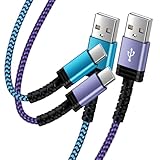
- Fast Charging and High Speed Sync: This 6 feet usb c Replacement for kindle charger cord made from 25 AWG high-gauge low-impedance wire and Replacement for old kindle paperwhite charger speed is fairly fast to 3A, allowing your device to quickly restore power, which transfer data at 480 MBPS via USB 3.0, high-speed data transmission function makes file transfer faster and more convenient
- Replacement for amazon fire tablet Charger Cable Parameter: this usb c cord equipped with an IC smart chip, Intelligent circuit design protects against short circuiting, over-heating, over-current, and over-charging,fits for amazon fire tablet adapter which enables to charger Kindle Fire Tablet & E-readers fast and safety.
- High-quality charging cord: usb c charger Replacement for kindle paperwhite cable adopt thickened reinforced nylon braided material, pass 40000+ bending test, the cable has tensile resistance, safety, long service life.Compact and portable design, convenient for travelers and most people to take it anytime, anywhere.
- 6.6 feet Length: The USB C Cable 6.6ft meets all your charge needs when you are in your office, bedroom and car which makes your life more convenient.
- Excellent compatibility: this Replacement for kindle charger cord for Kindle 11th Gen 2022;Paperwhite/kids 11th Gen 2021;Fire Max 11 13th Gen 2023;New Fire HD 7/7fire/7kids/7kids pro 12th Gen 2022; Fire HD10/10Plus 9th-13th Gen (2019-2023); Fire HD 10 Kids/10 Kids Pro 11th gen 2021,New Fire HD 8 8Plus 10th 12th Gen 2020 2022,Fire HD 8 Kids/Kids Pro 12th gen 2022 and more USB Type C Charger port devices
How do I fix Fire Toolbox ADB or tablet-connection errors?
Only follow these steps for a copy that passed your source, hash and signature checks and for a tablet you intentionally own.
- On the Fire tablet, open Settings, locate Device Options and enable the Developer Options entry if it is hidden. Turn on USB debugging in the developer settings.
- Connect the tablet with a known data-capable USB cable. A charge-only cable can power the tablet without exposing an ADB device to Windows.
- Unlock the tablet and accept its USB-debugging authorization prompt only when the computer is yours and the connection is expected.
- Close other Android-management programs that may be holding the ADB connection, reconnect the cable and allow Windows a moment to enumerate the device.
- If the toolbox still fails, stop using that executable and return to the verification procedure. A connection error does not justify running an unsigned or flagged replacement.
Fire Toolbox is a customization utility, not a malware-removal mechanism. Connecting a tablet or enabling USB debugging cannot make a suspicious Windows executable trustworthy.
When should I get professional help or reset Windows?
Escalate when Defender Offline cannot remove a recurring executable, unknown startup entries or scheduled tasks reappear, browser settings keep changing, or you find evidence that passwords or payment details were exposed. Preserve the detection name and file path for the technician. A Windows reset is a last resort after backups and account protection, not the first response to a single quarantined download.
Do not generalize the reputation of one sample to every Fire Toolbox release, and do not generalize a clean scan to the exact file you have. The practical decision is whether the copy’s provenance, hash, signature, path and expected ADB behavior all agree.
As an optional shortcut after these manual checks, Outbyte PC Repair can look for common Windows issues, broken system elements, invalid redirects, shared DLL problems, temporary and cache files, risky settings and app-crash records. It runs on Windows 11, 10, 8 and 7, offers a category-based free trial of at least two days before a paid subscription, complements antivirus rather than replacing it, and results vary, so it cannot repair every crash.
Frequently Asked Questions
What does an MD5 hash actually tell me about fire-toolbox.exe?
An MD5 hash is an identity fingerprint: two files with different contents normally produce different values, so it helps you compare your copy with a specific release record. It does not prove that a matching file is benign, and it does not by itself reveal who built or signed the executable.
What does an Authenticode signature verify?
A valid Authenticode signature links the file to a signing certificate and can show whether the signed contents changed after signing. It is evidence of origin and integrity, not a guarantee that the program is desirable or free of unwanted behavior.
Could a legitimate Fire Toolbox download trigger a PUA warning?
Yes. Security products can classify legitimate utilities as potentially unwanted when their installers, bundled behavior or reputation meet a detection rule. Leave the file blocked until its exact source, hash and signature are independently verified rather than restoring it solely because the name looks familiar.
Is fire-toolbox.exe a Windows system file?
No. Fire-toolbox.exe belongs to the optional Fire Toolbox utility and is not needed for Windows to boot or operate normally. Removing an unneeded copy will not remove a Windows component, although uninstalling the related application first helps avoid leftover entries.
Quick Recap
Product prices and availability are accurate as of the date/time indicated and are subject to change. Any price and availability information displayed on Amazon at the time of purchase will apply.

