Crashes, No Sound, or Screen Glitches?
Random freezes, missing sound and display glitches usually trace back to one bad driver. Find and replace yours safely.Free scan · under a minutePC Slower Than It Used to Be?
A free scan shows the junk files, broken settings and background clutter dragging Windows down - then fixes them in one click.Free scan · Windows 10 & 11For most players, the best first paddle bind is jump or crouch/slide, provided you press that action often during fights and it currently pulls a thumb off a stick. Treat that as a starting point, not a universal layout. The right choice depends on the game you’re playing, your controller, the mode you queue into and which actions you actually press the most. Activision’s own Call of Duty guidance also points to built-in preset layouts as a quicker route than custom binds, so check those before you change several buttons by hand.
Why jump and crouch or slide are the usual first candidates
Jump and crouch/slide are both pressed in the middle of aiming and movement, which is exactly when a thumb is busiest on the sticks. Moving them to a paddle lets you stay on the sticks while still jumping or dropping into a slide. A Reddit thread asking paddle users, “Those of you who has paddles on your controller. What are your binds?”, has replies that mention jump and slide. That is informal community phrasing, not a survey, but it matches the logic above.
Both are examples, not required bindings. If you rarely jump or slide in your mode, or they already feel comfortable on a face button, the same paddle is better spent on whatever you reach for most often.
Start with a built-in preset before custom binds
Activision’s Black Ops 6 Controls guide, dated October 23, 2024, says: “Remapping buttons can be very useful for one or two changes, but there are several preset button layouts that have been tested, tried and true.” The guide is the official reference here, and it is written for Black Ops 6. Because it is almost two years old and newer Call of Duty releases exist, check the Controller settings in the game you are playing and treat the preset names below as Black Ops 6 terms.
Quick wins for a faster PC:
Fix the driver behind crashes, sound loss and screen glitchesFind Drivers →Repair Windows errors before they cause bigger problemsFix Now →#1 Best Overall

- Play wirelessly on console using the USB dongle or use the included cable to plug in the controller for tournament play and even faster inputs
- Modular design for custom configuration with reversible left module, standard right module, 6-button fight pad module, 4 interchangeable sticks, 3 different D-pads, and 4 gates
- Patented Clutch Triggers with 5 trigger stops and hair trigger mode and 4 mappable back buttons for faster reactions
- Re-map buttons, reconfigure triggers, adjust deadzones, and more customizations with the free Victrix Control Hub app on PC
- Call of Duty and PlayStation Officially Licensed Product
Bumper Jumper and Bumper Jumper Tactical
In the same guide, discussing the movement changes of Omnimovement in Black Ops 6, Activision says: “If you’re looking to try something new as you get used to the upgrade in movement that is Omnimovement, something like Bumper Jumper or Bumper Jumper Tactical may suit your needs, allowing you to keep your hands on the sticks while diving through the air.” Note the wording: these presets “may suit” a player who is adapting to that movement system. They are an option to test, not a guaranteed fit.
Compare the main approaches
Presets, custom paddle binds, movement assists and stick settings solve different problems. Matching the fix to the problem avoids changing the wrong thing.
Rank #2

- 【Pre-use Notice】𝗚𝗼 𝘁𝗼 𝘁𝗵𝗲 for 𝗣𝗦-𝟱 𝗦𝘆𝘀𝘁𝗲𝗺 𝗦𝗲𝘁𝘁𝗶𝗻𝗴𝘀 𝗜𝗻𝘁𝗲𝗿𝗳𝗮𝗰𝗲 𝗮𝗻𝗱 𝗖𝗵𝗮𝗻𝗴𝗲 𝘁𝗵𝗲 𝗖𝗼𝗺𝗺𝘂𝗻𝗶𝗰𝗮𝘁𝗶𝗼𝗻 𝗠𝗲𝘁𝗵𝗼𝗱 𝘁𝗼 "𝗨𝘀𝗲 𝗨𝗦𝗕 𝗖𝗮𝗯𝗹𝗲", 𝗼𝘁𝗵𝗲𝗿𝘄𝗶𝘀𝗲 𝘁𝗵𝗲 𝗽𝗮𝗱𝗱𝗹𝗲𝘀 𝘄𝗶𝗹𝗹 𝗻𝗼𝘁 𝘄𝗼𝗿𝗸.(Settings> Accessories>Controller (General)>Communication Method>Select “Use USB Cable”)
- 【Microphone Function】The back paddles supports the controller’s headphone microphone, allowing you to communicate with your teammates during gameplay, taking your gaming experience to the next level.
- 【Plug and Play Wired Connection】Unlike other remap kits for ps-5 controller, the back paddles require no installation—just connect and play immediately(Note: Controller Not Included) wired connection!
- 【4 Programmable / Remap Back Buttons】Features 4 back paddles (M1/M2/M3/M4). Press the Macro button to enter programming and remap mode. Just tap Macro, then record single controller inputs or multi‑button combos to any back paddle of your choice. Each paddle can save up to 25 button inputs, with each individual recorded button press capped at 5 seconds.
- 【Turbo Function】Suppprt Semi-Automatic and Fully-Automatic Turbo, Controller Single-Button Rapid Fire or Programming Combo Loop, Efficient Repetitive Output(Speed: 8Hz)
| Approach | What it changes | Trade-off | Best fit |
|---|---|---|---|
| Built-in preset (Bumper Jumper, Bumper Jumper Tactical) | Moves a set of actions to bumpers in one selection, per Activision’s Black Ops 6 guide | The layout is fixed, so you may need to accept a few actions you would have moved differently | Players who want more hands-on-stick reach without remapping one button at a time |
| One or two custom paddle binds | Copies a single existing action onto a paddle | Each bind is a change to test, and a paddle can be pressed by accident | Players with one or two actions they press constantly |
| Movement and accessibility assists (Sprint Assist, Mantle Assist, Crouch Assist, Corner Slice) | Reduces some repeated movement inputs using in-game settings, with no paddle needed | Changes how certain movements are handled, so it may not suit every player’s preferred feel | Players whose main problem is pressing the same movement button over and over |
| Deadzone adjustment | Changes how stick movement is registered | Does not assign any button and does not reduce button presses | Players whose stick response feels off, not whose button reach is the issue |
When you compare any custom option, five questions are useful: how often you press the action, whether pressing it currently takes a thumb off a stick, whether the paddle is easy to reach without shifting your grip, how likely an accidental press is, and whether the action has to be combined with another input.
Test a new mapping without breaking your combinations
- List the three to five actions you press most in your mode. Jump and crouch/slide are common, but your list may differ.
- Open the in-game Settings menu and go to the Controller section. Menu labels differ between games and platforms, so look for the controller and button layout options rather than a fixed path. Try a built-in preset first.
- If you change custom binds, change one assignment only.
- Play a low-pressure mode before you rely on the layout in ranked or competitive play.
- Watch for accidental presses, and confirm that you can still perform every combination you use, such as a movement input held together with a second button.
- If the new bind causes accidental presses or blocks a combination, revert it and try a different action on that paddle.
Reduce repeated inputs in game settings too
If the real issue is pressing the same movement button again and again, a paddle may only move the problem. Black Ops 6 offers the following movement and accessibility options, which work independently of any controller hardware:
The Tool Desk
Outbyte PC Repair FREEClear out junk files and repair common Windows errorsFree Scan →Outbyte Driver Updater FREEFix the driver behind crashes, sound loss and screen glitchesFind Drivers →Rank #3
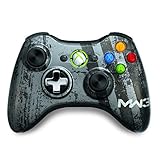
- Custom Call of Duty: Modern Warfare 3 artwork designed in collaboration with Infinity Ward and Sledgehammer Games
- Transforming d-pad that switches from plus to disc
- Xbox LIVE download code for exclusive avatar item
- Sprint Assist
- Mantle Assist
- Crouch Assist
- Corner Slice
Deadzone settings are a separate matter. They change how stick movement is registered, which helps with stick response but does not assign a button.
Check your controller and platform before buying or remapping
- Confirm the remapping method. Some paddles copy an existing button, while others need the manufacturer’s own configuration process. Follow the instructions for your exact model and platform.
- A paddle controller is optional. Activision’s Black Ops 6 guide names an Xbox Elite controller as an example when discussing settings, which supports the category rather than requiring that model. The built-in presets use bumpers, which standard controllers already have, so you can test them without buying anything.
- Controller-maker examples vary. A controller maker’s Black Ops 6 settings page lists reload, slide and jump among paddle assignment examples, SCUF’s Black Ops 6 controller settings page. Treat these as examples, not guidance from Activision.
What the published figures do and do not show
Several Activision and Blizzard figures describe how players use settings, but none of them measure paddle use or show that a particular bind improves performance.
Rank #4

- 3-in-1 game controller: combines gamepads, game triggers, and mobile phone holders into one.
- Suitable for all models of 4.7-6.5-inch mobile phones, For PUBG Mobile, Rules of Survival, Survivor Royale, Critical Ops, Cod Mobile,Fortnite.
- Comfortable handle, long-term game will not fatigue, alloy trigger, Fire while moving, 4 fingers operate at the same time, faster than the enemy, giving you a better gaming experience
- Easy to use and high precision, increase your game score. In fact this Mobile Controller is a Mechanical version Games plug-in which will never ever be Detected . and you can hold your Phone like a controller with Ergonomic Gaming Design.
- Over 40% of players customized Deadzone Inputs in Call of Duty: Modern Warfare II, according to Activision and the Call of Duty staff in a 2023 update reported in the December 13, 2023 accessibility update for Modern Warfare III. This is a deadzone figure for Modern Warfare II.
- Over half of players adjusted graphical accessibility settings such as Motion Blur, Field of View or Camera Movement in Modern Warfare II, according to the same Activision update.
- Nearly half of all players access the accessibility settings menu, according to Blizzard Entertainment’s 2024 Black Ops 6 accessibility announcement. The announcement does not give a more precise figure or the period it covers.
In short, the evidence supports testing jump and crouch/slide, presets and assists as options. It does not establish a best paddle layout for all players.
Sources cited: Activision’s Call of Duty Black Ops 6 Guide, Controls and Settings, October 23, 2024.
Recommended Free Tools
Quick Recap
Best Value

- Ultra-Portable & Secure: Easily folds for pocket-sized portability and securely holds your phone in landscape orientation, safeguarding the USB-C connector.
- Broad Compatibility with Both Phones & Cases: Compatible with a wide range of phones (7-14.5mm thickness) and most protective cases, thanks to rubber support pads and an extended USBC connector.
- Console-Grade Control & Comfort: Features console-grade sticks with 22° range of movement for unmatched accuracy, analog triggers for fine-tuned control, and outward-extended ergonomic handles for comfortable extended gameplay.
- Programmable Paddles & Customization: Execute complex in-game commands with programmable aluminum rear paddles, and customize your experience with the ROG Button and Armoury Crate app.
- Zero-Latency & Uninterrupted Power: Experience lightning-fast responsiveness with a 500Hz polling rate via wired USB C, and game without battery anxiety thanks to 18W pass-through charging.
Product prices and availability are accurate as of the date/time indicated and are subject to change. Any price and availability information displayed on Amazon at the time of purchase will apply.




