
TimeSplitters 2 is the best default choice for multiplayer if your group will sit around one screen. Its current PlayStation Store release is explicitly offline, supports 1–4 players, and advertises 2–4-player split-screen action. Choose TimeSplitters: Future Perfect instead if you specifically want its documented split-screen co-op and deathmatch modes, or you are interested in recreating the original release’s network/LAN setup. The Future Perfect manual describes broadband multiplayer options and up to eight players on a local computer network, but that historical capability should not be mistaken for guaranteed modern matchmaking.
Quick answer: which one should you buy?
For the simplest multiplayer night, pick TimeSplitters 2. The current PlayStation Store listing makes the relevant limitation and benefit clear: offline play is enabled, with 1–4 players and 2–4-player split-screen action. That is the clearest modern option for friends using one television.
| # | Preview | Product | Price | |
|---|---|---|---|---|
| 1 |
|
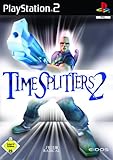
Timesplitters 2 | $58.54 | Buy on Amazon |
| 2 |

|
Time Splitters: Future Perfect - PlayStation 2 (Renewed) | $42.83 | Buy on Amazon |
| 3 |

|
Time Splitters: Future Perfect - PlayStation 2 | $34.99 | Buy on Amazon |
| 4 |

|
TimeSplitters: Future Perfect | $23.88 | Buy on Amazon |
| 5 |

|
TimeSplitters: Future Perfect | $51.99 | Buy on Amazon |
As an Amazon Associate I earn from qualifying purchases.
Future Perfect is the more interesting choice for players who want a broader historical multiplayer feature set. Nintendo’s GameCube description specifically mentions split-screen co-op and deathmatch, while the original instruction manual includes a NETWORK menu, an ONLINE GAME option, broadband multiplayer modes and local-computer-network play for up to eight players. Those details describe the original hardware and release-era infrastructure. They do not establish that an official matchmaking service still operates on every original console.
| What matters | TimeSplitters 2 | TimeSplitters: Future Perfect |
|---|---|---|
| Best use | Straightforward couch multiplayer | Distinctive co-op/deathmatch play or original network experimentation |
| Local multiplayer evidence | Nintendo documents a multiplayer mode for the GameCube release; the current PlayStation listing documents offline 1–4-player play | Nintendo documents split-screen co-op and deathmatch |
| Current cited release | PlayStation 4/PlayStation 5 listing with offline play | The cited material concerns the original release, including GameCube documentation |
| Network evidence | No current online restoration is established by the cited listing | Original manual documents an ONLINE GAME option, broadband modes and up to eight players over a local computer network |
| Release-era date documented | Not stated in the cited material | GameCube release date: 25/03/2005 |
How local multiplayer differs between the two games
TimeSplitters 2: the clean one-screen option
Nintendo’s official GameCube page identifies TimeSplitters 2 as a title with a multiplayer mode. The current PlayStation Store listing is more specific: it labels the release as offline play and lists 1–4 players, with 2–4-player split-screen action. For a group that wants to connect controllers, choose a mode and start playing without dealing with network services, that combination makes TimeSplitters 2 the safer recommendation.
#1 Best Overall
The practical advantage is predictability. Everyone is in the same room, the game does not depend on a server being available, and the current listing tells you the supported player range before you buy. You still need enough compatible controllers and a display arrangement that keeps the split-screen view usable, but the basic setup is local rather than internet-based.
Future Perfect: split-screen with a more explicit co-op identity
Nintendo’s official description of Future Perfect says players can “team up with a future or past version of yourself” and play split screen in co-op or deathmatch with friends. That wording points to the game’s distinctive co-op concept as well as its competitive local mode. If your group values a co-op campaign-style experience or wants the title whose product description most directly calls out both co-op and deathmatch, Future Perfect has the stronger fit.
A contemporary GameSpot review also reported four-player split-screen and said the online multiplayer added substantial value. That is period criticism of the original release, not evidence of a currently maintained service. It is useful for understanding how the game was positioned when new, but present-day buyers should separate that historical assessment from what can be connected today.
Network, LAN and “online” play: what Future Perfect actually documents
The original manual’s network features
The Future Perfect instruction manual contains a NETWORK menu and an ONLINE GAME option. It also describes broadband multiplayer modes and says that up to eight players can play over a local computer network. In other words, the original release was designed with more than one-console, one-screen play in mind.
Rank #2
- Explore hundreds of hours of gameplay in a variety of modes
- blast your way through time with dozens of weapons and gadgets
- engage in 16-player death matches or co-op play online
“Online” in an original-console manual is a historical term. The documented local-computer-network support is not the same thing as a modern account-based matchmaking service. A network recreation may require original-compatible hardware, a suitable network arrangement and a way to connect the specific console version you own. The manual establishes that the feature existed; it does not guarantee that every component of the original service path remains available.
What is and is not established about current servers
The current evidence clearly establishes an offline 1–4-player listing for the TimeSplitters 2 PlayStation release. It also establishes the original Future Perfect network features through the manual. It does not provide an authoritative, current service-status notice covering every original PlayStation 2, Xbox and GameCube network route. Treat any present-day online result as platform- and setup-dependent rather than as a universal feature of the series.
If your purchase decision depends on online play, verify the exact console, regional release and network method before spending money on adapters or used copies. A seller’s statement that a disc “has online” may refer to the original manual feature, not to a live official matchmaking system.
Player counts and what they mean in practice
The two games use different kinds of multiplayer claims, so the numbers should not be read as interchangeable. The current TimeSplitters 2 PlayStation listing gives a concrete offline range of 1–4 players. That is the relevant figure for a current console purchase from the cited listing.
Rank #3
- Explore hundreds of hours of gameplay in a variety of modes
- blast your way through time with dozens of weapons and gadgets
- engage in 16-player death matches or co-op play online
Future Perfect has two separate historical descriptions: Nintendo’s page discusses split-screen co-op and deathmatch, while the manual describes up to eight players over a local computer network. The eight-player figure applies to that network arrangement, not to a single television with a pile of controllers. Split-screen capacity and network capacity are different planning problems.
| Gathering type | Most suitable choice | Why |
|---|---|---|
| Friends sharing one television | TimeSplitters 2 | The current listing explicitly supports offline local play and identifies the player range. |
| Co-op and deathmatch on one screen | Future Perfect | Nintendo’s description explicitly names both split-screen co-op and deathmatch. |
| Several consoles connected locally | Future Perfect, if you can reproduce the original setup | The manual documents local-computer-network play for up to eight players. |
| Modern official matchmaking | Neither should be assumed from the cited material | The evidence does not confirm a currently operating official service for every original platform. |
Choosing by the kind of multiplayer you want
Pick TimeSplitters 2 for a low-friction couch session
- You want to buy a current console release rather than assemble original hardware.
- Your group will play on one screen.
- You prefer a clearly documented offline mode over uncertain network availability.
- You want the most straightforward answer to “How many people can play?” before purchase.
This is the recommendation for a spontaneous gathering: install or launch the game, connect the controllers supported by your setup and use the local multiplayer menus. The cited PlayStation listing is especially useful because it states the offline status and player range directly.
Pick Future Perfect for its specific co-op and deathmatch design
- Your priority is split-screen co-op rather than only competitive matches.
- You want to play the game’s time-based co-op concept, including the idea of teaming with another version of yourself.
- You own original hardware and are interested in experimenting with a local network.
- You are comfortable treating network play as a compatibility project rather than a guaranteed modern service.
Future Perfect is also the better historical choice if you want to understand how the series approached multiplayer beyond a single television. Its manual gives the clearest documentation of a network menu and multi-console local play.
Quick wins for a faster PC:
Fix the driver behind crashes, sound loss and screen glitchesFind Drivers →Clear out junk files and repair common Windows errorsFree Scan →How to set up a couch multiplayer session
TimeSplitters 2 on a current PlayStation release
- Confirm that the store page for your account and region identifies the release as the PS4/PS5 version and shows offline play.
- Check the listed player range before purchasing; the cited listing specifies 1–4 players and 2–4-player split-screen action.
- Prepare the number of compatible controllers your group will use. A controller count is a hardware requirement, not an additional game feature.
- Launch the game and select its local multiplayer option rather than looking for an online matchmaking menu.
- Have each player join through the console’s normal controller-connection process, then choose the preferred local mode.
If the game starts but only one player can join, first check whether every controller is paired or assigned to a local user. If the display becomes difficult to read, reduce the number of simultaneous players or adjust the television distance and seating; split-screen performance is also a room-layout issue.
Rank #4
Future Perfect on original hardware
- Identify the exact version you own, such as the GameCube release documented by Nintendo, before buying accessories.
- Confirm that the console has enough compatible controllers for the local mode you intend to use.
- Start the game’s multiplayer menu and choose split-screen co-op or deathmatch, matching the mode to your group.
- For a network experiment, consult the game’s NETWORK section in the original manual and map every console, connection and display before inviting players.
- Test one additional console first. Expand the setup only after the first connection works reliably.
Original-console multiplayer can fail for reasons unrelated to the disc: missing controllers, incompatible regional hardware, unavailable adapters, damaged cables or a network arrangement that no longer matches the manual’s assumptions. Test the smallest possible configuration before building a larger session.
Original-console network planning checklist
Future Perfect’s documented eight-player local-network capability is attractive, but it requires more planning than couch play. Use this checklist before buying multiple copies or accessories:
- Exact platform: record whether each console is PlayStation 2, Xbox or GameCube and avoid assuming that an accessory for one platform works with another.
- Game version and region: check that the discs and consoles are compatible with one another.
- Network hardware: identify the adapters, cables and other equipment required by that platform’s original network method.
- Displays and power: count televisions, power outlets and available space if every player will use a separate station.
- Controllers: make a complete controller plan for both local split-screen and multi-console play.
- Manual instructions: use the NETWORK and ONLINE GAME terminology in the original documentation as a setup reference, not as proof of a live service.
- Fallback mode: keep a one-screen split-screen plan available in case the network arrangement cannot be restored.
Common buying and setup mistakes
Assuming “online” means modern matchmaking
The word ONLINE appears in the Future Perfect manual, but the cited documentation is from the original release. It confirms a historical feature path; it does not certify current servers, account support or matchmaking on every platform. Ask a seller for the exact console and accessories, and treat claims about present-day connectivity as something to verify.
Using the eight-player figure for a single-screen party
The manual’s eight-player statement applies to a local computer network. It is not a promise that eight people can share one television. For one-screen sessions, plan around the local split-screen support documented for the particular release you own.
Best Value
- PlayStation 2
Buying a disc without checking the platform
TimeSplitters 2 and Future Perfect appeared on original consoles with different accessory and network requirements. A listing that names only the game title is incomplete for a network project. Confirm the console, region, disc condition and controller or adapter requirements before purchase.
Expecting the current TimeSplitters 2 listing to restore historical online play
The cited PlayStation Store entry describes offline play. That makes it a strong couch-multiplayer choice, but it should not be advertised as a restoration of historical online matchmaking.
Which game is better for each multiplayer mode?
| Mode or goal | Recommended game | Reasoning |
|---|---|---|
| Fast local matches with minimal setup | TimeSplitters 2 | Its current listing directly identifies offline local play. |
| Split-screen co-op | Future Perfect | The official GameCube description specifically calls out co-op. |
| Split-screen deathmatch | Future Perfect | The same official description explicitly names deathmatch with friends. |
| Historical multi-console LAN project | Future Perfect | The manual documents a NETWORK menu and up to eight players over a local computer network. |
| Current purchase with the clearest cited player information | TimeSplitters 2 | The PlayStation Store listing states offline play and 1–4 players. |
| Guaranteed current official online service | Neither is confirmed by the cited material | Historical network support and a current offline listing do not establish universal live matchmaking. |
What to verify before you buy
- Choose the kind of session first: one-screen couch play, split-screen co-op, split-screen deathmatch or a multi-console network.
- Match the game to that session: TimeSplitters 2 for the clearest current local option; Future Perfect for its documented co-op/deathmatch identity or original network features.
- Check the release: current PlayStation listing versus an original-console copy can mean entirely different network expectations.
- Count hardware: controllers for couch play; consoles, displays, cables and network accessories for a multi-console setup.
- Separate documented capability from present availability: a manual can prove what the original game supported without proving that an online service still operates.
- Buy a fallback: if a network experiment is important, make sure you can still play a local mode when the connection or accessory plan fails.
Final recommendation
Buy TimeSplitters 2 for the dependable, same-room multiplayer answer. Its current PlayStation release is explicitly offline and documents 1–4-player support, making it the easiest choice for a group sharing one screen.
What’s actually slowing this PC down?
Pick the symptom - the matching free tool is one click away.
Choose TimeSplitters: Future Perfect when the game’s split-screen co-op and deathmatch modes are the reason you are playing, or when you want to recreate the original release’s network-oriented multiplayer. Its manual documents a richer historical network feature set, including local-computer-network play for up to eight players, but current service operation remains platform-dependent and unconfirmed by the cited material.
Quick Recap
Product prices and availability are accurate as of the date/time indicated and are subject to change. Any price and availability information displayed on Amazon at the time of purchase will apply.

