Quick wins for a faster PC:
Fix the driver behind crashes, sound loss and screen glitchesFind Drivers →Clear out junk files and repair common Windows errorsFree Scan →If your kart feels slow in Mario Kart 8 Deluxe, check for off-road driving, a low coin count, Smart Steering, and a lower engine class first. Falls, missed Rocket Starts, and weak drifting can also cost time, even though they do not all reduce the kart’s underlying maximum speed. The mechanics and assist guidance below are for Mario Kart 8 Deluxe; confirm your edition before applying them to another release of Mario Kart 8.
First, identify what “going slow” means
Notice when the problem happens: only while touching grass or sand, after a fall, throughout the race, or after turns. That helps distinguish reduced speed from lost time. Off-road driving and a low coin count can affect speed; falling, missing a start boost, or taking turns without a drift boost can put you behind without necessarily changing the kart’s maximum speed.
| # | Preview | Product | Price | |
|---|---|---|---|---|
| 1 |
![Mario Kart 8 Deluxe - Nintendo Switch [Digital Code]](https://m.media-amazon.com/images/I/517O3bI45YL._SL160_.jpg)
|
Mario Kart 8 Deluxe - Nintendo Switch [Digital Code] | $59.99 | Buy on Amazon |
| 2 |

|
Mario Kart 8 Deluxe (Non-US Version) | $57.20 | Buy on Amazon |
| 3 |
|
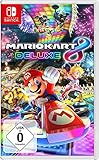
NINTENDO Mario Kart 8 Deluxe Switch | $58.90 | Buy on Amazon |
Check these causes in order
1. Smart Steering may be slowing and steering for you
Look for the antenna at the back of your vehicle. Nintendo’s beginner guide says Smart Steering can automatically slow and steer when you have trouble making turns and go off-course. It also prevents the third Mini-Turbo stage, Ultra Mini-Turbo. Check whether the assist is on if you want to steer and manage speed without that intervention. Nintendo’s Mario Kart 8 Deluxe guide describes the assist and its effects.
2. You may be driving on off-road terrain
Grass and sand beside the track are off-road areas, and Nintendo says entering them greatly slows the vehicle. While learning a course, stay on the paved track where possible; a shortcut across off-road terrain may cost more speed than it saves in distance. Falling off the course costs additional time while Lakitu returns you to the track.
#1 Best Overall
- Hit the road with the definitive version of Mario Kart 8 and play anytime, anywhere! Race your friends or battle them in a revised battle mode on new and returning battle courses
- Play locally in up to 4-player multiplayer in 1080p while playing in TV Mode. Every track from the Wii U version, including DLC, makes a glorious return
- Plus, the Inklings appear as all-new guest characters, along with returning favorites, such as King Boo, Dry Bones, and Bowser Jr.
- Players can choose a new Smart Steering feature which makes driving and staying on the track easy for novice players and kids even at 200cc
3. Collect coins to raise maximum speed
Nintendo’s guide says each coin increases maximum speed, up to a cap of 10 coins. Gather coins early when practical, but treat this as a maximum-speed effect—not a fix for Smart Steering, off-road slowdown, or time lost to a fall.
4. Check the engine class
Higher-numbered Grand Prix classes have higher maximum speed for all vehicles, according to Nintendo. 50cc is slower and has easier handling, making it a beginner-friendly class. Compare races using the same engine class before concluding that one setup or player is unusually slow.
Rank #2
- Nuevos personajes: Inkling, Rey Boo, Huesitos y Bowsy
- Inclusi n de circuitos in ditos en el modo batalla
- Los pilotos cuentan con el volante inteligente, que ayuda a no salirse de la pista
- Hasta 8 pilotos en partidas de multijugador local
5. Use drifts and Mini-Turbos to keep pace through turns
Nintendo recommends drifting around turns and using the resulting Mini-Turbo boost after the corner. If you take turns without building a boost, you may lose ground to racers who do. Practice on a familiar corner and focus on maintaining a drift through the turn, then releasing it for the boost.
6. Check whether a Rocket Start failed
A Rocket Start gives you a boost at the beginning of a race. Pressing acceleration too early during the countdown can make it fail, costing time from the start. If the slowdown is most obvious at the beginning, watch your timing on the next countdown rather than assuming the kart’s top speed is the problem.
Do these 3 things before closing this tab:
1Clear out junk files and repair common Windows errors2Scan for outdated or missing drivers - takes under a minute3Repair Windows errors before they cause bigger problemsRank #3
- With Nintendo Switch, fans can enjoy the definitive version of Mario Kart 8 anywhere, anytime
- the Mario Kart you know and love, with many new features
- Enjoy Mario Kart alone or with friends, anytime, anywhere, with anyone
- Supports 2 players in handheld mode, 4 players on one TV and 12-player online
- 5 exclusive new characters join the tournament, including Inkling Boy and Inkling girl.4 exclusive new multiplayer battle modes including Balloon battle and Bob-omb blast.48 tracks.40+ racers.It's the biggest Mario Kart roster ever.all downloadable content from the Wii U version included as standard Compatible with the Nintendo Switch only
7. Confirm the game version and platform
Nintendo Support lists Mario Kart 8 Deluxe Ver. 4.0.0, released September 1, 2026, as its latest update at that date. The notes say it “Increased player speed during races by the equivalent of one coin,” and also add support for Nintendo Switch 2. Check the edition, system, and installed version in Nintendo Support’s update information. This note concerns Mario Kart 8 Deluxe; it does not establish that every release of Mario Kart 8 received the same update.
Independent reader supportYour contribution helps us test, update, and keep practical guides available for everyone.When to check your controller settings
Tilt Controls change how you steer; they are not a general speed setting. Nintendo documents that you can toggle Tilt Controls on the car-stat screen before a race or during a race. Follow Nintendo’s Tilt Controls instructions if steering feels different than expected. Investigate the controller itself only if acceleration or steering inputs fail or behave inconsistently; a general feeling of low speed alone does not establish a hardware problem.
Quick Recap
A quick way to isolate the cause
- Check for the Smart Steering antenna and review the assist setting.
- Notice whether you are touching grass or sand, or whether a fall triggered Lakitu recovery.
- Check the coin counter; speed gains from coins cap at 10.
- Compare the engine class and race settings with the other race you are using as a reference.
- Try drifting through a familiar turn and releasing for a Mini-Turbo; check whether your Rocket Start succeeded.
- If acceleration or steering input is inconsistent, review control settings and Tilt Controls.
- Confirm the game edition, system, and software version before applying the Ver. 4.0.0 update note.
Product prices and availability are accurate as of the date/time indicated and are subject to change. Any price and availability information displayed on Amazon at the time of purchase will apply.




