When SKSE64 will not start with Skyrim Special Edition, the usual causes are a build that does not match your game version or storefront, files placed or launched incorrectly, or a plugin left over from before a game update. The fastest way to narrow it down is to record your exact setup, confirm the SKSE build, check the loader, and only then look at plugins and general Skyrim launch problems. Work through the steps below in that order, because each one rules out a layer before you move to the next.
Record your game version and storefront first
Before you change any files, write down four things:
- Your storefront: Steam, GOG, Windows Store / Game Pass, or Epic Games Store.
- Your installed Skyrim runtime version, the numeric game version such as 1.7.104 or 1.5.97.
- Whether Skyrim launches normally without SKSE.
- The exact SKSE build file you installed, including its version number.
Do not rely on the “Special Edition” or “Anniversary Edition” label alone. The official SKSE download list is organized by runtime version and storefront, and a copy from an older download can point you to the wrong build. A downgraded or update-blocked installation needs a different build from a current Steam installation, even though both are often described by the same edition name.
Match the SKSE build to your runtime and storefront
Download SKSE only from the official SKSE project site, and choose the entry that matches your game version and store. The official download page, reviewed on 8 October 2026, lists the following pairings:
#1 Best Overall

- Winner of more than 200 Game of the Year Awards, Skyrim Special Edition brings the epic fantasy to life in stunning detail.
- The Special Edition includes the critically acclaimed game and add-ons with all-new features.
- All-new features include remastered art and effects, volumetric god rays, dynamic depth of field, screen-space reflections, and more.
- Entertainment Software Rating Board (ESRB) Content Description: Blood and gore, intense violence, sexual themes, use of alcohol
| Storefront or edition | SKSE build | Game runtime | Who the official page says it is for |
|---|---|---|---|
| Steam, Anniversary Edition | 2.3.1 | 1.7.104 | Current Steam users |
| GOG, Anniversary Edition | 2.2.6 | 1.6.1179 | GOG Anniversary Edition installs |
| Special Edition | 2.0.20 | 1.5.97 | Users who intentionally downgraded or blocked game updates |
| Classic | 1.7.3 | Not stated on the official listing | Classic installs |
| VR | 2.0.12 | 1.4.15 | VR installs |
Two limits apply to this table. The official page does not state a storefront for the Classic and VR rows, so check your launcher before assuming a match. The page also carries a warning dated 14 August 2026 about an upcoming Skyrim update, which means these pairings can change after a patch. Some copies of the SKSE readme on Nexus Mods still list older runtime values, so use the official site as the reference.
The SKSE team also states that the Windows Store and Epic releases are not supported. Its compatibility guidance says: “SKSE does not support the Windows Store/Game Pass release of Skyrim. Windows Store applications are locked down similarly to consoles.” If your copy came from the Microsoft Store or Game Pass, or from the Epic Games Store, SKSE will not run on it, and reinstalling SKSE will not change that.
Rank #2

- EPIC FANTASY REBORN - Skyrim reimagines and revolutionizes the open-world fantasy epic, bringing to life a complete virtual world open for you to explore any way you choose.
- LIVE ANOTHER LIFE, IN ANOTHER WORLD - Play any type of character you can imagine, and do whatever you want; the legendary freedom of choice, storytelling, and adventure of The Elder Scrolls is realized like never before.
- YOU ARE WHAT YOU PLAY - Choose from hundreds of weapons, spells, and abilities. The new character system allows you to play any way you want and define yourself through your actions.
- BATTLE DRAGONS - Battle ancient dragons like you’ve never seen. As Dragonborn, learn their secrets and harness their power for yourself.
- INCLUDED CONTENT - The Anniversary Edition includes the core game, pre-existing and new Creation Club content, plus all three official add-ons: Dawnguard, Hearthfire, and Dragonborn.
Check the file placement and launch path
A correct build still fails if the files are in the wrong place or the game is started the wrong way. For a manual install, follow these steps:
- Open your Skyrim installation folder, the one that contains
SkyrimSE.exe. - Copy the SKSE executable and DLL files into that root folder, beside
SkyrimSE.exe. They do not belong in theDatafolder. - Place the required
.pexscript files inData\Scripts. - Start Skyrim with
skse64_loader.exe, notSkyrimSE.exe. If you use a mod manager, set it to launch the loader. The SKSE readme says: “Run skse64_loader.exe to launch the game. You or your mod manager must continue to use the loader for SKSE64 to work.” - If the game runs but SKSE does not appear active, try starting the loader as administrator. This launches the game under a separate user account, so your mod load order may need to be copied to that account’s profile before the mods load correctly.
Isolate plugins after a game update
If SKSE worked before a Skyrim update and stopped afterwards, the cause is most often an SKSE plugin or mod that has not been updated for the new runtime. The SKSE team notes that plugin mods may need updating after a patch. Bethesda Support gives the same warning for mods in general: “If the game has been recently updated, mods and addons may not work properly until they are updated by the Mod creator.”
Rank #3

- ANNIVERSARY EDITION CONTENT — Includes the base game, Dawnguard, Hearthfire, Dragonborn, and hundreds of Creation Club items such as quests, weapons, armor, spells, and dungeons.
- SWITCH 2 ENHANCEMENTS — Explore Skyrim with updated visuals, improved load times, and optimized performance for Nintendo Switch 2.
- SHAPE YOUR ADVENTURE — Choose your character and decide how to play in an open world that responds to your actions.
- BUILD YOUR CHARACTER — Choose from hundreds of weapons, spells, and abilities to define your play style.
- BATTLE DRAGONS — Face ancient dragons as the Dragonborn, learn their secrets, and harness their power.
- Confirm that the SKSE build in the table above matches your current runtime. If Skyrim has been updated, check the official site for a newer build before you test anything else.
- Move the contents of
Data\SKSE\Pluginsto a backup folder outside the game directory. Moving the files, rather than deleting them, makes it easy to restore them later. - Start the game with
skse64_loader.exe. If SKSE now starts, a plugin is the cause. - Return the plugins in small groups, testing after each group, until the failure returns. Then update or remove the plugin that causes it.
This is a diagnostic method rather than a guaranteed fix. Removing plugins can confirm the cause, but it does not repair a broken plugin on its own.
Confirm that the unmodded base game launches
The SKSE team asks users to confirm that Skyrim launches properly without SKSE before contacting them. If the base game also fails to start from Steam, Bethesda’s general launch checks apply. These are Skyrim and Steam steps, not SKSE-specific fixes:
Rank #4

- Winner of more than 200 game of the year awards, Skyrim special edition brings the epic fantasy to life in stunning detail
- The special edition includes the critically acclaimed game and add-ons with all-new features
- All-new features include remastered art and effects, volumetric god rays, dynamic depth of field, screen-space reflections, and more
- Entertainment Software Rating Board (ESRB) Content Description: Blood and gore, intense violence, sexual themes, use of alcohol
- Update your graphics drivers and Windows.
- Run Steam or the game as administrator.
- Verify the game files: in Steam, open Library, right-click Skyrim Special Edition, select Properties, then Installed Files, and choose Verify integrity of game files.
- Close unnecessary background applications.
- Check for prerequisites such as DirectX, PhysX, or C++ components.
Bethesda’s PC crash guidance adds a few further checks for crashes and black screens: remove unnecessary Steam launch options, check GPU selection and graphics settings, and isolate mods. Use these after the SKSE build and plugin checks, not before.
Independent reader supportYour contribution helps us test, update, and keep practical guides available for everyone.Collect logs before asking for help
If the basic checks do not solve the problem, gather the logs. The official SKSE page asks for skse.log, skse_loader.log, and skse_steam_loader.log from My Documents\My Games\Skyrim\SKSE\. The Nexus Mods readme refers to skse64.log and skse64_loader.log in Documents\My Games\Skyrim Special Edition\SKSE\. File names and folders vary between builds, so look in your SKSE folder and attach whichever logs exist.
What’s actually slowing this PC down?
Pick the symptom - the matching free tool is one click away.
Best Value
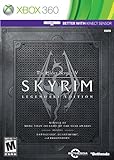
- Live Another Life, In Another World: Play any type of character you can imagine, and do whatever you want; the freedom of choice, storytelling, and adventure of The Elder Scrolls comes to life in one legendary experience from all three official add-ons.
- Dawnguard: The Vampire Lord Harkon has returned to power. By using the Elder Scrolls, he seeks to do the unthinkable - to end the sun itself. Will you join the ancient order of the Dawnguard and stop him? Or will you become a Vampire Lord?
- Hearthfire: Purchase land and build your own home from the ground up - from a simple one-room cottage to a sprawling compound complete with an armory, alchemy laboratory, and more.
- Dragonborn: Journey off the coast of Morrowind, to the vast island of Solstheim. Traverse the ash wastes and glacial valleys of this new land as you become more powerful with shouts that bend the will of your enemies and even tame dragons.
When you ask for help, include:
- The exact error text or popup.
- Your storefront, game runtime version, and SKSE build.
- Whether the base game launches without SKSE.
- The log files listed above.
Most of these details narrow the problem more than a description of symptoms does. A report that says “SKSE won’t launch” with no version or log is hard to act on.
Quick Recap
Product prices and availability are accurate as of the date/time indicated and are subject to change. Any price and availability information displayed on Amazon at the time of purchase will apply.




