wnaspi2k.dll is a legacy ASPI component used by older disc-burning, ripping, SCSI, scanner, and optical-media applications. It is not a normal Windows 10 or Windows 11 system DLL, so the safest fix is to identify the program requesting it and repair that program.
wnaspi2k.dll at a glance
| Item | Verified information |
|---|---|
| File | wnaspi2k.dll |
| Category | Application component |
| Usually installed by | The specific third-party program that needs it |
| Related technology | Adaptec ASPI, or Advanced SCSI Programming Interface |
| Windows component | Not normally included with Windows |
| Version, size, architecture | Not universal or reliably established |
| Common users | Disc-burning, disc-ripping, SCSI, scanner, and low-level storage software |
Older ASPI packages included several similarly named files, including wnaspi2k.dl_, wnaspi32.dl_, wnaspi64.dll, and other driver components. The correct file depends on the application and the operating system. Replacing one similarly named DLL with another is not a reliable repair.
As an Amazon Associate I earn from qualifying purchases.
What the error means
You may see messages such as:
- “The program can’t start because wnaspi2k.dll is missing from your computer.”
- “The code execution cannot proceed because wnaspi2k.dll was not found.”
- “There was a problem starting wnaspi2k.dll.”
- “Error loading wnaspi2k.dll. The specified module could not be found.”
- “wnaspi2k.dll is either not designed to run on Windows or it contains an error.”
These are Windows loader-style errors. They mean that an application requested the file and Windows could not load the requested component. The named file may be missing, quarantined, incompatible, or present while another dependency or ASPI driver is missing.
The program raising the error is often an old utility that was incompletely installed, updated, removed, or affected by antivirus cleanup.
#1 Best Overall
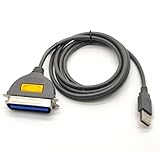
- USB, Hpcn36, Male,Printer Cable,1Meer
- Fast charging cable and data transfer line
- Cable length(can be customized), pure copper wire core, PVC jacket, OD 3.5mm, Die-casting, support 3A current
- From the OEM Original Factory, the same quality with a much better price.
1. Identify the program requesting wnaspi2k.dll
Do this before copying any file or running a repair command.
Check the startup entry
If the message appears every time Windows starts:
- Press
Ctrl+Shift+Esc. - Select Startup apps.
- Look for an old disc, imaging, scanner, ripping, backup, or storage utility.
- Right-click a suspicious entry and choose Open file location, if available.
- Note the application name and installation folder.
You can also inspect:
- Settings > Apps > Installed apps
- Control Panel > Programs > Programs and Features
- Task Scheduler, especially tasks under the application vendor’s folder
If the error appears only after launching one program, that program is the primary suspect. If it appears at startup with no visible application, look for a stale startup entry left behind after an uninstall.
Do not delete the DLL error’s startup entry blindly. First identify the associated application, then repair or uninstall that application properly.
Quick wins for a faster PC:
Repair Windows errors before they cause bigger problemsFix Now →Fix the driver behind crashes, sound loss and screen glitchesFind Drivers →2. Repair or reinstall the parent application
This is the most likely solution.
Try Windows’ built-in repair option
- Open Settings.
- Select Apps > Installed apps.
- Find the program that produces the error.
- Select its three-dot menu.
- Choose Advanced options, if shown.
- Select Repair.
- Restart Windows and test the application.
Not every traditional desktop program exposes a Repair button. If it does not, use the program’s original installer or the developer’s official download and select Repair, Modify, or Install when offered.
Reinstall from the original package
- Back up the application’s settings or project files if necessary.
- Uninstall the affected program from Settings > Apps > Installed apps or Control Panel > Programs and Features.
- Restart the computer.
- Run the original installer as administrator. Right-click it and select Run as administrator.
- Install the complete application, including its storage, ASPI, SCSI, or hardware support components.
- Restart Windows again.
- Launch the program.
A successful repair means the application starts without the wnaspi2k.dll message and can access the device or media feature that needed ASPI.
If the installer itself reports that the operating system is unsupported, stop treating this as an ordinary missing-DLL problem. The application may require an older Windows environment.
Why reinstalling one DLL may fail
wnaspi2k.dll may be only the user-mode portion of an older ASPI installation. Some applications also expected supporting files or system drivers. A DLL copied beside the executable cannot recreate those components.
Rank #2
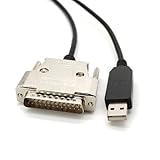
- USB Type A Male To DB25 Male,Parallel Printer Cable,With FTDI Chip,Serial Port,1.8Meter
- FT232RL signal conversion chip, applied to RS232 serial port printer cables, Win10 and above systems will come with drivers, which will be automatically installed after inserting USB. If it cannot be automatically installed, you can go to the official website to download the driver.
- Compatible with Windows 32-bit, 64 bit systems, Vista, Linux, Mac OS, Android systems, making it easy to connect and use quickly.
- Compliant with UL certification in the United States, fire-resistant and flame-retardant, tin plated copper, -40 ℃~80 ℃. Outer diameter (OD) 4.5mm, customizable cable length
- The product quality is absolutely guaranteed, and it will be shipped only after 100% testing is qualified. If you encounter product compatibility issues, you can contact us and we will actively help you solve the problem and provide satisfactory solutions.
An installer may contain wnaspi2k.dl_ rather than wnaspi2k.dll. The underscore indicates a compressed installation payload. It is not evidence that Windows normally ships the expanded file. Let the original installer extract and place it instead of renaming or copying the compressed file manually.
3. Check Windows Security quarantine
Antivirus software may have removed or quarantined an old component because legacy binaries can have unusual behavior or lack modern signing information.
- Open Windows Security.
- Select Virus & threat protection.
- Select Protection history.
- Look for an event involving the affected application or
wnaspi2k.dll. - Expand the event and review the original path and detection details.
Restore the file only if all of these are true:
- The path belongs to the application you intentionally installed.
- The application came from a trusted original source.
- The file is part of the program’s expected installation.
- You have checked the file’s publisher and digital signature where available.
- The application vendor confirms that the component is required.
Do not restore a file merely because its name matches the error. If the detection is unclear, leave it quarantined, remove the application, and reinstall a verified package. Microsoft’s Protection History guidance explains how Windows records these actions.
4. Check the file’s path, publisher, and signature
If a copy already exists, do not assume it is safe or compatible.
- Search for
wnaspi2k.dllin File Explorer. - Right-click the file and select Properties.
- Check the General tab for its location.
- Open Details and review any available product or company information.
- Open Digital Signatures, if the tab exists.
- Select a signature and choose Details.
- Confirm that Windows reports the signature as valid.
A sensible location is usually the affected application’s own folder when the vendor designed the DLL as a private application component. Its presence in C:WindowsSystem32 or C:WindowsSysWOW64 does not prove that it belongs there.
You can calculate a hash for comparison with a value supplied by the application vendor:
certutil -hashfile "C:PathTownaspi2k.dll" SHA256
Replace the path with the actual file location. There is no single universal hash, size, or architecture that safely identifies every copy of this filename.
Rank #3

- Easy Hard Drive Access: The SATA to USB 3.0 adapter allows you to connect a 3.5"/2.5" SSD HDD with your computer to expand storage, upgrade the system, back up files, retrieve and recover data
- 5Gbps with UASP Accelerated: This external SATA hard drive reader supports data transfer speed up to 5 Gbps. Equipped with UASP technology, which is 70% faster than traditional USB 3.0 and reduces 80% required processor resources
- Plug & Play Simple Operation: No need to install a driver , just plug and play. Hot-swap supported. Always eject the hard drive safely before unplugging the IDE to USB adapter from your computer in case of data loss
- 12V 2A Power Adapter Included: This SATA to USB cable is equipped with a DC-Jack port and comes with a 12V/2A Power Adapter, which ensures enough power supply for a 3.5" hard dr
- Wide Compatibility: This SATA III to USB 3.0 adapter is compatible with PS4, Xbox, Windows 10/8.1/8/7/Vista/XP, Mac OS. Supports 2.5"/3.5 '' SATA HDD SSD up to 20TB max. Compatible with WD Blue 3.5 HDD, Crucial MX500 SSD, Samsung 860 EVO SSD 2.5 etc
5. Account for 32-bit, 64-bit, and old ASPI support
A 32-bit application on 64-bit Windows may need a 32-bit user-mode DLL. A 64-bit application may need a different component. Older ASPI packages also included system drivers, so architecture is not determined by the filename alone.
The Tool Desk
Outbyte PC Repair FREEClear out junk files and repair common Windows errorsFree Scan →Outbyte Driver Updater FREEScan for outdated or missing drivers - takes under a minuteDriver Scan →Do not substitute:
wnaspi32.dllforwnaspi2k.dllwnaspi64.dllforwnaspi2k.dll- A file from another application
- A file from an unrelated Windows installation
Historically documented Adaptec ASPI packages targeted older systems such as Windows 98, Windows NT 4, Windows Me, Windows 2000, and Windows XP. That history does not establish support for Windows 10 or Windows 11.
If the program is designed for Windows XP, the practical choices may be:
- A newer supported application
- An updated driver or vendor replacement
- A separate older offline computer
- A properly isolated virtual machine
A virtual machine may still need compatible access to the physical scanner, drive, or SCSI device. If the hardware cannot be passed through reliably, replacing the application or hardware may be more practical.
6. Repair Windows components only as a secondary check
Windows does not normally own wnaspi2k.dll, so System File Checker will not usually recreate it. Run these commands when other Windows components are also failing, installers are damaged, or system corruption is suspected.
PC Slower Than It Used to Be?
A free scan shows the junk files, broken settings and background clutter dragging Windows down - then fixes them in one click.Free scan · Windows 10 & 11Outdated Drivers Are Slowing You Down
One free scan finds every outdated or missing driver and matches the right update for your exact hardware.Free scan · exact hardware match- Open Start and type
Command Prompt. - Right-click Command Prompt.
- Select Run as administrator.
- Run:
DISM.exe /Online /Cleanup-Image /RestoreHealth
- Wait for it to finish.
- Then run:
sfc /scannow
- Restart Windows and test the application again.
Microsoft recommends running DISM before SFC. If both commands complete successfully but the same application still reports wnaspi2k.dll, repair the application rather than repeating these commands.
Manually hunting through repair logs and repeating SFC or DISM without knowing what changed can waste time. Outbyte PC Repair can scan for broader Windows issues, while its full version performs repairs; it is optional, and reinstalling the application that owns this file remains the definitive fix.
7. Update drivers only when hardware access is also failing
A driver update is relevant if the program also cannot see a scanner, optical drive, SCSI device, or other hardware. It is not a substitute for reinstalling the application’s ASPI component.
Rank #4

- Reconnect to an older printer with the USB 2.0 to Parallel Printer Adapter Cable. This adapter connects older printers to computers, laptops and other USB-enabled devices. Designed to work with printers that feature a CEN36 connector. Designed for durability and a secure connection
- USB to Parallel IEEE 1284 CN36 Printer Adapter Cable 4.6ft. length provides ample reach between devices for versatile home and office setups. Gain a solid connection with the USB 2.0 to Parallel Printer Adapter Cable.
- SinLoon usb to parallel printer cable allows you to attach your computer to any parallel printer Device thru the USB port and get faster Printing results.
- Today's computers don't come with parallel ports. But they do have USB! With this adapter cable you can still use your older printers with your newer computer. Converts a printer's parallel port for use with a USB port. This was a perfect solution for old printer.This cable adapter is only compatible with 36-pin parallel
- Compatible with Windows 95, 98,98SE,ME,2000 and Mac OS 8.6 or later Supports virtually any standard or IEEE 1284 parallel printer
Check Device Manager
- Press
Win+X. - Select Device Manager.
- Expand categories such as DVD/CD-ROM drives, Imaging devices, SCSI and RAID controllers, and Storage controllers.
- Right-click the affected device.
- Select Properties.
- Review the General tab for an error code.
- Open the Driver tab and note the provider and date.
- Use Update Driver > Search automatically for drivers.
- Restart Windows.
Prefer the hardware manufacturer’s official driver when Windows does not find a suitable update. Do not install a random ASPI driver just because Device Manager reports a storage problem.
Free tools Windows power users keep installed
One-click scans. No signup required.
Finding the correct driver manually can mean comparing hardware IDs and checking several vendor packages. Outbyte Driver Updater can scan for outdated drivers, while driver installation is handled by its full version; it is optional, and it will not replace the application-specific repair required for wnaspi2k.dll.
What not to do
Do not download a random DLL
Avoid standalone DLL download sites and unofficial file mirrors. A replacement may contain malware, have the wrong architecture, be from the wrong ASPI release, or omit the supporting driver stack. It can also create a version conflict while leaving the original application broken.
Use the affected application’s original installer, the developer’s official support package, or a verified installation medium instead.
Do not copy it into System32 or SysWOW64 by default
Those folders are not universal storage locations for every DLL. A private application DLL may need to remain beside the application executable. Copying it into a system folder can cause Windows to load the wrong version for another program.
Do not run regsvr32 as a general repair
regsvr32 is intended for DLLs that expose a registration entry point such as DllRegisterServer. An ASPI runtime or driver component is not normally a self-registering COM library.
Running:
regsvr32 wnaspi2k.dll
usually does not install ASPI, repair its driver stack, or make the application compatible with Windows 11. Use regsvr32 only when the application vendor specifically instructs you to register that particular DLL.
Do not install Visual C++, DirectX, or .NET without evidence
Those runtimes do not normally contain wnaspi2k.dll. Install them only when the named application explicitly requires a particular runtime and provides that requirement. They are not a general solution for this filename.
Best Value
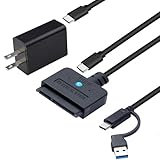
- 【DUAL-PORT UNIVERSAL COMPATIBILITY】- This 2-in-1 SATA to USB adapter features both USB-A and Type-C interfaces, allowing you to connect 2.5"/3.5" SATA HDDs/SSDs to a wide range of devices. Enjoy seamless data transfer with modern laptops (Type-C), traditional PCs (USB-A), and even tablets or game consoles, making it the ultimate bridge for all your storage needs
- 【POWERFUL 30W ADAPTER FOR 3.5" DRIVES】- Comes with a dedicated 30W (12V/2.5A) power adapter to reliably spin up and run power-hungry 3.5-inch mechanical hard drives with capacities up to 18TB. For 2.5-inch SSDs/HDDs, the adapter provides optional extra power for stable operation, ensuring your data is always safe and accessible
- 【BLAZING 5GBPS SPEED WITH UASP SUPPORT】- Experience file transfers at super speed! Leveraging USB 3.0 and UASP (USB Attached SCSI Protocol) technology, this adapter achieves theoretical speeds up to 5Gbps. Transfer a 1GB file in just about 3 seconds, drastically reducing wait time for backups and large file moves
- 【TRUE PLUG-AND-PLAY CONVENIENCE】- No tedious driver installation required! This hard drive connector is automatically recognized by most operating systems. Get started instantly with Windows (7/8/10/11), macOS (10.6+), Linux, and Chrome OS. Simply connect the cables, and you're ready to access, manage, or recover your data
- 【Clear Activity Indicator】- The blue LED light clearly shows the drive's status. It stays solid blue when powered on, and flashes blue during data transfer, providing intuitive visual feedback at a glance
Frequently asked questions
Is wnaspi2k.dll part of Windows?
No. It is associated with legacy ASPI software and is normally installed by a third-party application or its hardware support package.
What’s actually slowing this PC down?
Pick the symptom - the matching free tool is one click away.
Which application raised the error?
The filename alone cannot identify the application. Check the program launched immediately before the message, Startup apps, Task Scheduler, installed programs, and the file’s containing folder.
Was it caused by uninstalling burning or imaging software?
Possibly. An incomplete uninstall can leave a startup entry or another application that still expects the shared component. Reinstall or repair the remaining application, then remove obsolete software cleanly.
Is wnaspi2k.dl_ the same file?
It is a compressed installer payload associated with the DLL name. The installer should expand it. Do not rename and copy it manually.
Will Windows Update restore it?
Normally no. Windows Update repairs Windows components, not an application-specific legacy ASPI file.
Recommended Free Tools
What if the file is present but the error remains?
The actual failure may be a missing dependency, a missing ASPI driver, an invalid path, a quarantine event, or unsupported 32-bit or 64-bit software. Reinstall the complete parent application and check its hardware requirements.
Should I use System Restore?
If the error began immediately after an installation or driver change, System Restore may be appropriate when a suitable restore point exists. It is not guaranteed to restore a third-party DLL and should not replace reinstalling the parent application.
Quick Recap
Final diagnostic checklist
- Identify the application that requests
wnaspi2k.dll. - Repair or reinstall that application from its original or official package.
- Check Windows Security Protection history.
- Verify the file’s path, signature, and hash when a known-good reference exists.
- Do not substitute similarly named ASPI files.
- Check Device Manager only when related hardware also fails.
- Run DISM followed by SFC only for broader Windows corruption.
- Treat old ASPI software as potentially incompatible with Windows 10 or Windows 11.
- Avoid standalone DLL downloads and unnecessary
regsvr32commands.




