
What’s actually slowing this PC down?
Pick the symptom - the matching free tool is one click away.
wudfcoinstaller.dll is a Windows Driver Foundation component used when Windows installs certain user-mode device drivers. If Windows reports that wudfcoinstaller.dll is missing, was not found, or could not be loaded, the failure usually involves a device driver rather than a normal application runtime.
You may see messages such as:
- “The program can’t start because WUDFCoInstaller.dll is missing from your computer.”
- “Error loading WUDFCoInstaller.dll. The specified module could not be found.”
- “WUDFCoInstaller.dll could not be loaded.”
- “WUDFCoInstaller.dll is either not designed to run on Windows or it contains an error.”
The 60-second answer
Do not download an isolated copy of the DLL or begin with regsvr32.
As an Amazon Associate I earn from qualifying purchases.
First, install pending Windows updates and restart. Then open Command Prompt as administrator and run:
Windows Errors? Fix Them Before They Spread
Repair common Windows errors and clear accumulated junk for a smoother, more stable PC - no reinstall needed.Free scan · no reinstallCrashes, No Sound, or Screen Glitches?
Random freezes, missing sound and display glitches usually trace back to one bad driver. Find and replace yours safely.Free scan · under a minuteDISM.exe /Online /Cleanup-Image /RestoreHealth
sfc /scannow
Restart again. If the message returns while connecting or installing a USB device, phone, sensor, printer, portable device, or similar hardware, remove the failed device from Device Manager and install the latest Windows-compatible driver from the device or PC manufacturer.
#1 Best Overall

- Reborn USB to HDMI adapter : The Reborn USB to HDMI adapter, a powerful device, converts USB to HDMI, facilitating connections to HDMI displays. Vital for laptop screen output and multimedia, its compactness ensures convenient carrying and instant connection. Note: This adapter cannot be used in BIOS mode, and the driver needs to be installed. If other drivers (e.g., for USB-to-VGA adapters) are installed, uninstall them first to avoid conflicts.
- Installation Notes: Before using this USB to HDMI adapter cable, a driver must be installed. The process is straightforward. No CD-ROM is required. Connect the device to the computer, open the removable disk, locate the driver, and click install. After restarting, the adapter will function. (Note: Please close the antivirus software before installation. For subsequent repeated use on the same computer, there is no need to install it again)
- 1080P 60Hz Full HD : USB 3.0 to HDMI adapter cable gives 1920*1080 display. Use with computer's HDMI & USB to connect two. If screen res >1920*1080, adjust to 1920*1080. With USB 2.0 or unsupported receiving device, output is 800*600. Else, it fails
- Exceptional Quality : This USB to HDMI adapter for monitor, of high-quality materials, is sturdy, durable. Passed strict checks, ensuring stable per. And reliable Conn. Good for long-term use and frequent ops. Exquisite design, beautiful and practical
- Wide Compatibility : This USB A to HDMI adapter is compatible with multiple operating systems, such as Windows and macOS. Moreover, it supports mirror and extended modes, which can enhance work efficiency. Whether for work or entertainment, these two modes can bring you more convenience and possibilities. (A simple driver installation is required, as is the case with similar products.) If you have any questions, please contact us promptly. We offer 7*24-hour after-sales service
This sequence repairs both likely causes: damaged Windows components and an old or incomplete driver package.
What WUDFCoInstaller.dll does
WUDFCoInstaller.dll is the Windows Driver Foundation User-mode Platform Device Co-Installer. It processes User-Mode Driver Framework, or UMDF, sections in a driver’s INF file and performs configuration work during device installation.
A legacy UMDF driver package may reference the file through an INF entry like this:
[CoInstaller.AddReg]
HKR,,CoInstallers32,0x00010000,WudfCoinstaller.dll
That reference tells Windows to use the co-installer while setting up the device. It does not mean that the DLL is a general-purpose file required by every application or game.
Microsoft driver-installation documentation places the file under:
%WINDIR%System32wudfcoinstaller.dll
It is associated with other UMDF components, including wudfhost.exe, wudfsvc.dll, wudfplatform.dll, and wudfpf.sys.
The exact file version, size, and architecture vary with the Windows release and servicing level. Do not select a replacement based only on the filename.
Why the error appears during device setup
The error often appears when an installer is handling hardware, not when Windows is launching an ordinary program. Common triggers include:
- USB devices
- Phones and portable devices using MTP
- Sensors
- Printers and scanners
- Audio or other peripheral hardware
- Older chipset or hardware-management packages
- User-mode drivers supplied on an old CD or archive installer
Windows 10 and Windows 11 generally do not require driver packages to redistribute WDF co-installers. Microsoft’s current driver guidance says new packages should use the system framework instead. Therefore, an installer that explicitly demands this DLL may be an outdated legacy package, even when Windows itself is healthy.
Rank #2

- !!Please NOTE: this is MALE RS232 to DB9 SERIAL CABLE ,Not VGA!!!It is 9 pin, NOT 15 pin!! Look carefully of the Pin is match with your device. Before ordering , please confirm the interface gender is waht you need. After receiving ,please read user manual /instruction at first and download the Driver at first from FT232 Official website or Cisco website . Customer service always online.
- Wide range of applications: USB to RS232 DB9 male serial adapter can work with your Windows (10 / 8.1 / 8 / 7 / Vista / XP), MAC or Linux system and other platforms. USB adapter is designed to connect to serial devices, such as serial modem with DB9, ISDN terminal adapter, digital camera, label writer, palm computer, barcode scanner, PDA, cash register, CNC, PLC controller, tax printer, POS, bar code scanner, label printer, etc
- High quality: ftdi usb serial,the latest ftdi chip set ensures more reliable and faster operation. USB 2.0 to RS232 male DB9 console cable will support 1Mbps date transfer rate.
- Most convenient: rs232 to usb simple installation, plug and play, COM port creation, baud rate can be changed to the required settings. USB power supply - no external power supply required.
- Exquisite design: usb-to-serial,Gold Plated USB RS232 connector and PVC cable ensure high performance and extra durability. Powered by USB port, this USB to DB9 series RS232 adapter cable is designed to fit easily into your handbag.
What the message actually means
The wording helps narrow the cause.
| Message or symptom | Likely meaning |
|---|---|
The DLL is missing from System32 |
Windows component damage, removal, or an incomplete installation |
| “The specified module could not be found” | The DLL may exist, but a dependency, driver component, or architecture match may be wrong |
| Error appears only for one device | The vendor’s driver package is damaged, obsolete, or incompatible |
| Event ID 219 appears once, but the device works | A transient UMDF startup timing issue |
| The file disappeared after antivirus activity | Possible quarantine or removal, requiring verification and Windows repair |
| The problem began after an update | A changed or incompatible driver may need rollback or replacement |
Fix 1: Install Windows updates and restart
Start with Windows Update because current servicing can repair system components and provide a compatible device driver.
- Press Windows + I to open Settings.
- Select Windows Update.
- Choose Check for updates.
- Install all available updates.
- Select Advanced options and then Optional updates if that section is available.
- Install relevant driver updates, but do not install unrelated drivers merely to test the error.
- Restart Windows.
Reconnect the device or rerun its installer. If setup completes, the problem was likely a missing update, damaged component, or driver compatibility issue.
Free tools Windows power users keep installed
One-click scans. No signup required.
If the error remains, continue with the system-file repair below.
Fix 2: Repair Windows with DISM and SFC
Use an elevated Command Prompt. DISM repairs the Windows component store first, and SFC then checks protected system files against that repaired source.
- Open Start.
- Type
Command Prompt. - Right-click Command Prompt and choose Run as administrator.
- Select Yes if User Account Control asks for permission.
- Run this command:
DISM.exe /Online /Cleanup-Image /RestoreHealth
- Wait for it to finish. Do not close the window if progress appears to pause.
- Run:
sfc /scannow
- Wait until verification reaches 100 percent.
- Restart the computer.
A successful SFC result normally says that Windows Resource Protection found no integrity violations, or that it found corrupt files and repaired them. Retry the device installation afterward.
If SFC says it could not repair some files, run DISM again, restart, and repeat SFC once. For a detailed record of unrepaired files, run:
findstr /c:"[SR]" %windir%LogsCBSCBS.log >"%userprofile%Desktopsfcdetails.txt"
This creates sfcdetails.txt on the desktop.
Microsoft’s documented System File Checker repair procedure explains the DISM-before-SFC order and additional recovery options. If DISM cannot repair the image, the next step may require a matching Windows installation source with /Source and /LimitAccess, not a downloaded DLL.
Repeatedly hunting for the right command, waiting for SFC and DISM, and guessing what changed can be tedious. Outbyte PC Repair can scan for system problems and show what it finds; repair is performed by the full version, and it is optional rather than required for this fix.
Check Windows Features only when the error names a feature
There is no ordinary Windows Feature that installs a universal standalone wudfcoinstaller.dll. Do not enable random features in the hope that the DLL will appear.
To check the available feature list:
- Press Windows + R.
- Type
optionalfeatures. - Press Enter.
- Review the list only if the complete error specifically identifies a Windows feature or framework.
- Do not disable existing features as a troubleshooting experiment.
- Select Cancel unless you know the missing feature is relevant.
For this filename, DISM and SFC are the appropriate Windows repair tools.
Rank #3
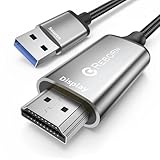
- Reborn USB to HDMI adapter Cable : The Reborn USB to HDMI adapter, a powerful device, converts USB to HDMI, facilitating connections to HDMI displays. Vital for laptop screen output and multimedia.
- Installation Notes: Before using this USB to HDMI adapter cable, a driver must be installed. The process is straightforward. No CD-ROM is required. Connect the device to the computer, open the removable disk, locate the driver, and click install. After restarting, the adapter will function. (Note: Please close the antivirus software before installation. For subsequent repeated use on the same computer, there is no need to install it again).
- 1080P 60Hz Full HD : USB 3.0 to HDMI adapter cable gives 1920*1080 display. Use with computer's HDMI & USB to connect two. If screen res >1920*1080, adjust to 1920*1080. With USB 2.0 or unsupported receiving device, output is 800*600. Else, it fails.
- Exceptional Quality : This USB to HDMI adapter for monitor, of high-quality materials, is sturdy, durable. Passed strict checks, ensuring stable per. And reliable Conn. Good for long-term use and frequent ops. Exquisite design, beautiful and practical.
- Wide Compatibility : This USB A to HDMI Cable is compatible with multiple operating systems, such as Windows and macOS. Moreover, it supports mirror and extended modes, which can enhance work efficiency. Whether for work or entertainment, these two modes can bring you more convenience and possibilities. (A simple driver installation is required, as is the case with similar products.) If you have any questions, please contact us promptly. We offer 7*24-hour after-sales service.
Fix 3: Identify and remove the failed device
If the error occurs when connecting one particular device, focus on that device’s driver.
- Disconnect the device.
- Right-click Start and select Device Manager.
- Expand likely categories, including Universal Serial Bus controllers, Portable Devices, Sensors, Printers, Sound, video and game controllers, and Other devices.
- Look for a yellow warning icon, an Unknown device, or an entry that appeared when you connected the hardware.
- Right-click the suspected device and select Properties.
- Open the General tab and note the Device status message and error code.
- Open the Driver tab and record the provider and date.
- Select Uninstall Device.
- If Windows offers Attempt to remove the driver for this device, select it when you intend to remove the failed package.
- Choose Uninstall.
- Restart Windows.
- Keep the device disconnected until Windows has restarted.
Do not uninstall unrelated chipset, storage, keyboard, or display devices merely because they appear in Device Manager. If you are unsure which entry belongs to the hardware, disconnect it, refresh Device Manager with Action > Scan for hardware changes, and compare the list.
After restarting, reconnect the hardware. Windows may install a built-in driver automatically. If it does not, continue with the manufacturer’s current package.
Fix 4: Install the current driver from the manufacturer
Use Windows Update or the support page for the device or PC manufacturer. Obtain the package for your exact model and Windows architecture.
Do these 3 things before closing this tab:
1Scan for outdated or missing drivers - takes under a minute2Repair Windows errors before they cause bigger problems3Fix the driver behind crashes, sound loss and screen glitches- Check the label on the device or open Settings > System > About.
- Note the device model and whether System type says 64-bit or 32-bit.
- Download the current Windows-compatible driver from the manufacturer.
- Avoid old CD installers, unofficial repackaged installers, and packages intended for another Windows release.
- Disconnect the device if the manufacturer’s instructions require it.
- Run the installer as administrator if instructed.
- Restart Windows when prompted.
- Reconnect the hardware and test it.
A 32-bit driver package and a 64-bit Windows installation may contain different binaries. Do not copy a DLL from another computer or another Windows release to solve an architecture mismatch.
If the installer still asks for wudfcoinstaller.dll, the package may be obsolete. Microsoft’s guidance on removing co-installers from driver packages explains why modern Windows driver packages should generally rely on the system framework instead of redistributing legacy co-installers.
When several hardware drivers may be stale, manually identifying each package can mean comparing versions and repeating uninstallations. Outbyte Driver Updater can scan and identify driver problems; the full version performs the driver installation, and using it is optional.
Fix 5: Roll back a driver installed recently
If the problem began immediately after a driver or Windows update, rolling back the requesting device can restore the previous working package.
- Open Device Manager.
- Right-click the affected device.
- Select Properties.
- Open the Driver tab.
- Select Roll Back Driver if the button is available.
- Choose a reason and confirm.
- Restart Windows.
If Roll Back Driver is unavailable, uninstall the device and install the previous known-compatible package from the manufacturer. Do not use a random DLL as a substitute for rolling back the complete driver.
Fix 6: Check antivirus quarantine
If the file disappeared immediately after a security alert, inspect the antivirus product’s quarantine or protection history.
Rank #4
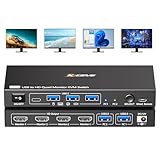
- 【USB to HDMI KVM Switch 4 Monitors 2 Computers】Each PC only needs 1 USB cable connected to this quad monitor KVM switch to achieve 4 HDMI monitors output.Supports mirror mode and expansion mode.One-click switching between work and personal computers.
- 【𝘿𝙧𝙞𝙫𝙚r 𝙄𝙣𝙨𝙩𝙖𝙡𝙡𝙖𝙩𝙞𝙤𝙣 𝙞𝙨 𝙍𝙚𝙦𝙪𝙞𝙧𝙚𝙙】The 4 monitors 2 computers KVM switch supports simultaneous output of 4 HDMI monitors, with resolutions of 4*1080P@60Hz. 𝙉𝙊𝙏𝙀: After connecting your PC to the 4 monitors KVM switch, the PC will automatically recognise the USB device and a pop-up window will appear, please follow the wizard to install the USB driver.This driver does not record any information, Only used for identifying monitors.
- 【KVM Switch Quad Monitor with 4 USB3.0 Port】The 4 displays KVM switch is euqipped with 4 USB 3.0 ports for connecting keyboard, mice,printer and more. With a data transfer rate of up to 5Gbps,Backward compatibility with USB 1.1/2.0.
- 【Wide Compatibility & 2 Switching Ways】 The 2 port USB to HDMI KVM switch is effortlessly compatible with Windows and Mac OS. Supports two switching methods—physical button and wired remote—while LED indicators clearly display the active computer.
- 【𝙄𝙢𝙥𝙤𝙧𝙩𝙖𝙣𝙩 𝙉𝙤𝙩𝙚】 (𝟭)Driver installation is required to recognize the monitors;(2)To get the 2 computers 4 monitors KVM switch work properly, the PC system must be 11th or above;(3)2 USB 3.0 cables in the packaging, but HDMI cables are not included. (4)Not supporting EDID emulation and hotkey switching.Any questions, please tell us, our technical team will reply you within 12 hours.
- Open Windows Security from Start.
- Select Virus & threat protection.
- Choose Protection history.
- Review entries from the time the DLL disappeared.
- Do not restore the file automatically.
- Restore it only if it is identified as the genuine Microsoft-signed file and the associated driver package is trusted.
- Run a full scan.
- Run DISM and SFC afterward.
A quarantine event is a possible cause, not proof of a filename-specific false positive. If the vendor installer itself is untrusted or unusually old, replace it with a current package rather than restoring files from it.
Independent reader supportYour contribution helps us test, update, and keep practical guides available for everyone.Do not use regsvr32 as the normal fix
regsvr32 is intended for registering certain self-registering COM or ActiveX DLLs. WUDFCoInstaller.dll is used through the driver INF and co-installer mechanism, not as an ordinary application COM library.
The Tool Desk
Outbyte Driver Updater FREEFix the driver behind crashes, sound loss and screen glitchesFind Drivers →Outbyte PC Repair FREEClear out junk files and repair common Windows errorsFree Scan →Running:
regsvr32 wudfcoinstaller.dll
does not repair a damaged component store, install the missing device driver, or correct an incompatible INF. A successful registration message would not prove that the driver package is configured correctly.
Do not:
- Download the DLL from a random DLL archive.
- Copy it into
System32by hand. - Copy it beside a game or application.
- Delete or rename the existing System32 copy.
- Install Visual C++ Redistributable, DirectX, or .NET unless the complete error identifies that separate dependency.
- Use a DLL from another Windows version or architecture.
These actions can introduce malware, signature problems, version mismatches, and architecture errors while leaving the original driver failure unresolved.
Check whether the warning is only transient
Windows may log a related sequence such as:
The driver DriverWudfRd failed to load for the device xxxx.
WUDFPf (part of UMDF) did not load yet. After it does, Windows will start the device again.
This can appear as Event ID 219 from DriverFrameworks-UserMode, sometimes alongside event 10114. If it occurs once while a device is being plugged in and the device works normally afterward, no DLL replacement may be necessary.
To inspect it:
- Press Windows + R.
- Type
eventvwr.msc. - Press Enter.
- Expand Windows Logs.
- Select System.
- Choose Filter Current Log.
- Filter by Event sources such as
DriverFrameworks-UserMode. - Review the device identifier and timestamp.
Recurring events combined with a nonworking device require repair. Isolated events with a functioning device can generally be ignored.
Recommended Free Tools
Find the requesting device in setup logs
When the device is unclear, inspect the Windows device-installation log:
%WINDIR%infsetupapi.dev.log
- Press Windows + R.
- Paste the path above.
- Press Enter.
- Press Ctrl + F.
- Search for
wudfcoinstaller.dll,WudfRd, or the time of the failed installation. - Note the device instance ID, INF filename, and manufacturer package named near the failure.
You can compare that device ID with Device Manager:
- Open the device’s Properties.
- Select the Details tab.
- Choose Hardware Ids from the property list.
- Compare the identifiers with the setup log.
Microsoft’s driver-installation debugging documentation describes the related UMDF installation records and system components.
Best Value

- USB-A & USB-C Dual Interface – Connect a 2.5" SATA SSD or HDD to your laptop or desktop through either a USB-A or USB-C port. USB 3.0 delivers data transfer speeds up to 5Gbps, so you can move large files quickly without waiting.
- Up to 6TB Capacity – Works with 2.5" SATA I/II/III SSDs and HDDs up to 6TB, including drives from Seagate, WD, Hitachi, and Toshiba. Plug in and go on Windows, macOS, and Linux with no drivers needed.
- Plug & Play, No Drivers – Slide your drive into the SATA connector, plug the USB end into your PC, and it's ready. Hot-swappable design lets you swap drives in seconds, with bright LED indicators confirming the connection is live.
- 14-Inch Cable, Travel-Friendly – The compact converter with a 14-inch SATA cable tucks easily into your laptop bag. Lightweight design makes it a handy tool for data recovery on the go or quick backups while traveling.
- Safe & Reliable, Single Drive – Built-in ASM1153E chip with reinforced connectors keeps your drive safe, automatically matching power needs to prevent overcharging, overheating, and short circuits. Supports one drive at a time; for 2.5" SATA drives only.
When Windows is not the main problem
The hardware vendor’s installer is more likely responsible when:
Quick wins for a faster PC:
Fix the driver behind crashes, sound loss and screen glitchesFind Drivers →Repair Windows errors before they cause bigger problemsFix Now →Scan for outdated or missing drivers - takes under a minuteDriver Scan →- Windows is otherwise stable.
- DISM and SFC complete successfully.
- The error occurs only for one device.
- The installer comes from an old CD or archived download.
- The package explicitly requires a legacy co-installer on Windows 10 or Windows 11.
- A current driver from the manufacturer installs successfully while the old package fails.
In that situation, stop trying to replace wudfcoinstaller.dll. Remove the old package and use a current driver, Windows Update, or a compatible replacement device.
FAQ
Is WUDFCoInstaller.dll a Microsoft file?
It is a Windows Driver Foundation component used by UMDF driver packages. It is not a general-purpose application runtime.
Is there an official standalone download?
There is no universal Microsoft download intended for ordinary users to obtain this DLL separately. Repair Windows and reinstall the complete driver package instead.
Should I download the file into System32?
No. The correct file depends on the Windows release, servicing state, architecture, and driver-installation context.
What’s actually slowing this PC down?
Pick the symptom - the matching free tool is one click away.
Why does “module not found” appear when the file exists?
Windows may be unable to load a dependency, the driver package may use the wrong architecture, or the INF may be incompatible. The message does not prove that the named DLL alone is missing.
Will reinstalling a game fix it?
Only if that game’s complete error identifies the game as the source. In most cases, this filename points to a device-driver installation, so repair the requesting device first.
What if DISM and SFC do not fix it?
Remove the failed device from Device Manager, restart, and install the current manufacturer driver. Then inspect setupapi.dev.log, Device Manager error codes, Event Viewer, and the vendor’s installer logs. System Restore or an in-place Windows repair may be later options if the failure began after a confirmed system change.
Quick Recap
Product prices and availability are accurate as of the date/time indicated and are subject to change. Any price and availability information displayed on Amazon at the time of purchase will apply.
Recommended Free Tools

