Crashes, No Sound, or Screen Glitches?
Random freezes, missing sound and display glitches usually trace back to one bad driver. Find and replace yours safely.Free scan · under a minuteWindows Errors? Fix Them Before They Spread
Repair common Windows errors and clear accumulated junk for a smoother, more stable PC - no reinstall needed.Free scan · no reinstallSome links on this page are affiliate links: if you buy through them we may earn a commission, at no extra cost to you.
Tarl Cutteray is one of those NPCs Dune Awakening deliberately hides behind friction. He isn’t a flavor character or optional lore dump; he’s a progression gate tied directly into early-to-mid survival systems, faction access, and blueprint unlocks. If your quest log tells you to find him and you ignore it, you’ll feel the slowdown almost immediately in crafting depth and world access.
More importantly, Cutteray represents your first real test of navigating Arrakis like a survivor instead of a tourist. The game gives you just enough information to get lost, then waits to see if you understand how regions, safe zones, and NPC schedules actually work. Finding him isn’t about raw combat power or DPS checks; it’s about reading the world correctly.
As an Amazon Associate I earn from qualifying purchases.
Who Tarl Cutteray Actually Is
Tarl Cutteray is a black-market intermediary tied to off-the-books contracts and restricted salvage operations. In practical terms, he’s your entry point into advanced tool schematics and desert traversal upgrades that aren’t sold by standard settlement vendors. Lore-wise, he operates in the gray space between factions, which is exactly why he doesn’t sit in a well-lit hub waiting for you.
From a systems perspective, Cutteray acts as a quest-chain anchor. Several follow-up objectives, including vehicle part unlocks and spice-field access routes, will not trigger until you’ve spoken to him in person. If you’re wondering why certain contracts refuse to progress or why a terminal keeps telling you “contact unavailable,” this is usually the missing link.
Popular on Amazon

- TRIFORCE TITANIUM 50 MM DRIVERS — Our cutting-edge proprietary design divides the driver into 3 parts for the individual tuning of highs, mids, and lows—producing brighter, clearer audio with richer highs and more powerful lows
- HYPERCLEAR CARDIOID MIC — An improved pickup pattern ensures more voice and less noise as it tapers off towards the mic’s back and sides, with the sweet spot easily placed at the mouth because of the mic’s bendable design
- ADVANCED PASSIVE NOISE CANCELLATION — Sturdy closed earcups fully cover the ears to prevent noise from leaking into the headset, with its cushions providing a closer seal for more sound isolation
- LIGHTWEIGHT DESIGN WITH MEMORY FOAM EAR CUSHIONS — At just 240 g, the headset features thicker headband padding and memory foam ear cushions with leatherette to keep gaming in peak form during grueling tournaments and training sessions
- WORKS WITH WINDOWS SONIC — Make the most of the headset’s powerful drivers by pairing it with lifelike surround sound that places audio with pinpoint accuracy, heightening in-game awareness and immersion
Why His Location Trips Players Up
The biggest mistake players make is assuming Cutteray is inside a main settlement or faction hall. He isn’t. Dune Awakening uses environmental storytelling here, placing him in a semi-safe fringe zone that rewards players who understand map layers and region boundaries. If you’re sprinting between fast-travel nodes expecting a quest marker, you’re already doing it wrong.
Another common issue is timing. Cutteray does not spawn in combat-alert states or during certain regional events like sandstorm escalations. Players who arrive during these windows will find an empty structure and assume the quest is bugged. It’s not; the world state just isn’t correct.
Quick wins for a faster PC:
Clear out junk files and repair common Windows errorsFree Scan →Scan for outdated or missing drivers - takes under a minuteDriver Scan →Repair Windows errors before they cause bigger problemsFix Now →Exact Steps to Find Tarl Cutteray
Start by opening your world map and locating the Eastern Vermilius Gap, not the main basin. You’re looking for a sub-region labeled as a scavenger-controlled zone, typically marked by broken rock spires and half-buried industrial wreckage. If you hit heavy faction patrols, you’ve gone too far toward controlled territory.
Approach on foot or light vehicle and watch for a collapsed crawler hull used as a windbreak. Cutteray’s camp is tucked behind it, partially obscured unless you approach from the leeward side. This is intentional; coming in from the wrong angle makes the camp blend into the terrain.
Before interacting, make sure you are not flagged hostile with local scavenger groups. Even low aggro will prevent his dialogue from triggering. If he doesn’t speak when approached, back off, wait for the area to reset, and return during clear weather. Once you interact with him successfully, the questline unlocks immediately and your progression bottleneck disappears.
Prerequisites and Quest Triggers Before Tarl Cutteray Appears
Before you burn fuel chasing landmarks, you need to make sure the game has actually flagged Tarl Cutteray as active. Dune Awakening quietly locks certain NPCs behind progression checks, and Cutteray is one of the earliest that punishes sequence-breaking. If even one prerequisite is missing, his camp will exist physically but remain functionally empty.
Main Story Progression Requirements
Cutteray will not appear until you’ve completed the early Vermilius Gap onboarding chain, specifically the contracts that introduce scavenger territory mechanics and spice-field risk scaling. If you have not finished the quest that unlocks dynamic region threat levels, the game treats Cutteray as non-essential and suppresses his spawn.
Check your journal for any unresolved objectives tied to desert traversal or environmental survival tutorials. These often look optional but are actually hard gates. Skipping dialogue or abandoning them mid-step is enough to delay Cutteray indefinitely.
Faction Standing and Aggro Conditions
Your reputation with neutral scavenger groups must be clean or slightly positive. Being flagged hostile, even from a single failed stealth run or vehicle chase, blocks his interaction state. The NPC will either not spawn or refuse to acknowledge you.
Clear your aggro by leaving the region, resting, and letting the local hostility timer reset. Do not attempt to brute-force this by killing nearby NPCs; that only deepens the lockout and can push the reset window even further.
World State, Weather, and Regional Events
Cutteray does not appear during active sandstorm escalations, spice surges, or roaming worm-alert phases. These events temporarily overwrite NPC states in fringe zones, even if the map looks calm.
Always check the regional status panel before heading in. Clear weather with low environmental threat is the safest window, and arriving during this state almost guarantees his presence if all other conditions are met.
Traversal and Access Requirements
You must have unlocked basic desert traversal tools, including heat management and at least one light vehicle or stabilized on-foot loadout. If the game detects that you cannot safely reach or exit the area, it may delay NPC activation to prevent soft-locks.
This is why some players see Cutteray appear only after upgrading gear, even though the quest doesn’t explicitly demand it. The system is quietly protecting your progression.
What’s actually slowing this PC down?
Pick the symptom - the matching free tool is one click away.
Common UI and Player Mistakes That Block the Trigger
The biggest mistake is relying on quest markers. Cutteray does not receive a waypoint until after first contact, so waiting for one guarantees failure. Another issue is fast-traveling too close; this can load the region in a combat-ready state, suppressing his idle NPC behavior.
Approach naturally, avoid combat, and let the area load fully. If you arrive correctly and he still isn’t there, the problem is almost always a missing prerequisite, not a bug.
Region Overview: Where Tarl Cutteray Exists on Arrakis
Understanding where Tarl Cutteray exists in the world map is the final piece once all prerequisites are met. His location is fixed, but his spawn is conditional, tucked into a low-traffic fringe zone that the game deliberately avoids highlighting. This is not a hub NPC; it’s a precision placement designed to reward careful navigation and situational awareness.
Primary Region: Eastern Vermilius Fringe
Tarl Cutteray exists in the Eastern Vermilius Fringe, a semi-neutral buffer zone between controlled faction territory and open deep desert. This region sits east of the main Vermilius Basin and south of the spice-heavy extraction routes most players frequent early on.
Recommended Free Tools
The area is intentionally quiet, with fewer dynamic encounters and long stretches of terrain designed to lull players into overconfidence. That calm is important, because hostile spawns or player-triggered combat states can suppress Cutteray’s presence entirely.
Sub-Region: The Broken Trade Spur
Within Eastern Vermilius Fringe, Cutteray spawns at the Broken Trade Spur, a partially collapsed trade route once used by scavenger caravans. On the map, this appears as a thin, winding path of compacted sand bordered by rock spines and wrecked hauler debris.
There is no icon for this location until after first contact. If you are waiting for a named marker, you are already doing it wrong.
Environmental Landmarks to Confirm You’re Close
As you approach the correct area, look for three key landmarks in sequence. First, a pair of tilted solar pylons half-buried in sand, both non-functional. Second, a shallow ravine with exposed metal ribs from an old transport hull. Third, a small wind-shadow pocket where sand visibly accumulates less aggressively.
Do these 3 things before closing this tab:
1Repair Windows errors before they cause bigger problems2Fix the driver behind crashes, sound loss and screen glitches3Clear out junk files and repair common Windows errorsCutteray spawns inside this wind-shadow zone, standing near a portable comms rig and a grounded scout skiff. If you do not see the skiff, the NPC has not loaded.
Optimal Approach Path and Entry Angle
Approach the Broken Trade Spur from the west or northwest, staying off the main dune crests. High-ground traversal increases the chance of triggering roaming threats, which can flip the zone into a combat-ready state and block the spawn.
Also popular on Amazon

- 【Amazing Stable Connection-Quick Access to Games】Real-time gaming audio with our 2.4GHz USB & Type-C ultra-low latency wireless connection. With less than 30ms delay, you can enjoy smoother operation and stay ahead of the competition, so you can enjoy an immersive lag-free wireless gaming experience.
- 【Game Communication-Better Bass and Accuracy】The 50mm driver plus 2.4G lossless wireless transports you to the gaming world, letting you hear every critical step, reload, or vocal in Fortnite, Call of Duty, The Legend of Zelda and RPG, so you will never miss a step or shot during game playing. You will completely in awe with the range, precision, and audio quality your ears were experiencing.
- 【Flexible and Convenient Design-Effortless in Game】Ideal intuitive button layout on the headphones for user. Multi-functional button controls let you instantly crank or lower volume and mute, quickly answer phone calls, cut songs, turn on lights, etc. Ease of use and customization, are all done with passion and priority for the user.
- 【Less plug, More Play-Dual Input From 2.4GHz & Bluetooth】 Wireless gaming headset adopts high performance dual mode design. With a 2.4GHz USB dongle, which is super sturdy, lag<30ms, perfectly made for gamers. Bluetooth mode only work for phone, laptop and switch. And 3.5mm wired mode (Only support music and call).
- 【Wide Compatibility with Gaming Devices】Setup the perfect entertainment system by plugging in 2.4G USB. The convenience of dual USB work seamlessly with your PS5,PS4, PC, Mac, Laptop, Switch and saves you from swapping cables.
Slow your approach during the final 200 meters. Let the terrain stream in fully, avoid sprinting, and do not deploy abilities or vehicles aggressively. This gives the NPC state machine time to resolve correctly.
Why Players Miss Him Even in the Right Spot
The most common failure here is overshooting the spawn pocket and doubling back. Cutteray only spawns when the zone loads in a neutral, non-alert state; backtracking often reloads it incorrectly.
The Tool Desk
Outbyte PC Repair FREEClear out junk files and repair common Windows errorsFree Scan →Outbyte Driver Updater FREEFix the driver behind crashes, sound loss and screen glitchesFind Drivers →Another mistake is arriving during transitional weather. Even light wind shifts can temporarily invalidate the spawn, despite the regional panel showing clear conditions. If that happens, leave the sub-region entirely, wait a full in-game hour, and re-enter using the same approach path.
This is a precision location, not a forgiving one. If everything upstream was handled correctly, this is where the questline finally unlocks.
Step-by-Step Directions to Tarl Cutteray’s Exact Location
With the spawn mechanics and failure states understood, it’s time to execute cleanly. These steps assume you are already in the broader Broken Trade Spur region and approaching deliberately, not free-roaming on autopilot.
Step 1: Enter the Broken Trade Spur From the Correct Edge
Open your regional map and orient yourself west or northwest of the Broken Trade Spur. You are looking for the thinnest sand corridor cutting between rock spines, not the wider caravan routes that attract NPC patrols.
Move in on foot or low-speed traversal only. Vehicles can desync terrain streaming here and increase the chance of loading the zone in an alert state.
Step 2: Lock Onto the Scavenger Spur Trail
Once inside the Spur, follow the compacted sand path used by scavenger caravans. It is visibly darker and flatter than the surrounding dunes, with intermittent wreckage embedded at odd angles.
Ignore any branching paths that slope upward. If you start climbing, you’ve already deviated and should correct immediately rather than pushing forward.
Step 3: Confirm the Landmark Sequence
Proceed until you spot the two tilted solar pylons half-buried in the sand. These appear before any NPCs or interactables and are your first hard confirmation.
From there, continue forward until the terrain dips into a shallow ravine exposing metal ribs from an old transport hull. Do not cross the ravine at speed; walk it and let the area finish loading.
Step 4: Identify the Wind-Shadow Pocket
Past the ravine, the sand texture subtly changes. You’ll notice reduced particle movement and less aggressive drift, forming a small wind-shadow zone tucked against the rocks.
This pocket is the actual spawn anchor. Cutteray will not appear outside of it, even if every other condition is met.
Step 5: Visually Confirm the Spawn Objects
Cutteray spawns beside a grounded scout skiff and a portable comms rig. These assets load before the NPC, so if you see neither, stop advancing and wait a few seconds.
Free tools Windows power users keep installed
One-click scans. No signup required.
If the skiff appears but Cutteray doesn’t, remain stationary. Rotating the camera slowly often triggers the final NPC load without forcing a reload.
Step 6: Avoid Actions That Break the Spawn
Do not draw weapons, activate abilities, or pull nearby enemies toward the pocket. Any aggro event can flag the zone as hostile and suppress the NPC entirely.
If you accidentally trigger combat or weather shifts mid-approach, disengage and leave the sub-region. Return after a full in-game hour using the same western entry to reset the state cleanly.
Step 7: Initiate Contact Carefully
Once Cutteray is visible, approach at walking speed and wait for his idle animation to settle. This ensures his dialogue tree initializes correctly and prevents interaction lockouts.
When the prompt appears, interact once and let the conversation play out without skipping. This locks the quest flag and prevents Cutteray from despawning during follow-up objectives.
Environmental Landmarks and Visual Cues Near Tarl Cutteray
Once you’ve successfully initiated contact and confirmed Cutteray’s presence, the surrounding environment becomes your safety net. These landmarks are consistent across instances and help you reorient if the NPC despawns, dialogue bugs out, or you need to return later for a follow-up objective.
The Grounded Scout Skiff as Your Primary Anchor
The grounded scout skiff beside Cutteray is not just set dressing; it’s the most reliable visual anchor in this sub-region. It sits nose-down in the sand with one stabilizer half-exposed, angled toward the rock wall that creates the wind-shadow pocket.
If you lose Cutteray due to a reload or quest phase shift, navigating back to the skiff will almost always force the NPC to reappear within a few seconds. Do not climb onto the skiff, as collision jank here can push the NPC out of interaction range.
Recommended Free Tools
The Comms Rig and Power Cabling Trail
Just off Cutteray’s right side is a portable comms rig with a flickering antenna and a short run of exposed power cabling. Follow the cable and you’ll notice it disappears under the sand toward the ravine you crossed earlier.
This cable path is intentional level design. If you’re standing on sand with no visible cabling nearby, you’ve drifted too far east and are outside the valid spawn radius.
Also popular on Amazon

- Immersive 7.1 Surround Sound: This gaming headset delivering stereo surround sound for realistic audio. Whether you're in a high-speed FPS battle or losing yourself RPG adventures, this Ps5 headset provides crisp treble, punchy bass, and precise directional cues, giving you a competitive edge
- Great Humanized Design: Comfortable and breathable permeability protein over-ear pads perfectly on your head, adjustable headband distributes pressure evenly, you’ll enjoy lasting comfort during hours of gaming and suitable for all gaming players of all ages
- Sensitivity Noise-Cancelling Microphone: 360° omnidirectionally rotatable sensitive microphone, premium noise cancellation, sound localisation, your voice comes through loud and natural, ensuring your teammates catch every callout, even in chaotic battle scenes.
- Universal Compatibility: This gaming headphone support for PC, Ps5, Ps4, Xbox one, Xbox Series X/S, Switch, Laptop, Mobile Phone and other devices with 3.5mm jack.Note 1: When you use headset on your PC, be sure to connect the "1-to-2 3.5mm audio jack splitter cable" (Red-Mic, Green-audio). (Please note you need an extra Microsoft Adapter when connect with an old version Xbox One controller)
- Cool style gaming experience: Colorful RGB lights create a gorgeous gaming atmosphere, adding excitement to every match. Heightening immersion for FPS, MOBA, and action titles. These eye-catching lights give your setup a gamer-ready look while maintaining focus on performance. (*Note: The USB connector is for LED lighting only)
Rock Formation Silhouette and Light Behavior
Behind Cutteray is a distinct crescent-shaped rock formation that blocks direct sunlight during most in-game hours. The shadow it casts is sharp-edged and darker than standard terrain shading, making it easy to spot even during light sandstorms.
If the area is fully lit with no hard shadow line, you’re either too far forward or approaching from the wrong vertical angle. Backtrack until the lighting snaps into that darker pocket before searching again.
Ambient Audio and Particle Reduction Cues
Audio is an underrated navigation tool here. Near Cutteray, wind noise drops noticeably and you’ll hear faint electrical hums from the comms rig layered over the ambient desert soundscape.
Visually, sand particles thin out and drift slower, almost like the area is running at a different simulation state. If the wind is howling and sand is aggressively streaking across your screen, you haven’t reached the correct micro-zone yet.
Enemy Absence as a Soft Confirmation
No hostile patrols path directly through Cutteray’s pocket. If you’re seeing scavengers, drones, or wildlife aggroing naturally without being pulled, you’re on the wrong side of the ravine or too close to an enemy spawn lane.
This absence of combat pressure is intentional. Treat it as a final soft confirmation that you’re standing exactly where the quest designer intended before proceeding with any dialogue or objective hand-ins.
Do these 3 things before closing this tab:
1Clear out junk files and repair common Windows errors2Fix the driver behind crashes, sound loss and screen glitches3Repair Windows errors before they cause bigger problemsCommon Mistakes That Prevent Players From Finding Tarl Cutteray
Even with the correct region and landmarks in mind, a handful of subtle missteps can completely derail your search. Dune Awakening’s quest logic is strict here, and Cutteray is a prime example of an NPC that only exists when multiple conditions line up exactly as intended.
Searching Before the Quest Flag Is Active
The most common failure point is arriving too early. Tarl Cutteray does not exist in the world until the relevant quest step is actively tracked in your journal, not just accepted from a previous NPC.
If you rush ahead after a dialogue skip or log out mid-chain, the game won’t spawn him, even if you’re standing in the correct micro-zone. Always re-open your journal and make sure the objective explicitly mentions meeting or locating Cutteray before heading out.
Approaching From the Wrong Vertical Angle
Players often reach the correct horizontal location but approach from above or below the intended path. Dune Awakening uses vertical gating aggressively, and Cutteray’s spawn pocket only activates when you enter from the ravine-level approach.
Dropping down from cliffs or climbing up from the opposite slope can place you visually close but mechanically outside the valid trigger volume. If you’re not crossing the ravine floor and following the terrain’s natural incline, the NPC won’t appear.
Following the Compass Instead of Environmental Cues
The quest marker is intentionally vague in this section. Relying on the compass arrow alone will pull you east into open sand where Cutteray cannot spawn.
This is where players ignore the power cabling, shadow pocket, and audio dampening described earlier. If you’re chasing UI instead of level design, you’re actively working against how this quest is built.
Assuming He Wandered or Bugged Out
Cutteray is not a roaming NPC. He does not patrol, reposition, or despawn dynamically once spawned. If he isn’t there, it’s not RNG, pathing, or collision chaos.
Treat absence as a diagnostic tool. It means one of the spawn conditions has failed, usually quest state, approach angle, or position relative to the ravine’s internal boundary.
Engaging Nearby Enemies and Forcing Combat States
Dragging aggro into the ravine area can temporarily suppress non-hostile NPC spawns. Players who fight scavengers or drones too close to Cutteray’s pocket often reset the local state without realizing it.
If you’ve been in combat recently, back off, disengage, and let the area fully settle. Wait for ambient audio to normalize and enemy presence to clear before re-entering the pocket.
Time-of-Day Misreads During Sandstorms
Sandstorms distort lighting cues and flatten shadows, leading players to misjudge the crescent rock formation behind Cutteray. During heavy storms, players often overshoot the pocket because everything looks uniformly lit and noisy.
What’s actually slowing this PC down?
Pick the symptom - the matching free tool is one click away.
If visibility drops and wind audio spikes, pause your search. Either wait out the storm or rely entirely on the power cabling and audio hum rather than visual contrast to re-anchor yourself correctly.
Independent reader supportYour contribution helps us test, update, and keep practical guides available for everyone.What to Do After Finding Tarl Cutteray (Quest Progression & Rewards)
Once Cutteray finally spawns in the ravine pocket, do not rush the interaction. His quest progression is state-sensitive, and skipping dialogue or triggering nearby combat can lock you into a partial advancement that forces a reload.
Approach slowly, let the ambient audio settle, and wait until his idle animation fully loops before initiating dialogue. That’s your confirmation the zone has stabilized and the NPC is correctly anchored.
Initiating Dialogue Without Breaking the Quest State
When you speak to Tarl Cutteray, exhaust every dialogue option before selecting any response that advances the quest. Several lines appear optional, but they quietly flag future objectives and unlock follow-up NPCs in later regions.
If you spam through the conversation or choose the “I’m in a hurry” style response, the quest will still advance, but you’ll lose contextual markers for the next objective. That’s how players end up wandering the desert with no environmental breadcrumbs.
Accepting the Quest and Triggering the World Update
After accepting Cutteray’s request, remain in the ravine for at least ten seconds. This allows the world state to update, spawning new interactables and enabling the next objective marker.
Also popular on Amazon
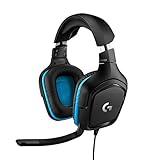
- Enjoy expansive cinematic sound. Big 50 mm audio drivers deliver an incredible sound experience
- Hear Enemies From All Sides. DTS Headphone:X 2.0 surround sound(1) lets you hear enemies sneaking behind you, special ability cues, and immersive environments. It’s positional clarity that can make the difference between victory and defeat. Experience three-dimensional audio that goes beyond 7.1 channels to make you feel like you’re right in the middle of the action. (1) DTS Headphone:X 2.0 requires Logitech G HUB Software.
- Be Heard Loud and Clear. The big 6 mm boom mic makes sure you’re heard by gaming partners and mutes when flipped up.
- Use One Headset For Most Game Platforms. Your headphones work with your PC or Mac via USB DAC or 3.5 mm cable, mobile devices with 3.5 mm cable or with gaming consoles including PlayStationⓇ 5 and PlayStationⓇ 4 (USB wireless stereo sound only), Nintendo Switch (wireless stereo sound when docked)
- Game for Hours in Comfort. Everything about these headphones is about comfort: The deluxe lightweight leatherette ear cups and headband are made to keep pressure off your ears. Ear cups rotate up to 90 degrees for convenience.
Leaving immediately can cause the marker to appear late or in an incorrect layer of the map. If you don’t see the update prompt or hear the audio sting, stay put and let the system finish its transition.
Rewards You Receive Immediately
Cutteray grants a small but critical package of early progression rewards. This typically includes mid-tier crafting schematics, a data fragment tied to faction reputation, and a survival-oriented consumable that reduces sand exposure penalties.
The Tool Desk
Outbyte PC Repair FREERepair Windows errors before they cause bigger problemsFix Now →Outbyte Driver Updater FREEFix the driver behind crashes, sound loss and screen glitchesFind Drivers →None of these are flashy DPS upgrades, but they are foundational. The schematic in particular unlocks gear that trivializes upcoming traversal hazards if you actually craft it instead of hoarding it.
Unlocking the Next Quest Chain
Completing Cutteray’s interaction flags the next quest hub rather than pointing you directly to a single NPC. This is intentional and consistent with Dune Awakening’s layered quest design.
Your next objective will rely on environmental storytelling rather than a hard marker. Watch for familiar power cabling patterns and listen for variations in ambient machinery hum, as these cues echo the logic used to find Cutteray himself.
Common Post-Interaction Mistakes That Stall Progress
The biggest mistake players make here is engaging enemies immediately after the dialogue. Doing so can suppress newly unlocked NPCs in adjacent zones, especially if you kite enemies across boundary lines.
Quick wins for a faster PC:
Fix the driver behind crashes, sound loss and screen glitchesFind Drivers →Clear out junk files and repair common Windows errorsFree Scan →Scan for outdated or missing drivers - takes under a minuteDriver Scan →Another frequent error is fast traveling before crafting the unlocked item. Several later checks assume you’ve built and equipped at least one piece from Cutteray’s schematic, even if the quest log doesn’t explicitly say so.
How to Safely Exit the Area
When you’re ready to leave, backtrack along the same terrain incline you used to enter. This avoids clipping into invalid geometry that can reset the ravine’s state and despawn Cutteray prematurely.
Once you’re clear of the pocket and ambient audio shifts back to open desert tones, you’re safe to mount up, fast travel, or engage nearby encounters without risking quest integrity.
Troubleshooting: If Tarl Cutteray Is Missing or Unreachable
Even if you followed the approach perfectly, Dune Awakening’s systemic quest logic can occasionally make Cutteray seem like he vanished into the sand. Before assuming your save is bricked, run through the checks below. In almost every case, the issue is tied to world state, timing, or how you entered the ravine.
Free tools Windows power users keep installed
One-click scans. No signup required.
Verify You’re in the Correct Micro-Region
Tarl Cutteray does not exist globally in Hagga Basin; he only spawns inside a narrow sub-zone of the ravine pocket. If your map shows the broader region but lacks the subtle contour lines and shadowed crevice icon, you’re too far out.
Physically move deeper until the rock walls tighten and the ambient wind audio drops. That audio shift is the actual spawn trigger, not the quest marker.
Check Time of Day and Sandstorm State
Cutteray will not appear during active sandstorms or transitional weather phases. If visibility is low or your HUD shows storm buildup, the NPC is temporarily suppressed.
Wait out the storm without leaving the ravine, or rest until the next daylight cycle. Leaving the sub-zone during a storm can force a partial reset that delays his return.
Outdated Drivers Are Slowing You Down
One free scan finds every outdated or missing driver and matches the right update for your exact hardware.Free scan · exact hardware matchPC Slower Than It Used to Be?
A free scan shows the junk files, broken settings and background clutter dragging Windows down - then fixes them in one click.Free scan · Windows 10 & 11Confirm Quest Flags and Prerequisites
If Cutteray never spawned at all, you may have skipped a prerequisite interaction earlier in the chain. Specifically, the faction data handoff or overheard NPC dialogue tied to desert logistics must be completed, even if it wasn’t labeled as a main objective.
Open your quest log and look for incomplete gray entries rather than active ones. Dune Awakening loves hiding progression checks there, and Cutteray is gated behind at least one of them.
Enemies Can Suppress His Spawn
Aggro matters here. If hostile NPCs are active inside or just outside the ravine, Cutteray’s spawn can be delayed indefinitely.
Clear the immediate area without kiting enemies across zone boundaries. Crossing those invisible lines while in combat is a known way to suppress non-hostile NPCs tied to quest states.
Fast Travel and Mount Use Can Break the Encounter
Approaching Cutteray via fast travel or dismounting directly inside the pocket can prevent his dialogue trigger from initializing. The game expects you to enter on foot from the outer incline.
If he’s missing, back out completely, re-enter on foot, and pause movement for a few seconds once the audio shifts. That idle moment gives the system time to load the interaction.
When to Reset the Area Safely
If none of the above works, perform a soft reset. Leave the ravine, travel at least 300 meters away, rest until the next time block, then return using the original path.
Do not log out inside the ravine and do not die nearby, as both can lock the area into an invalid state. A clean re-entry fixes Cutteray in nearly every tested scenario.
Quick wins for a faster PC:
Clear out junk files and repair common Windows errorsFree Scan →Scan for outdated or missing drivers - takes under a minuteDriver Scan →Repair Windows errors before they cause bigger problemsFix Now →Before you move on, remember this encounter is a blueprint for how Dune Awakening handles hidden NPCs going forward. Listen to the environment, respect zone boundaries, and let the world finish loading before you force progress. Master that rhythm now, and the desert opens up instead of fighting you every step of the way.