Ztype is a type-to-shoot space shooter from PhobosLab, listed as a 2011 release. Enemy ships carry words, and every letter you type fires a shot at them. That single mechanic is why it can feel rewarding within a minute of starting. Whether it suits a family is a separate question. The creator’s own writing and PhobosLab’s listing explain the game’s design and where it can be played, but they do not establish an age rating or a family-safety assessment.
How the game works
Ztype puts you at the bottom of the screen while ships descend carrying words. Typing a word fires at the ship that carries it. The creator’s account describes each keystroke as producing a projectile, a sound, and an impact effect, so the feedback arrives with every letter rather than only when a word is finished. Dominic Szablewski, who made the game, has said he wanted an open-ended arcade game built around a high score and rising difficulty over time. The name refers to the classic space shooter R-Type, according to Szablewski.
In practice, the keyboard is the controller. There is no separate fire button to learn. A player who types quickly and accurately is the player who clears the screen fastest, which is the reason the game is often described as a typing game and an arcade game at the same time.
Why it feels satisfying
“Super satisfying” is this article’s editorial judgment, and it is worth separating from the creator’s stated intent. Szablewski wrote in his February 14, 2011 article “Game On Spotlight: Z-Type”: “The one thing I took special care of with Z-Type is that every shot you take, every keystroke, is as satisfactory as possible.” In other words, the feedback loop was a deliberate design goal, not an accident of the mechanic.
Windows Errors? Fix Them Before They Spread
Repair common Windows errors and clear accumulated junk for a smoother, more stable PC - no reinstall needed.Free scan · no reinstallOutdated Drivers Are Slowing You Down
One free scan finds every outdated or missing driver and matches the right update for your exact hardware.Free scan · exact hardware match#1 Best Overall

- Officially licensed Atari titles. Titles include Asteroids, Centipede, Millipede, Breakout, Missile Command, Crystal Castles and many more. Game save options.
- Packed with over 200 built-in Atari games + bonus titles. Pac-Man & Galaga not included. Full Game list listed below.
- Includes Atari console, games instructions, 2 wireless joysticks, USB power cable, HDMI cable, and user manual. System connects directly to TV.
- Includes two 2.4 GHz wireless joysticks, inspired by the original Atari joysticks, include paddles for paddle games like Breakout, Warlords and many more.
- User Guide Languages: English, French, Spanish, Italian, Portuguese, German, Dutch, Japanese and Arabic. Dynamic RGB LED lights.
Whether the loop feels as good to you depends on your typing comfort and on whether you enjoy short, score-driven rounds. It rewards steady hands more than fast reflexes, and it does not need a long tutorial.
Where it came from
Szablewski made Ztype for Mozilla’s Game On competition. PhobosLab’s games page says the game won the Community Choice Award in that competition. The creator built it on his own JavaScript game engine and drew it with the HTML Canvas element.
Rank #2

- Kids Friendly Design: This P30S handheld game console is specially designed for kids. It has a stylish arcade - like appearance. The body fits a child's hand, and the game settings also cater to kids psychology, thus being very attractive.
- Excellent Gaming Experience: Equipped with a 3.0 - inch high - definition screen and excellent speaker sound, it provides an excellent visual and auditory experience for video games. This handheld game console is small and lightweight, convenient for kids to use and carry. Its ergonomic design ensures a comfortable grip, allowing children to fully enjoy the games.
- Rich Collection of Classic Games: This retro handheld game console contains 220 interesting kids video games, including various types such as entertainment, sports, and adventure games, just like those found in many retro game consoles. While playing these games, kids can cultivate skills such as hand - eye coordination, thinking, and problem - solving.
- Convenient Rechargeable and Long - lasting Battery: The video game console is equipped with an 860mAh lithium - ion battery. It ensures that kids can play games without interruption, because there is no need for frequent battery replacement, which is very suitable for playing portable games outdoors. It is a great addition to the world of handheld games for children and can bring more fun to them.
- Absolutely Surprising Gift: Our handheld game toy is a surprising gift for kids, teenagers, and even adults. It is the best gift for birthdays, Christmas, Halloween, and Thanksgiving. Customer satisfaction is our top priority. Our customer support team will serve you wholeheartedly.
Szablewski also reported that the game drew “hundreds of thousands of visitors” after release. That is his approximation from 2011, not an independent audience measurement, and he did not give an exact count. The same article offered his explanation for its broad appeal: “anyone who can type on a keyboard can play the game and be good at it, even if they never played a video game before.” That is the creator’s view of accessibility, not a tested finding.
Keyboard, phone, and browser: how it has been played
The original game was built for a computer browser, and the creator said it was designed without mobile devices in mind because a typing game depends on a real keyboard. The table below separates what the creator or PhobosLab documents from what remains unverified.
Free tools Windows power users keep installed
One-click scans. No signup required.
Rank #3
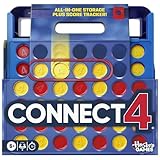
- CONNECT 4 GAME WITH EXCITING UPDATES: This Connect 4 board game features the classic gameplay fans love, plus all-in-1 storage, score trackers, and a modern design
- ALL-IN-1 CARRYING CASE WITH STORAGE: When done playing, release the discs from the grid and they neatly drop into a storage tray. The grid and tray fold into an all-in-1 portable case with a handle
- EFFORTLESS, 1-MOTION SET-UP: No parent’s help needed! Simply fold up the grid to play, and it’s time 4 edge-of-your-seat action
- ADDICTIVE STRATEGY GAME FOR KIDS & ADULTS: The drama builds as the discs drop! Players try to get 4 in a row of their color discs to win this popular game for teens, adults, and kids ages 6+
- BUILT-IN SCORE TRACKERS FOR EPIC COMPETITIONS: Sliding score trackers let players easily track who wins each round. Win 4 rounds to be champ
| Version or input | What is documented | What is not established |
|---|---|---|
| Browser with a physical keyboard | The original design target; PhobosLab’s games page links to play in a browser; the legacy game page says a good browser is needed. | Which browser versions are supported: not stated by PhobosLab. |
| iPhone version | In a July 9, 2015 article, “What makes an On-Screen Keyboard Fun?”, Szablewski wrote that the normal on-screen keyboard interfered with play, so the team built a custom keyboard solution. | Current App Store availability and minimum iOS version: not stated in the sources reviewed. |
| Android version | PhobosLab’s games page links to an Android version. | Current Google Play availability, device support, and Android version requirements: not stated. |
The practical takeaway is that a physical keyboard is the version the creator designed around. A touchscreen can run an adaptation, but the creator’s own account treats the on-screen keyboard as the problem that needed fixing.
Is it for the whole family?
The title’s “worth a try for the whole family” is a recommendation, and it is not backed by a rating. The reviewed material describes the gameplay as typing words to shoot enemy ships. It does not include an age rating, a content descriptor, or a family-safety review, and this article does not supply one. A parent who wants to judge suitability should look at the game directly, including how its enemies and visuals appear, before handing it to a child.
Rank #4

- FUN FOR ALL AGES: Whirlball is a super fun, arcade-style ball rolling game that players of all ages will love! Just bowl the ball into the scoring holes to win!
- AUTOMATIC BALL RETURN: The automatic ball return sends the arcade balls back to you so you can focus on winning
- SCORING AND SOUNDS: With fun arcade sounds and a 30 second clock built-in you will need to play fast and try to beat the buzzer!
- FOLDING LEGS: The target is designed with folding legs so you can fold it up and store it away easily when not in use
- EASY ASSEMBLY: This set is made to assemble in minutes and requires no tools, so you can spend less time setting up and more time in the action!
The creator’s accessibility point is the strongest argument for broad appeal. A player who can type and is comfortable with a keyboard does not need prior gaming experience to start. That is a reasonable description of the controls, though it is still a claim about play rather than a rating.
Independent reader supportYour contribution helps us test, update, and keep practical guides available for everyone.What is current and what is not
PhobosLab lists Ztype as a 2011 release, which is the game’s year label rather than a statement of its current status. Its games page links to browser, iOS, and Android versions, but a link on that page does not confirm that the app is still available, that it runs on your device, or that it will remain downloadable. The article has not verified current store listings, operating-system requirements, or whether any download is still maintained.
The Tool Desk
Outbyte PC Repair FREERepair Windows errors before they cause bigger problemsFix Now →Outbyte Driver Updater FREEFix the driver behind crashes, sound loss and screen glitchesFind Drivers →Best Value

- GAME OF SWEET REVENGE: Enjoy classic Sorry! gameplay with this Sorry! board game for kids. It's an edge-of-your-seat race to home, so hurry up and get there first
- FIRST ONE HOME WINS: Who will be the first player to get all 3 of their pawns to the home space? But watch out! Players can get "sweet revenge" by sending each other's pawns back to the starting point
- SO MANY POSSIBILITIES: Slide, collide, and score to win the Sorry! game. This family game for kids and adults features so many possibilities depending on the card picked up and strategy chosen
- CLASSIC SORRY! GAMEPLAY: Remember playing the original Sorry! game as a kid? Bring back memories of playing the Sorry! game with family members and introduce it to a new generation
- FAMILY GAME NIGHT FAVORITE: A go-to game for family time or anytime indoor fun, the Sorry! game for kids is one of the best family games for game night
No current count of active players is available in the reviewed material. The only audience figure is the creator’s 2011 “hundreds of thousands of visitors” remark.
Trying it
- Open PhobosLab’s games page and use the browser link. This is the path closest to the creator’s original design.
- Use a physical keyboard and a current, up-to-date browser. The legacy page only says a good browser is needed, so no specific version is recommended here.
- If you use a phone, expect the touchscreen experience to differ from the keyboard version, because the creator treated the on-screen keyboard as a problem to solve.
- Check the Android and iOS links before you rely on them, since availability and device support are not confirmed in this article.
If you enjoy short rounds where accuracy and speed matter more than memorising controls, Ztype is a sensible way to spend a few minutes. Whether it is right for a younger player is a judgement you will need to make yourself after looking at the game.
Quick Recap
Product prices and availability are accurate as of the date/time indicated and are subject to change. Any price and availability information displayed on Amazon at the time of purchase will apply.




